Import your books from Calibre, cloud storage, or any other source. Open a book and you are ready to customise.
Access fonts, colours, spacing, margins, and dark mode from the in-reader settings panel. Changes apply instantly as you adjust.
Your settings save per book automatically. Open a different book and it loads its own preferences. Every book, exactly how you left it.
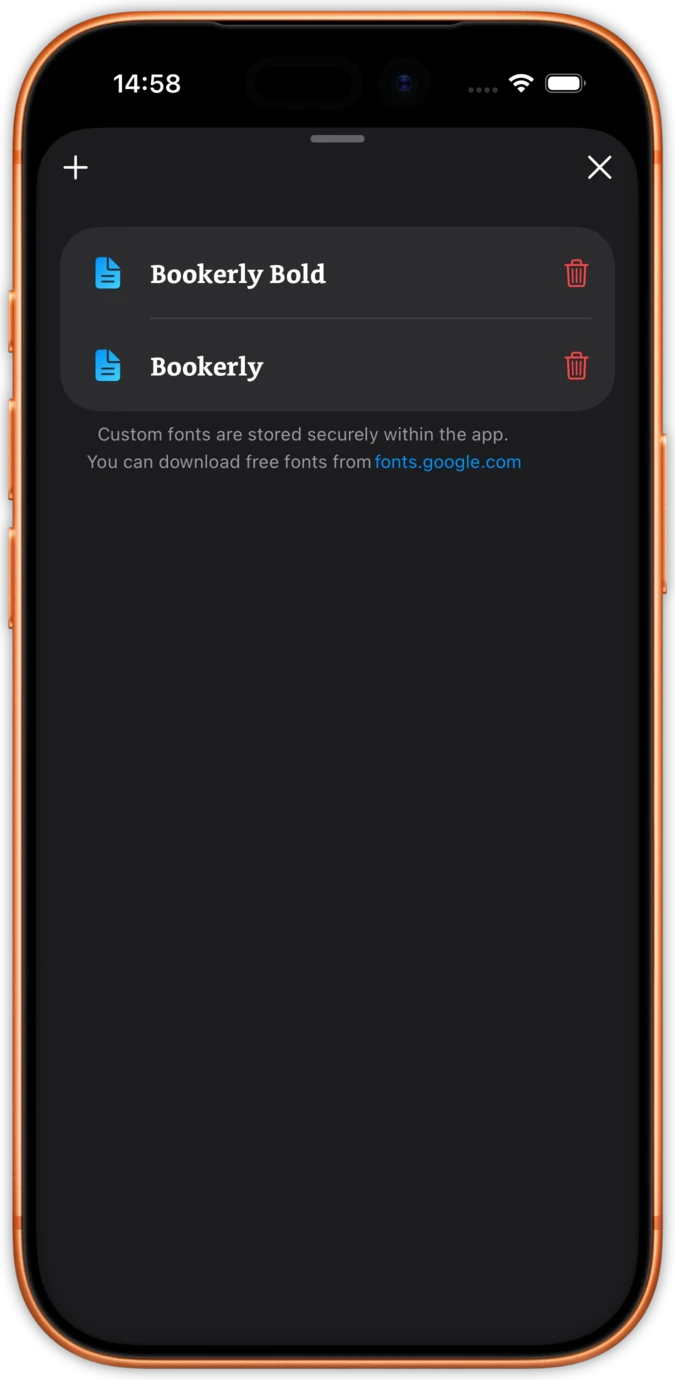
Import any OTF or TTF font from your collection or download free ones from fonts.google.com. The font manager lists your custom fonts with a single tap to add or remove. Bookerly, Literata, OpenDyslexic, or your own licensed typeface.
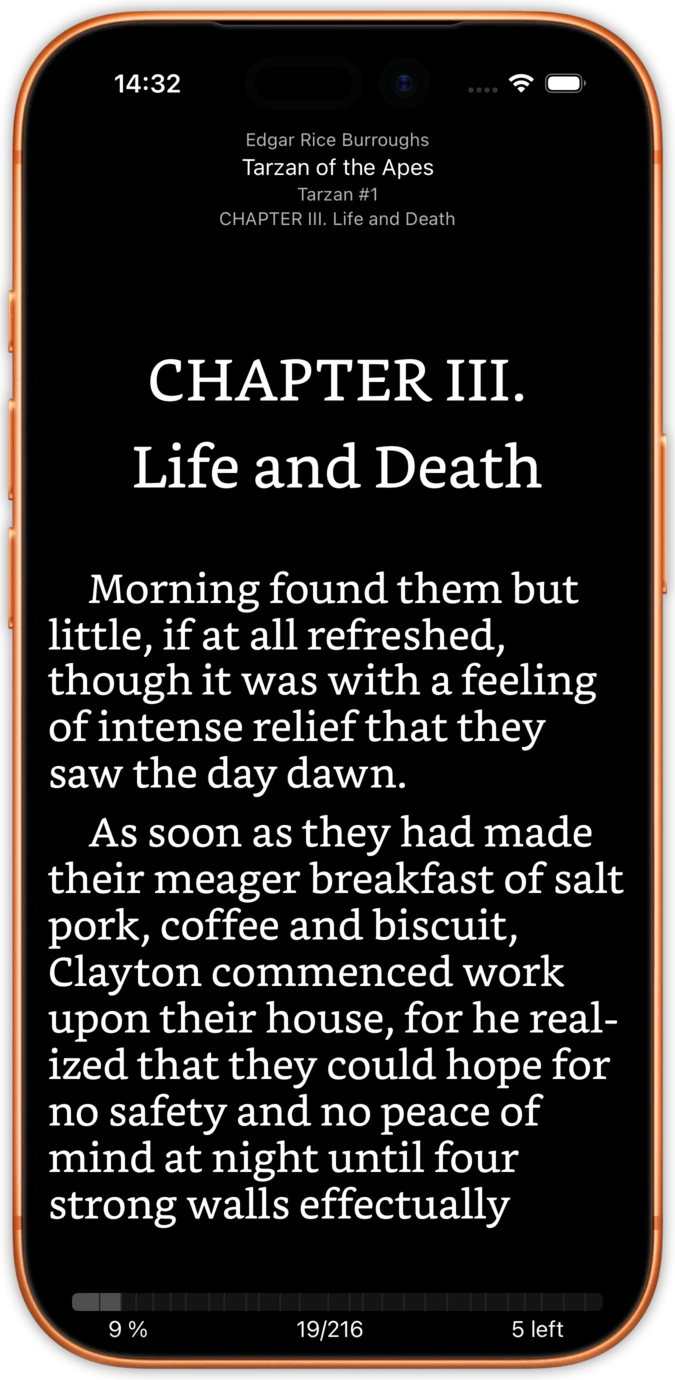
Your chosen font renders in a clean reading view with author, title, series, and chapter at the top. The bottom bar shows progress percentage, page count, and chapters remaining. Font choice saves per book, so a serif novel and a sans-serif manual each keep their own typeface.
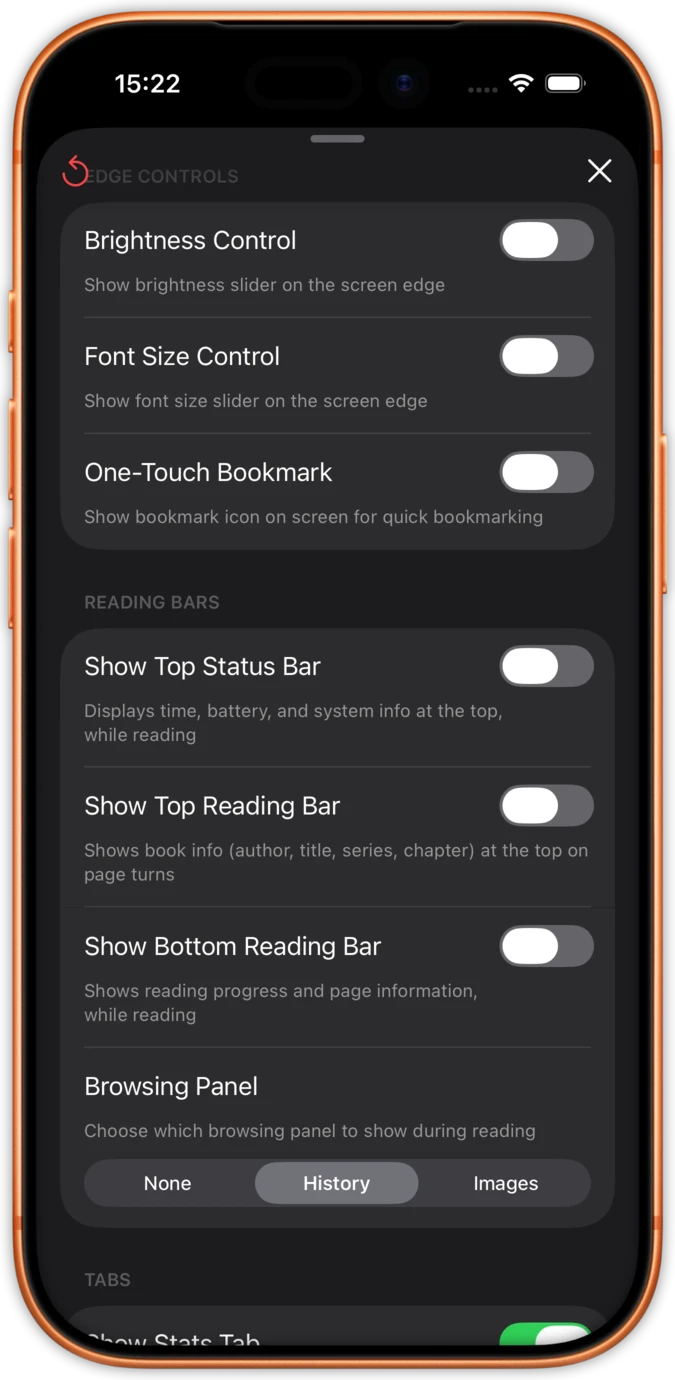
The Edge Controls panel puts brightness and font size sliders on the screen edge, adds a one-touch bookmark icon, and lets you toggle the top status bar, top reading bar, and bottom reading bar independently. Choose between History and Images browsing panels.
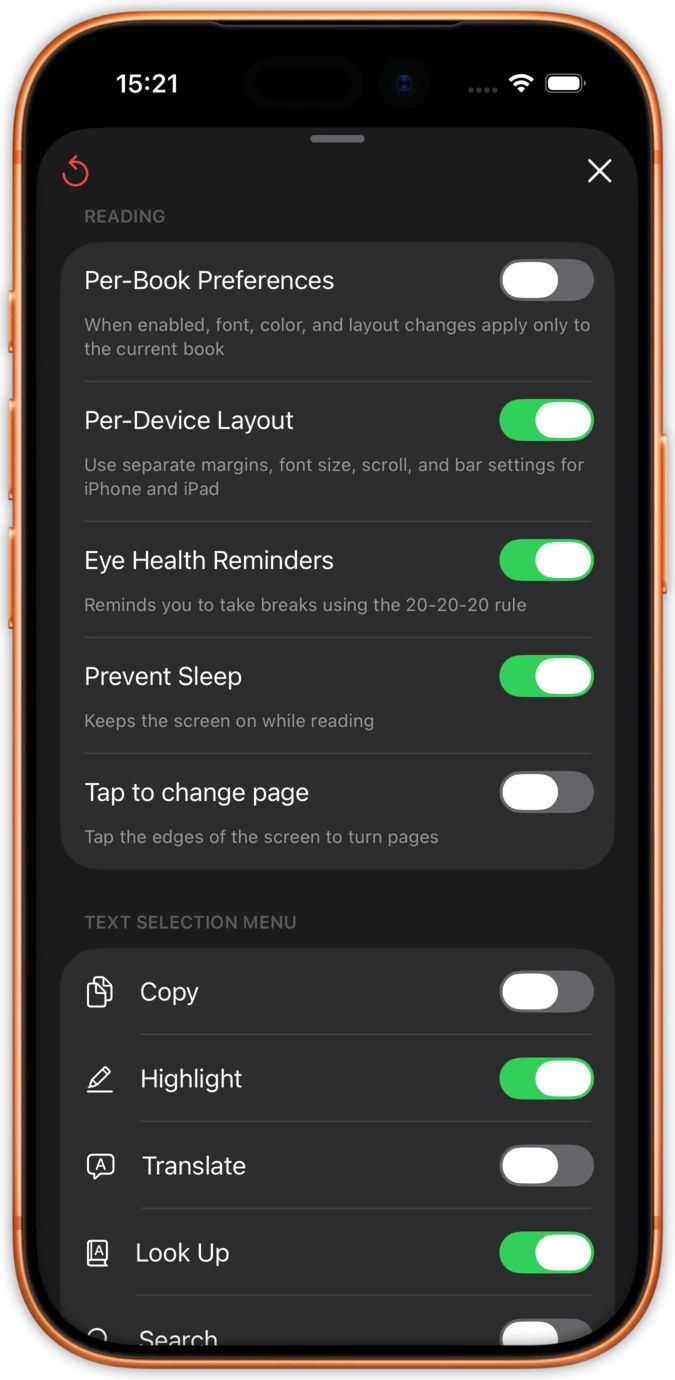
The Reading panel sets per-book preferences, per-device layout, eye health reminders, and screen sleep prevention. Below it, configure which text selection tools appear when you select a passage: copy, highlight, translate, look up, and search.
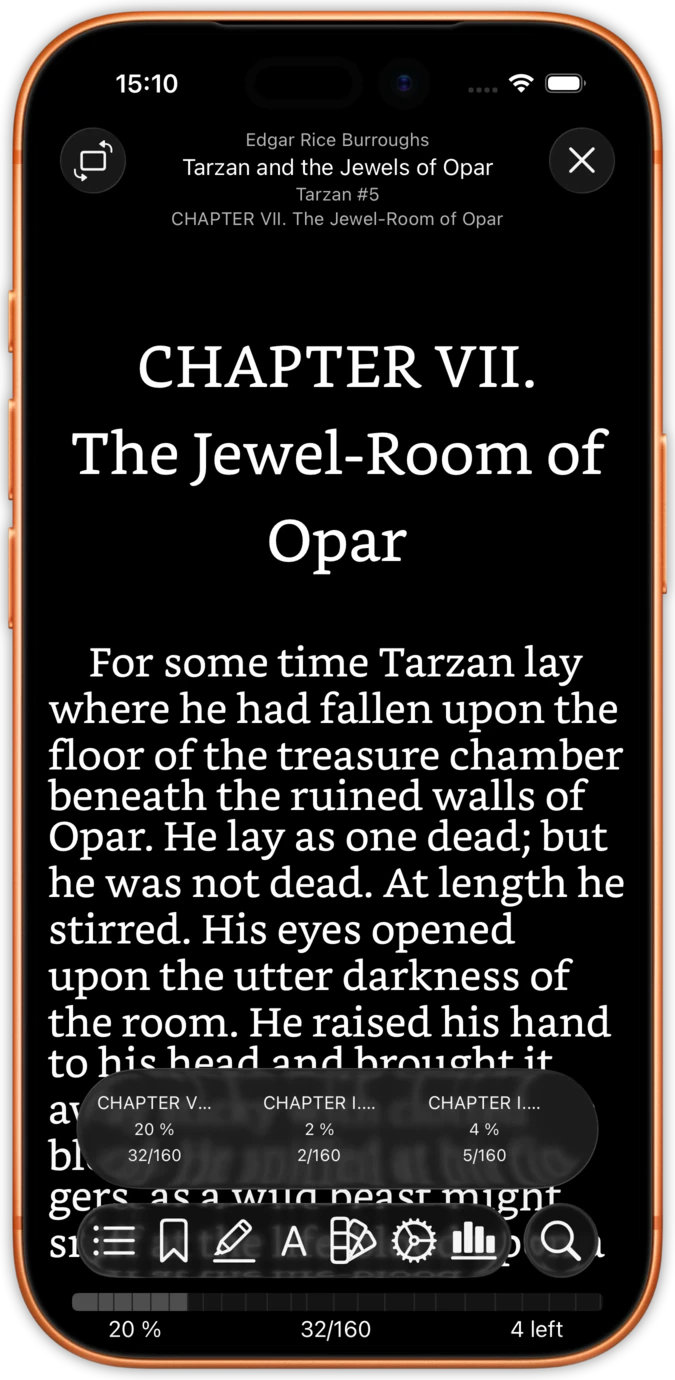
Tap the screen to reveal a bottom toolbar with table of contents, bookmarks, annotations, fonts, themes, statistics, and search. The tabs panel shows every chapter with its reading progress and page count, so you always know where you are.
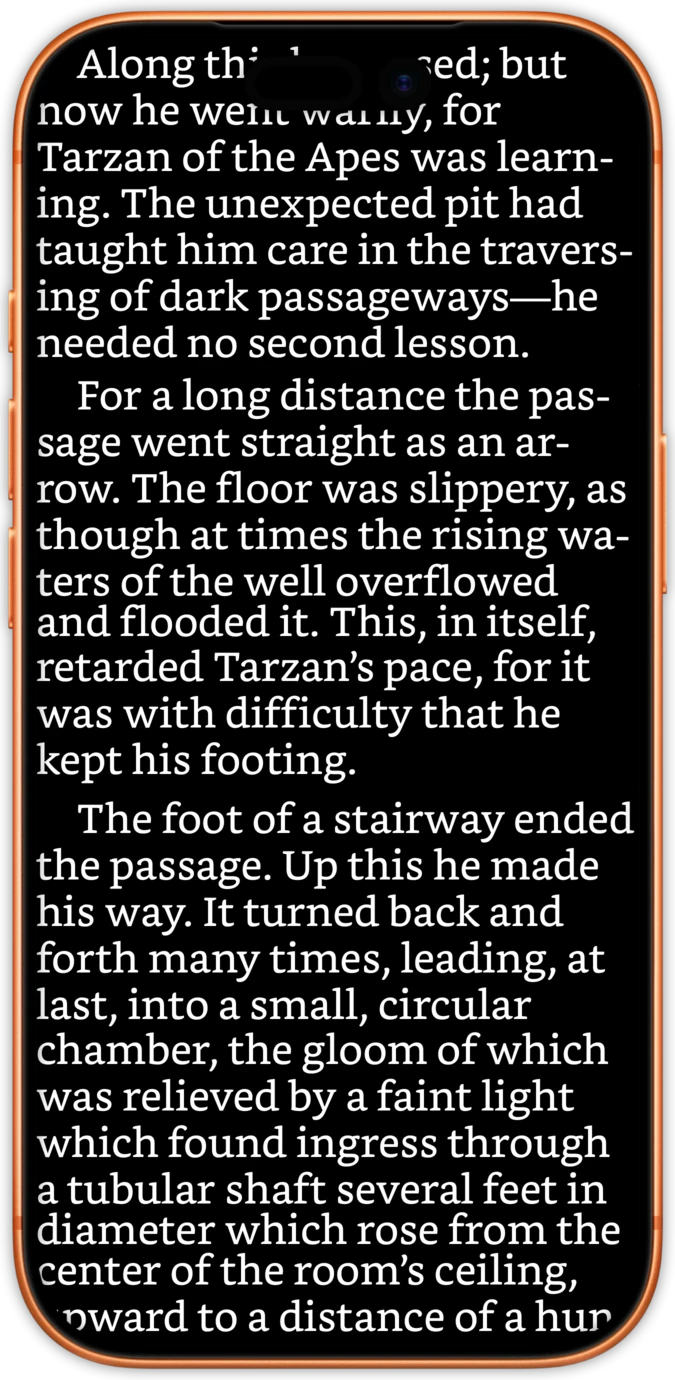
Close the toolbar and text fills the entire screen edge-to-edge. True-zero margins mean no wasted space. No bars, no buttons, no icons. Just the words on the page, exactly how a printed book feels.
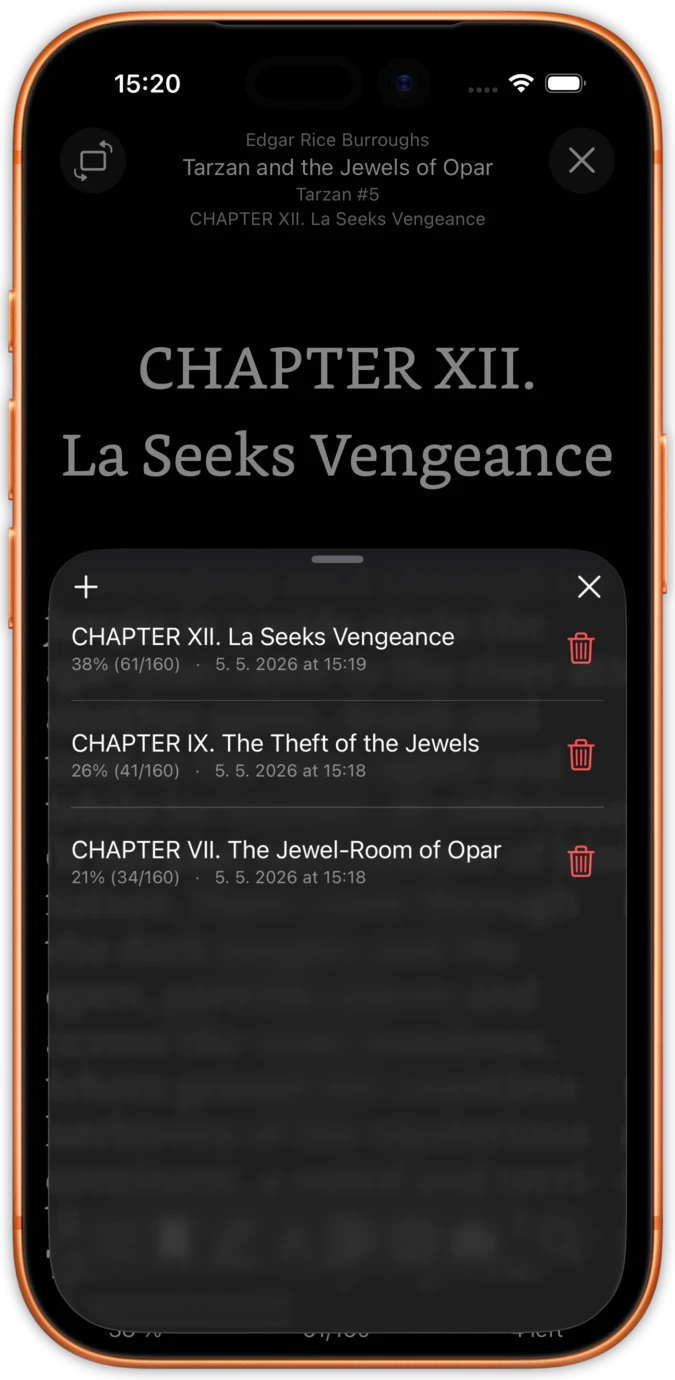
Drop a bookmark at any position with one tap. The bookmarks panel lists every saved position with its chapter name, progress percentage, page number, and the exact time you added it. Jump back to any bookmark instantly.
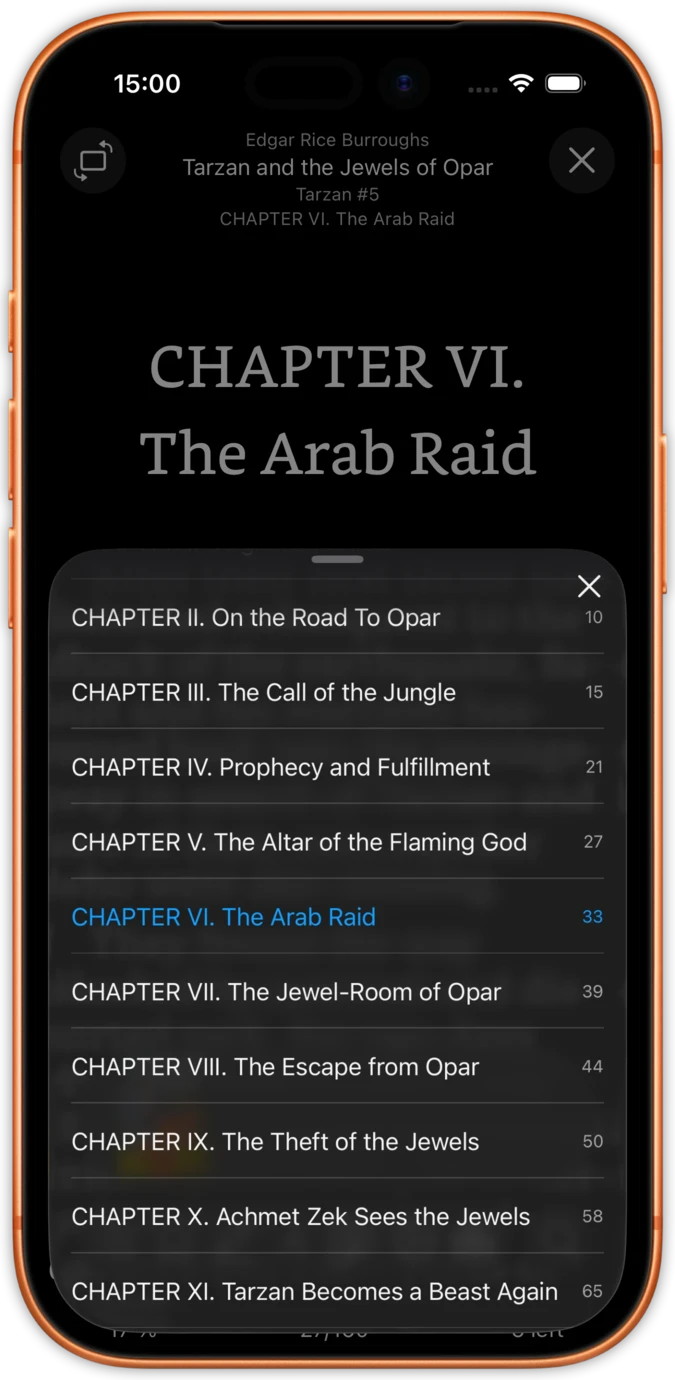
The table of contents shows every chapter with page numbers. Your current chapter is highlighted so you always know where you are in the book. Tap any chapter to jump there immediately.
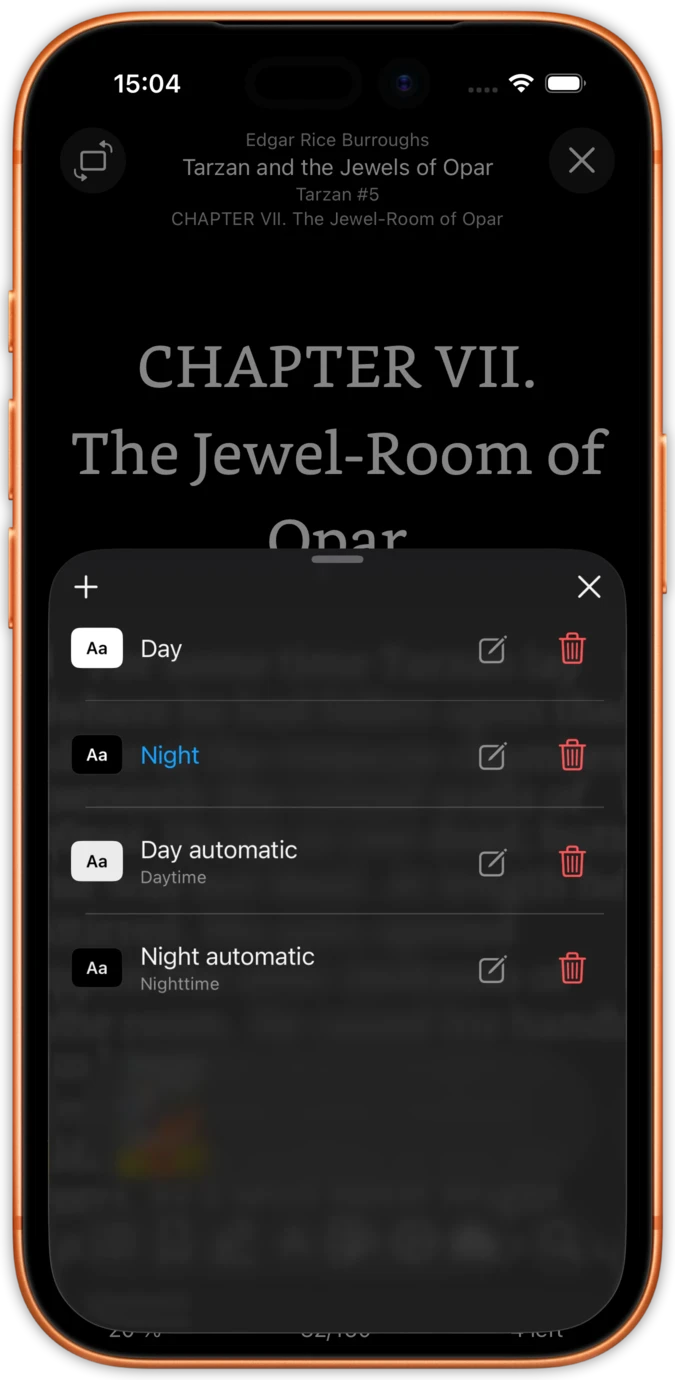
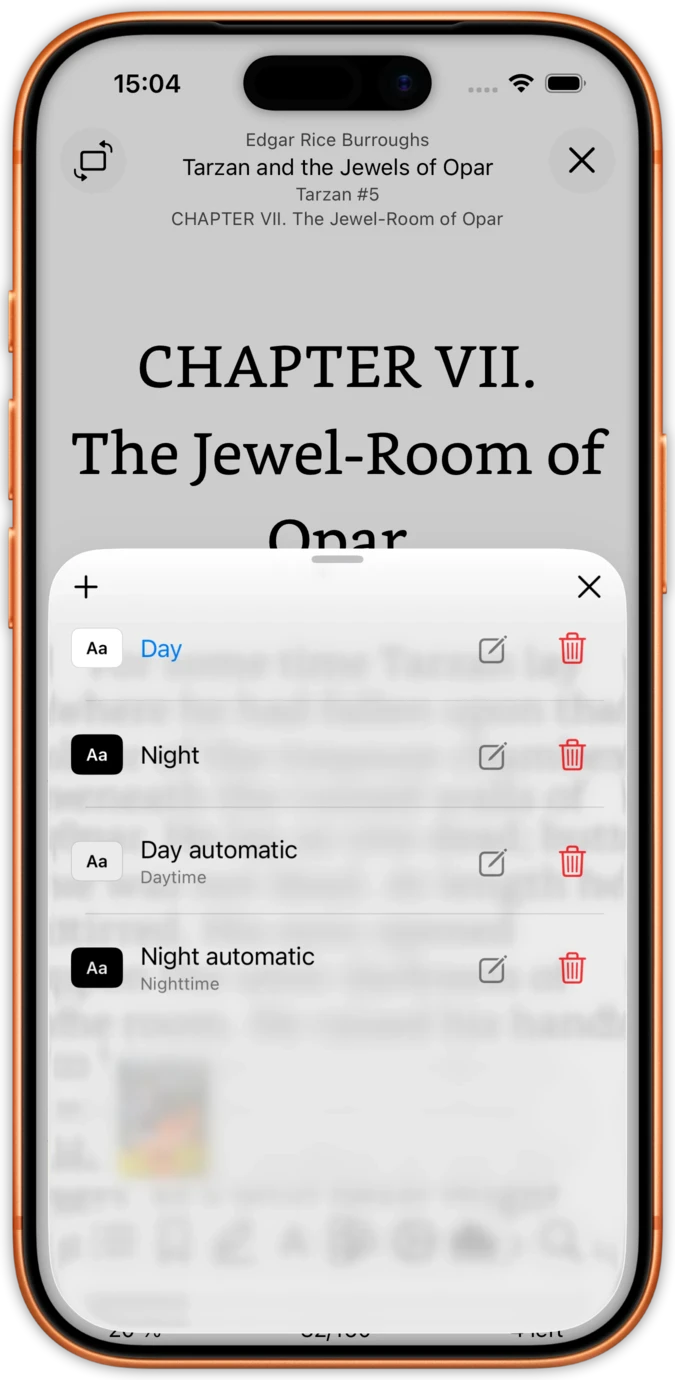
justRead switches between day and night themes automatically based on your system settings. Or take full control with custom RGB colours for text, background, and links.
Save your favourite theme combinations and switch between them with one tap. Every colour you choose saves per book, so a sepia-toned novel and a high-contrast textbook coexist without conflict.
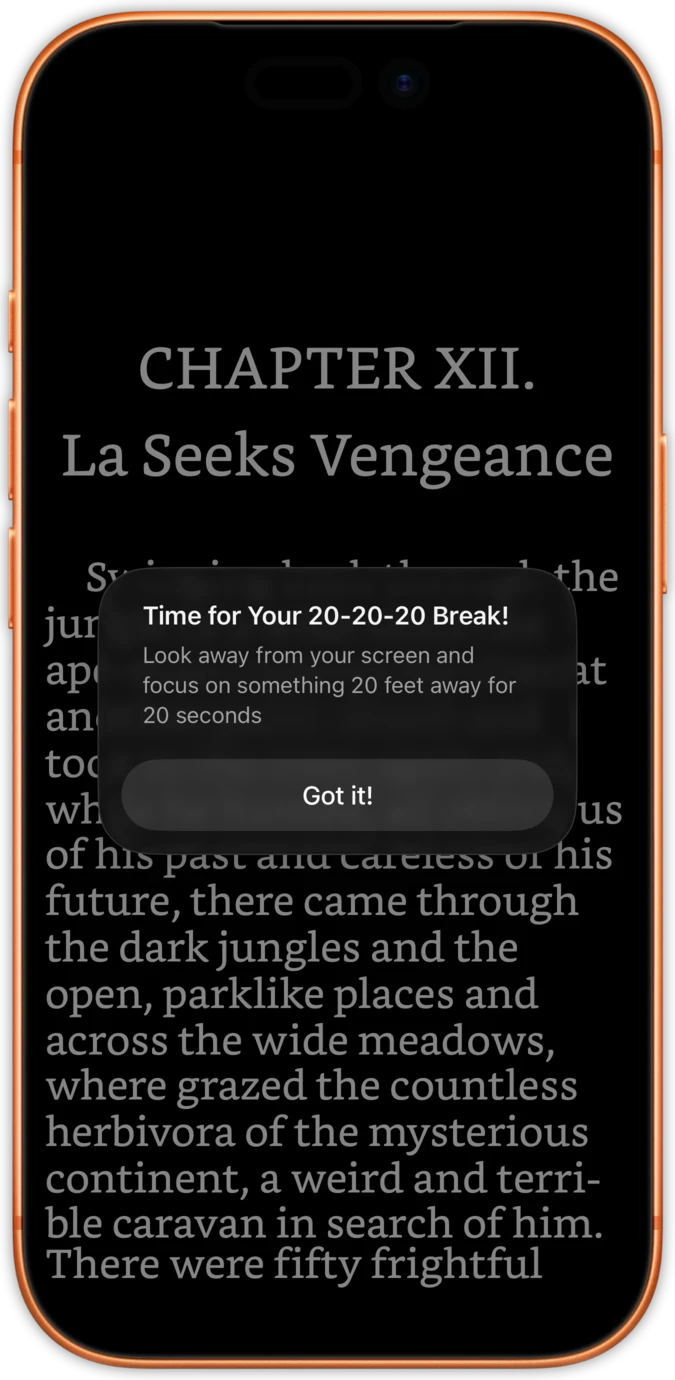
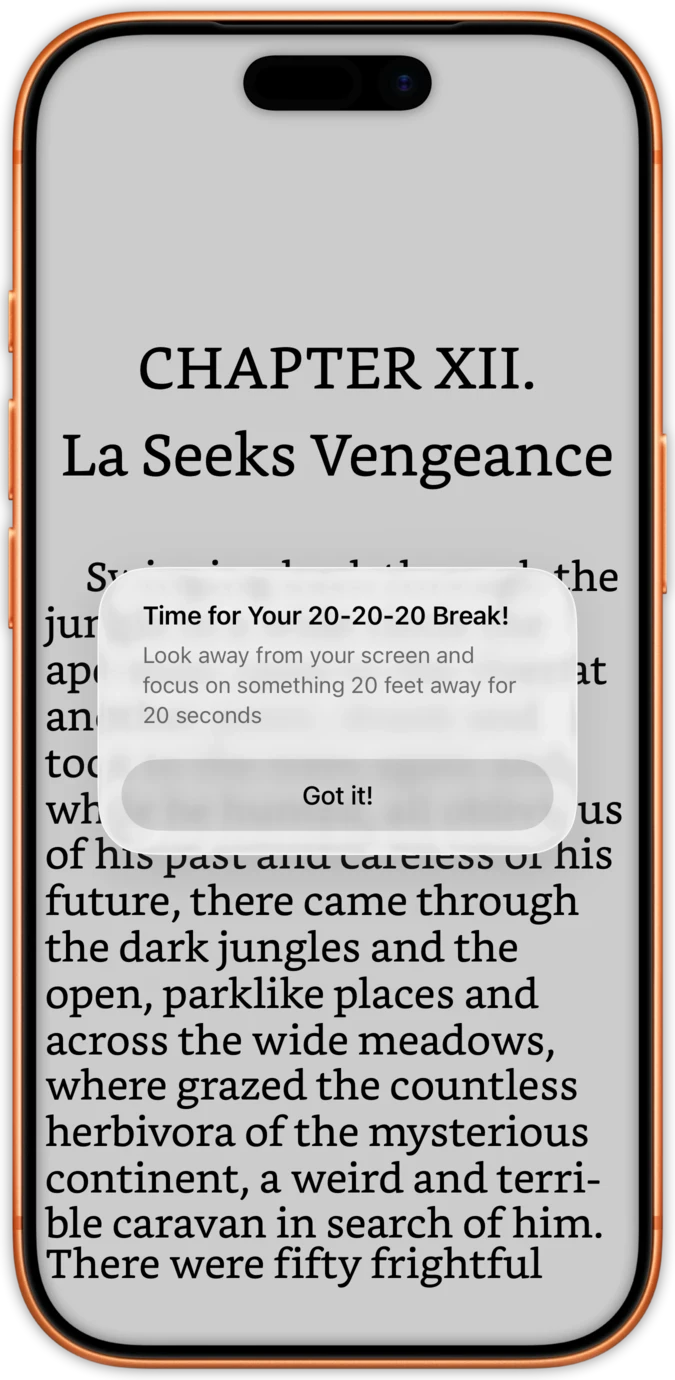
The 20-20-20 rule says to look 20 feet away for 20 seconds every 20 minutes. justRead has a built-in timer that reminds you with a gentle overlay, no separate app needed.
Adjust the reminder interval to match your reading style. When the timer fires, your page position is preserved. Dismiss the overlay and you are exactly where you left off.
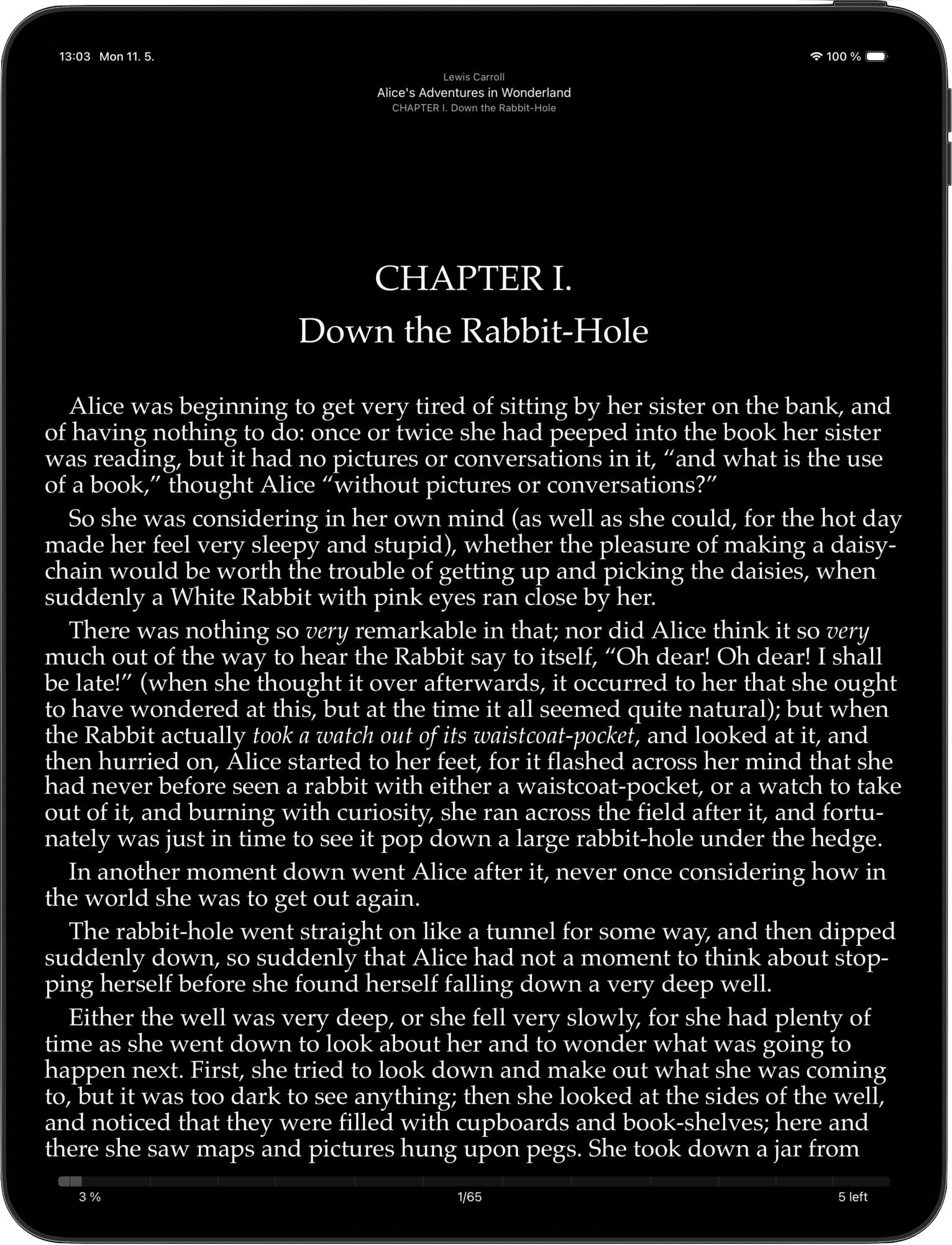
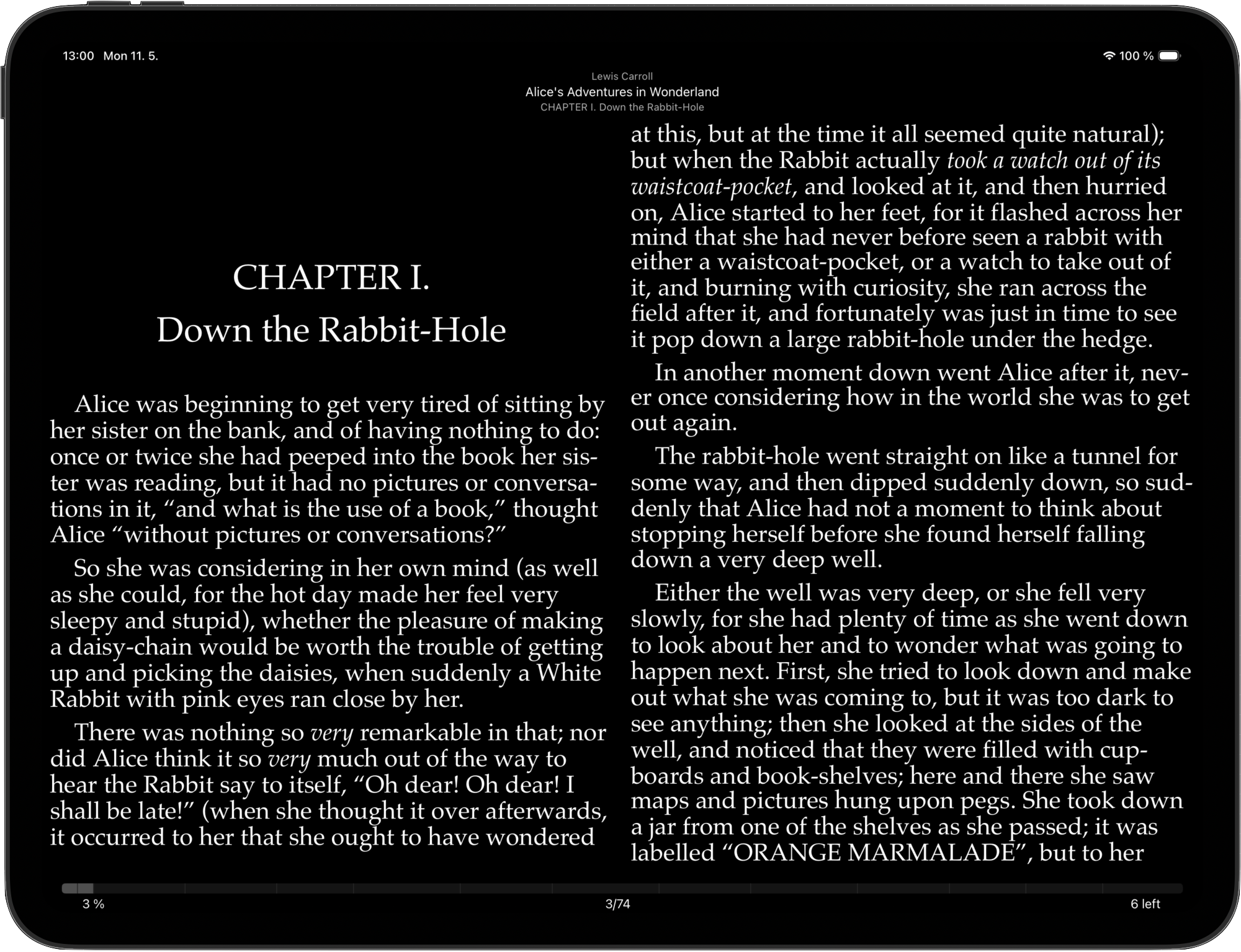
iPhone and iPad maintain separate layout settings. Two-column reading in landscape and single-column in portrait on iPad, whilst your iPhone stays in its own single-column mode.
Customise fonts, margins, and spacing independently for each device. Read a dense reference book with tight margins on iPad and the same book with larger text on iPhone. Each device, each book, its own settings.
Real control that other readers do not offer
Apple Books gives you 8 fonts. Most EPUB readers offer 15-20. None let you install your own.
justRead includes 200+ built-in fonts and lets you install any OTF or TTF file. Your favourite typeface, in every book.
Other readers apply one set of settings to every book. Change the font for a novel and your textbook changes too.
justRead saves font, colours, margins, and spacing per book. Each title remembers exactly how you set it up.
No EPUB reader on iOS includes a screen break timer. You need a separate app or rely on willpower.
justRead has a built-in 20-20-20 timer with a gentle overlay. Adjustable interval, page position preserved. Eye care without leaving your book.
Why justRead has the deepest customisation on iOS
| Feature | justRead | Other Apps |
|---|---|---|
| Custom Fonts | 200+ built-in + any OTF/TTF | 8-20 preset, no custom install |
| Per-Book Settings | Saved per book automatically | Global only |
| Margin Control | True-zero to maximum, per book | Fixed minimum, 3-4 presets |
| Dark Mode | Full RGB + auto system-follow | 3-5 preset themes |
| Eye Care | Built-in 20-20-20 timer | Not available |
| Per-Device Layout | Separate iPhone/iPad settings | Same everywhere |
See what readers are saying on the App Store
★ 4.6 / 5 · 36 App Store ratings
Fantastic eReader
Best app I've found for syncing with Calibre. Customisation rivals the great Marvin app, with superior library management.
Your books, your way
Ridiculously customisable, works great with my Calibre library and OPDS, and syncs across devices. The developer has been amazingly responsive.
Finally a worthy successor to Marvin
Two-way sync with Calibre, a big tick on library metadata, and fast, helpful support. Forget the other e-reader apps, this is the one to go for.
Exceptional app
A clean, uncluttered, modern interface, Calibre integration and excellent text-to-speech. Extra points for no telemetry or analytics.
Reading as you want it
A great new iOS epub reader with responsive developers actively adding features. Configure your reading experience just the way you like it.
The best reader on the App Store
Absolute control of customisation. Custom font support. The ability to vote on next features and development.
My new mobile happy place
A beautifully made reader app. Love the statistics and how it works with my 5,000+ book library and cloud storage.
Comprehensive epub reader for iOS
Finally an app that manages a book collection and acts as a fully functional reader. Streams from Dropbox without using phone storage.
Everything you need to know about customisation in justRead
Yes. justRead includes 200+ built-in fonts and also lets you install any OTF or TTF font file. Import your font through the Files app or Calibre sync, and it appears in the font picker for all your books.
Yes. Font, size, text colour, background colour, margins, line spacing, and letter spacing all save independently for each book. Open a novel and it loads its settings. Open a textbook and it loads its own. No cross-contamination.
Apple Books offers 8 fonts, 4 themes, and global-only settings. justRead gives you 200+ fonts, full RGB colour control, per-book settings, edge tap controls, true-zero margins, and a built-in eye care timer. For a detailed comparison, see our blog post on epub reader customisation.
Edge controls let you tap the left or right side of the screen to turn pages instead of swiping. You can customise the tap zone width, choose which direction each side turns, and toggle haptic feedback. They make one-handed reading comfortable.
justRead includes a built-in 20-20-20 rule timer. Every 20 minutes (adjustable), a gentle overlay reminds you to look 20 feet away for 20 seconds. Your page position is preserved. Dismiss the overlay and continue reading exactly where you stopped.
Your per-book settings sync through iCloud, but iPhone and iPad maintain separate layout configurations. This means a book can have large text on your iPhone and smaller two-column text on your iPad, both synced and both independent.
Yes. justRead gives you full RGB control over text colour, background colour, and link colour. Create any theme you want: pure black AMOLED, warm sepia, cool grey, or any combination. Save per book or use system-follow for automatic day/night switching.
Yes. All customisation features are available during the free 14-day trial with full functionality. Fonts, per-book settings, edge controls, dark mode, and eye care are all included. After the trial, monthly (£2.99), yearly (£24.99), or lifetime (£59) plans are available.