All Features
- Your Library
- Organizing Your Shelf
- Book Details & Covers
- Reading
- Comics & Manga
- Audiobooks
- Read Aloud & Narration
- Typography
- Themes & Colors
- Layout & Screen
- Highlights & Notes
- Bookmarks, Search & Word Tools
- Home Dashboard
- Goals & Streaks
- Statistics
- Recap & Reading Wrap
- Calibre, OPDS & Sending Books
- Sync, Widgets & Shortcuts
- Accessibility & Comfort
- Privacy, Data & Help
01
Your Library
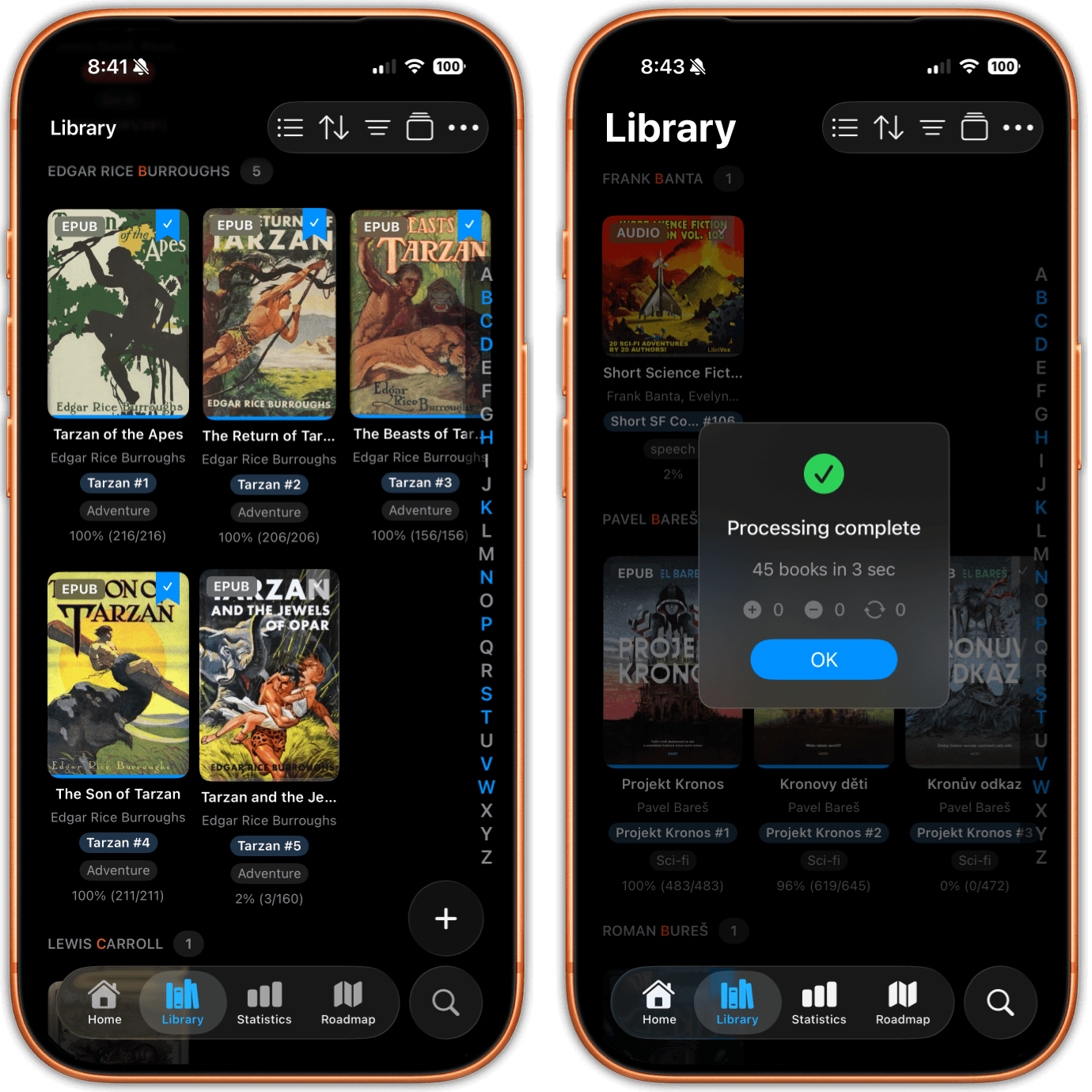
- Point the app at any folder of DRM free books, local or in iCloud Drive
- Works with any folder Dropbox, Drive or OneDrive syncs into Files
- First launch builds a library for you and puts a sample book in it
- Every book in every subfolder is imported, however deep it sits
- An import button that takes EPUB, PDF and comics straight from Files
- Pick many files at once, with a progress banner you can cancel
- Drag books out of Files and drop them onto the app on iPad
- Open in justRead from Files, Mail, Safari or any share sheet
- Pull to refresh rescans the folder and picks up what changed
- Delete a book and a later rescan will not bring it back
02
Organizing Your Shelf
- List and grid views, with small, medium or large covers
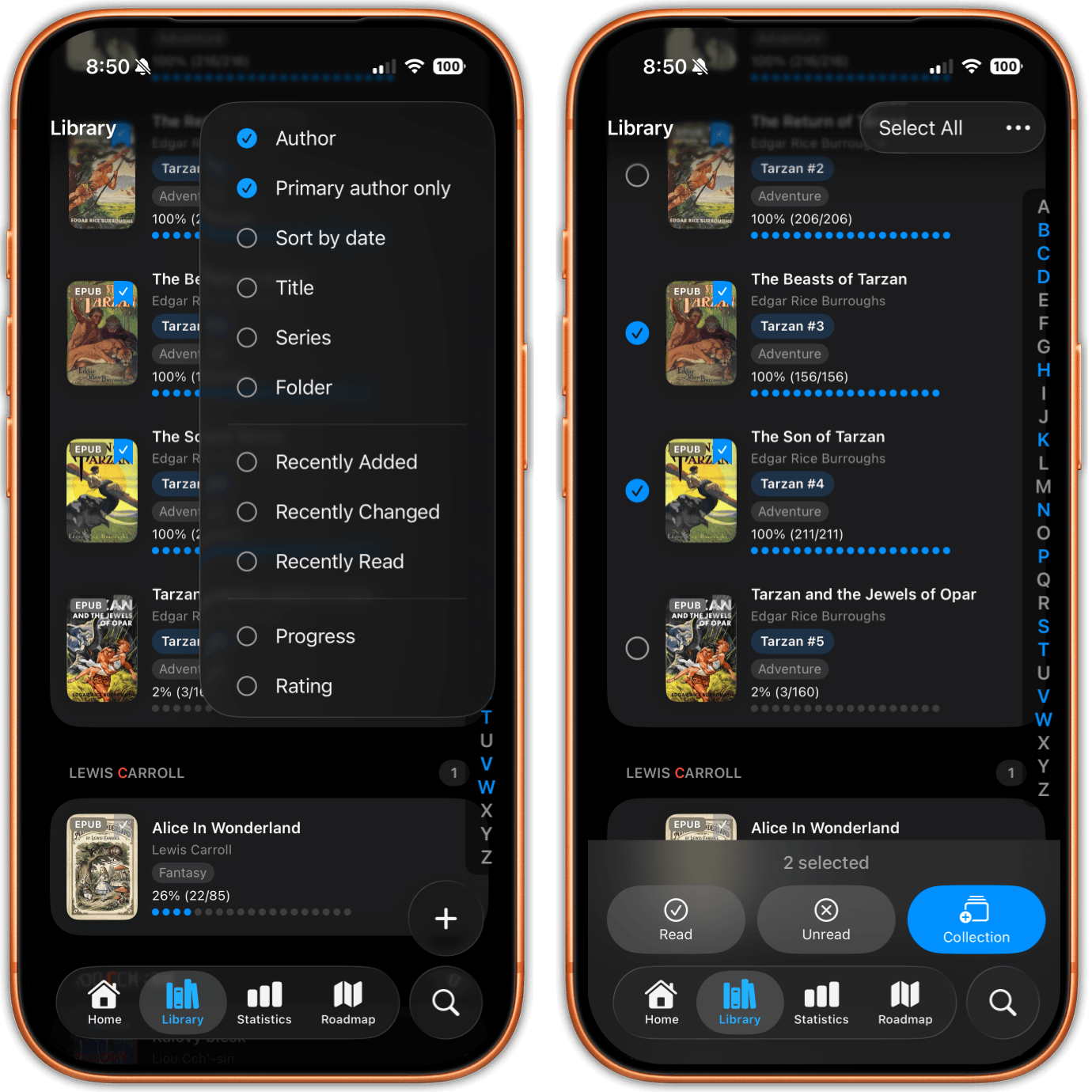
- 11 sort modes, from series and rating to read time and file date
- Filter by reading status, format, rating, series, length or tag
- Tap a chip twice to exclude it, for everything except audiobooks
- Save a filter combination under a name and use it again later
- Collections you create, rename, reorder and count
- Freeform tags, with quick chips for the 20 you use most
- An alphabet rail for scrolling a long library fast
- Select several books to mark them read or file them in a collection
- Show or hide cover, title, author, series and tags per list and grid
03
Book Details & Covers
- Title, author, series and cover are read out of the file on import
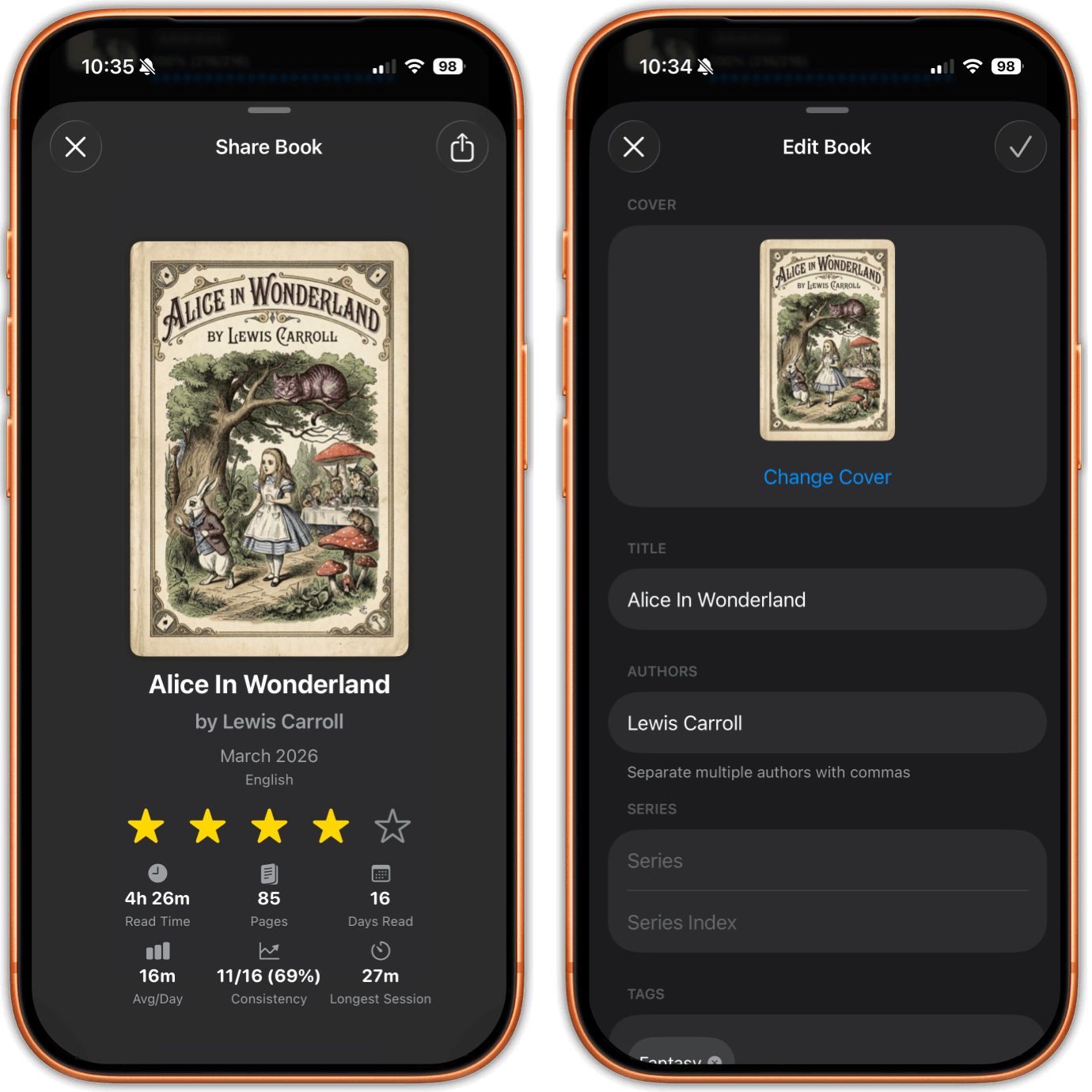
- Edit title, authors, series, series index and tags on EPUBs and PDFs
- Replace any cover with a picture from Photos or Files
- A custom cover syncs, so the book looks right on every device
- Star ratings, which also travel back to Calibre
- An Up Next flag that clears itself once you pass 1 percent
- Abandoned status for a book you gave up on but want to keep
- A finished ribbon, plus badges for PDF, comic and audiobook
- A detail card with that book's stats and an editable reading history
- Share a book as a card with its cover and your reading stats
04
Reading
- A full EPUB 3 reader that keeps the publisher's own formatting
- PDFs sit in the same library, with the same highlights and progress
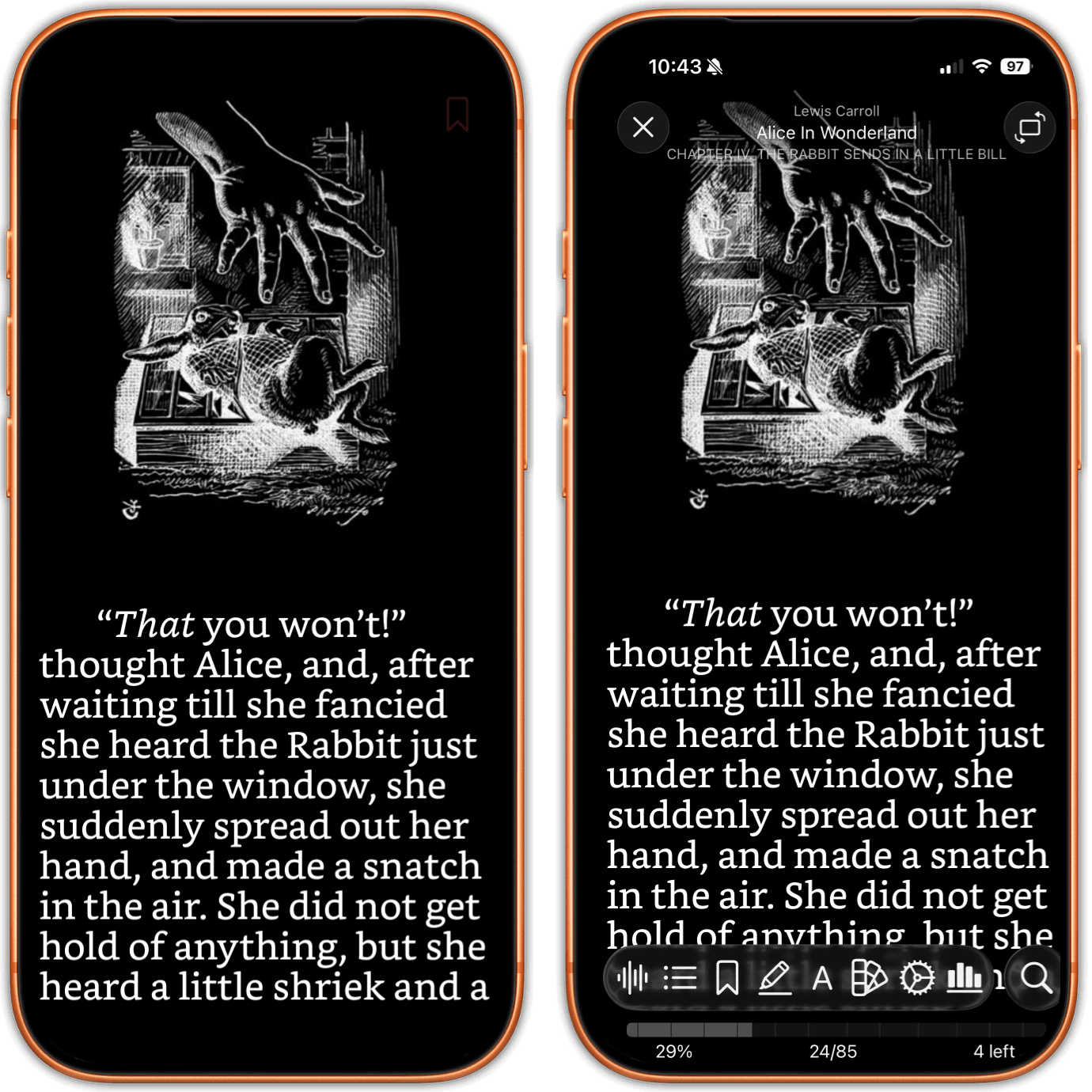
- Swipe or tap the edges to turn pages, tap the middle for the toolbar
- Continuous scrolling instead of pages, for EPUB and PDF alike
- A nested table of contents with the chapter you are in marked
- Percent, page number, pages left in the chapter, and a chart to tap
- Strips for flipping back through recent pages or a book's images
- Your position saves itself and survives a cold launch
- It catches up to the furthest page you reached on another device
- Password protected PDFs open once you type the password
05
Comics & Manga
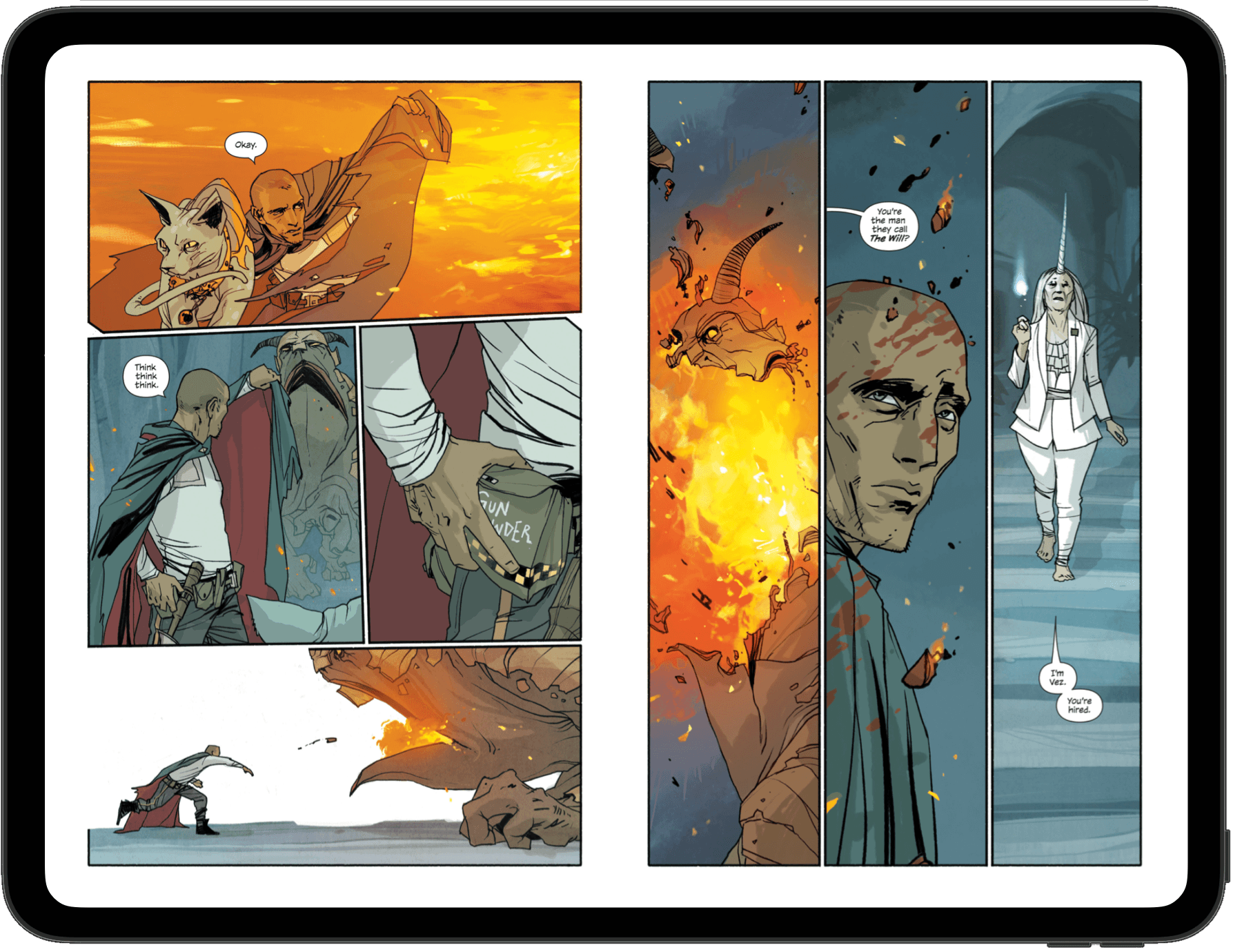
- CBZ and CBR comics open in the same library as your books
- One page, a two page spread, or Auto that follows the device
- Fit the page how you like and pick the background behind it
- Pinch to zoom, double tap to zoom 3x on the spot you tapped
- A grid of page thumbnails takes the place of a table of contents
- Type a page number and jump straight to that page
- Reading direction Auto, left to right, or right to left
- Manga carrying a ComicInfo.xml opens right to left with nothing set
- CBR archives are repacked on import, so they open like any comic
- Comics count toward your streaks, goals and statistics
06
Audiobooks
- Single file audiobooks and folders of chapter files both work
- m4b, mp3, m4a, aac and flac, plus .audiobook and .zab packages
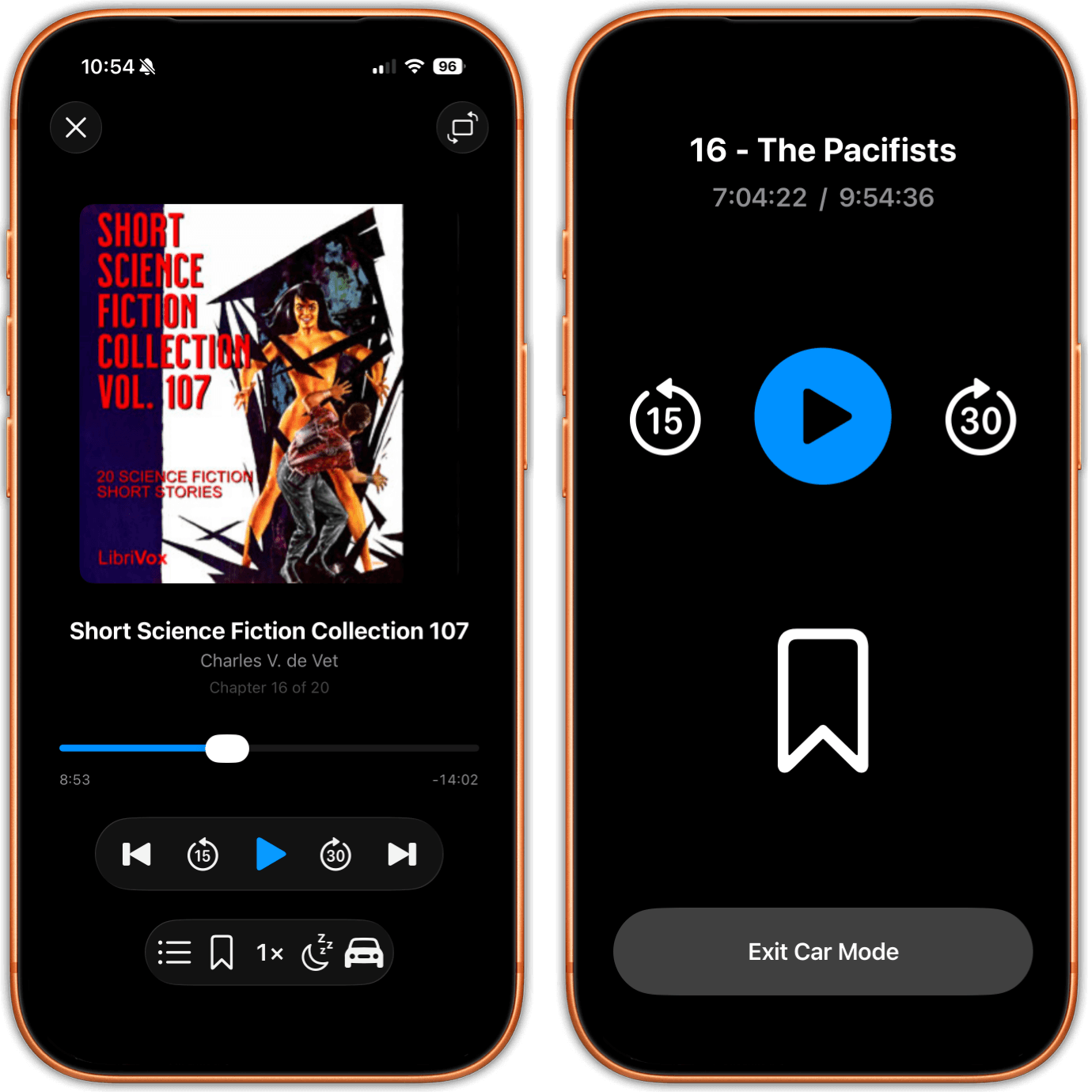
- A chapter list that shows where you are in the book
- Playback speed from 0.75x to 2x for slow or fast narrators
- Skip forward 30 seconds or back 15 with a single tap
- A sleep timer, so it stops on its own when you drift off
- Bookmarks per audiobook, including from the car
- Car Mode with oversized controls you can hit while driving
- Lock Screen and Control Center controls while it plays
- Title, author and cover art come out of the files themselves
07
Read Aloud & Narration
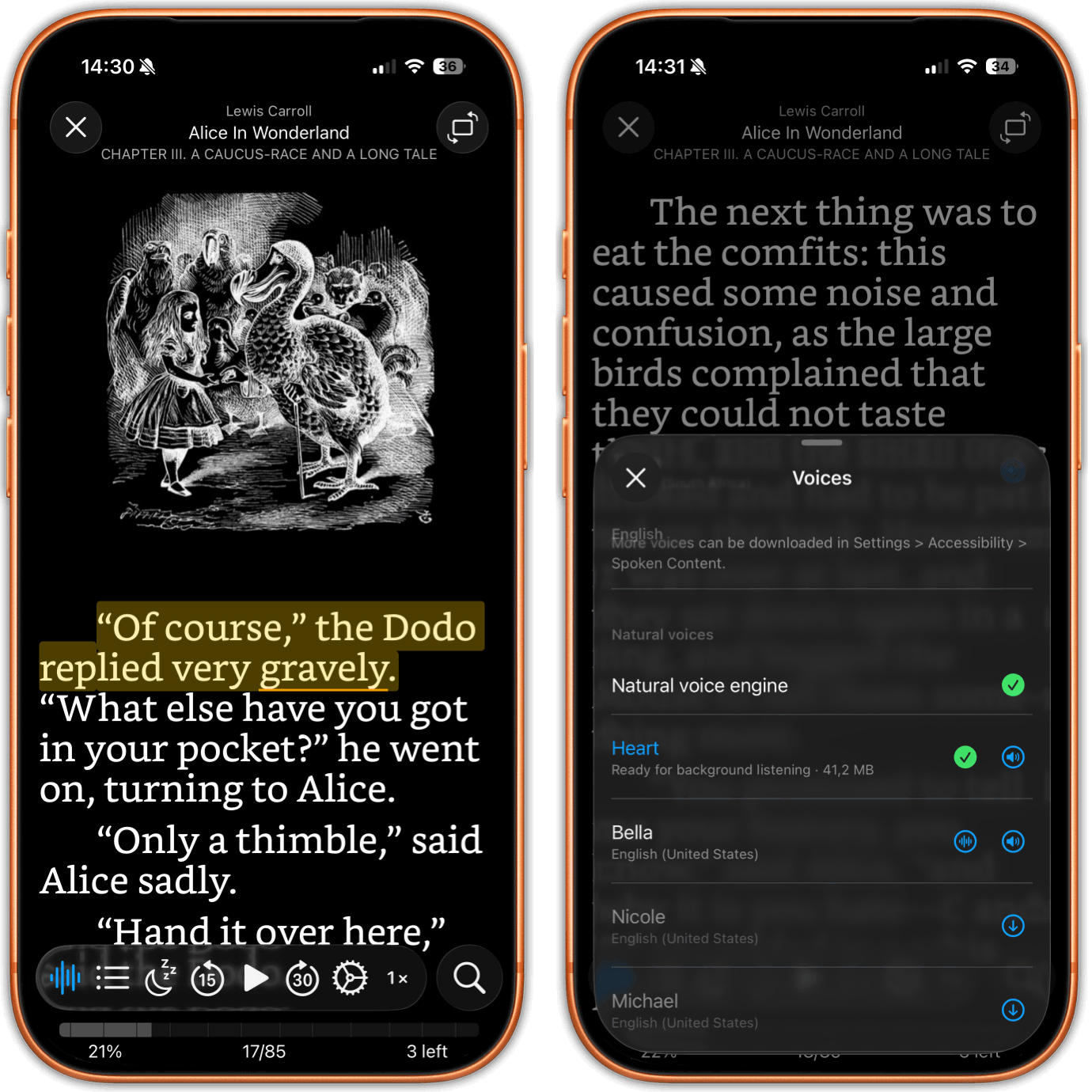
- Read Aloud speaks any EPUB that has no narration of its own
- Apple voices in every language the app is translated into
- The sentence being read is highlighted, the current word underlined
- The page turns itself on the word being spoken
- Speed from 0.75x to 2x, with a sleep timer for the evening
- It keeps playing in the background, with Lock Screen controls
- 8 English neural voices you can download and run on the device
- Prepare a book once and it plays with the screen off, like audio
- Preparing runs in a queue that survives leaving the app
- EPUB 3 read along narration highlights the text as it is read
08
Typography
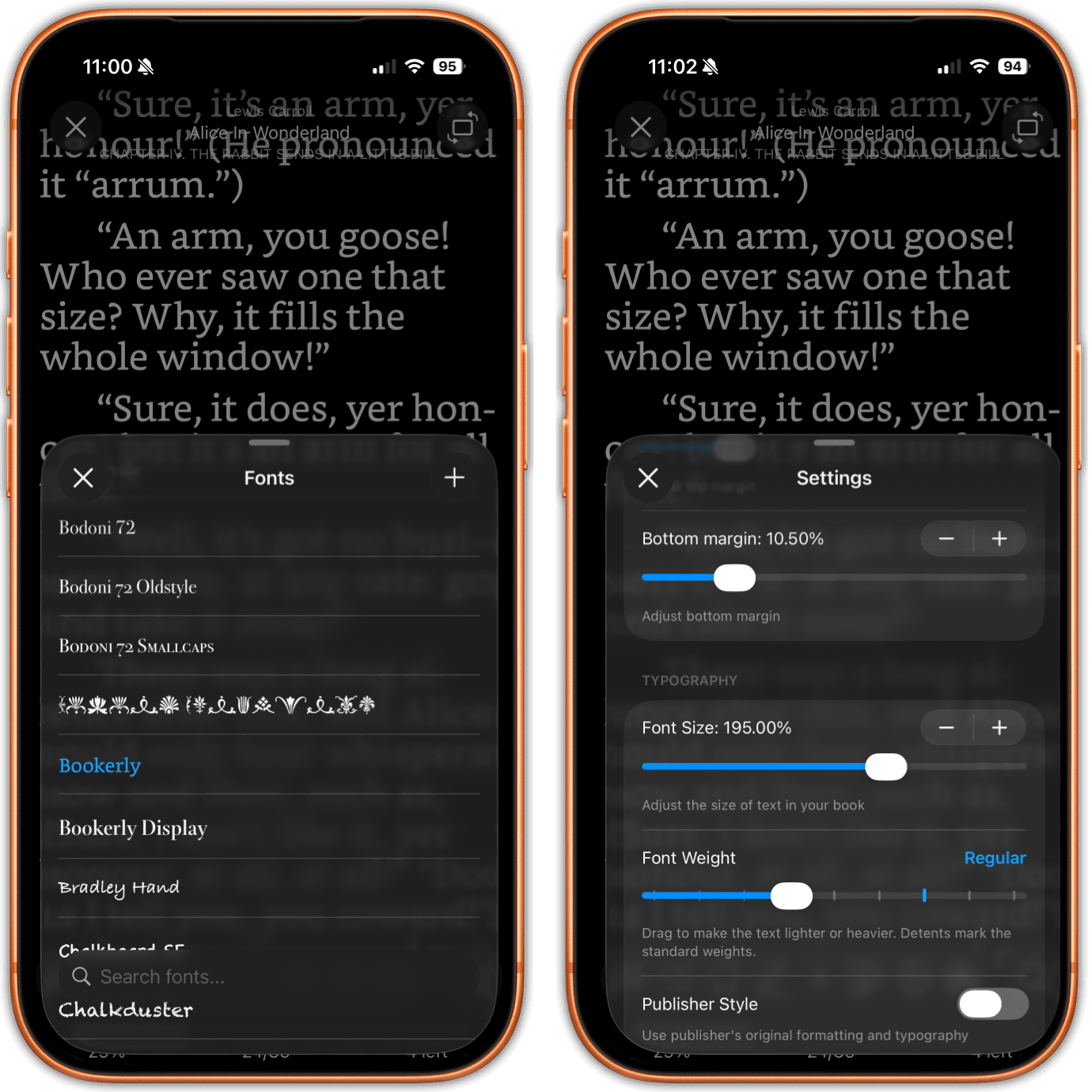
- System fonts plus any font you import, searchable in the picker
- Import .ttf and .otf files, or a whole .zip of font families
- Add or remove custom fonts from inside the reader
- A weight slider that snaps to the weights the font really has
- Single weight fonts get a synthesized one, so the slider still works
- Font size from an edge slider, the toolbar, or Cmd plus and minus
- Line height, word spacing, letter spacing and paragraph spacing
- First line indent, and text alignment the way you want it
- Hyphenation, ligatures, normalization and publisher styles
- Japanese vertical writing flows right to left as it should
09
Themes & Colors
- 9 accent themes plus any custom color, tinting the whole app
- Sliders for how strongly the background and rows pick up the tint
- Accent colors are adjusted for contrast so text stays readable
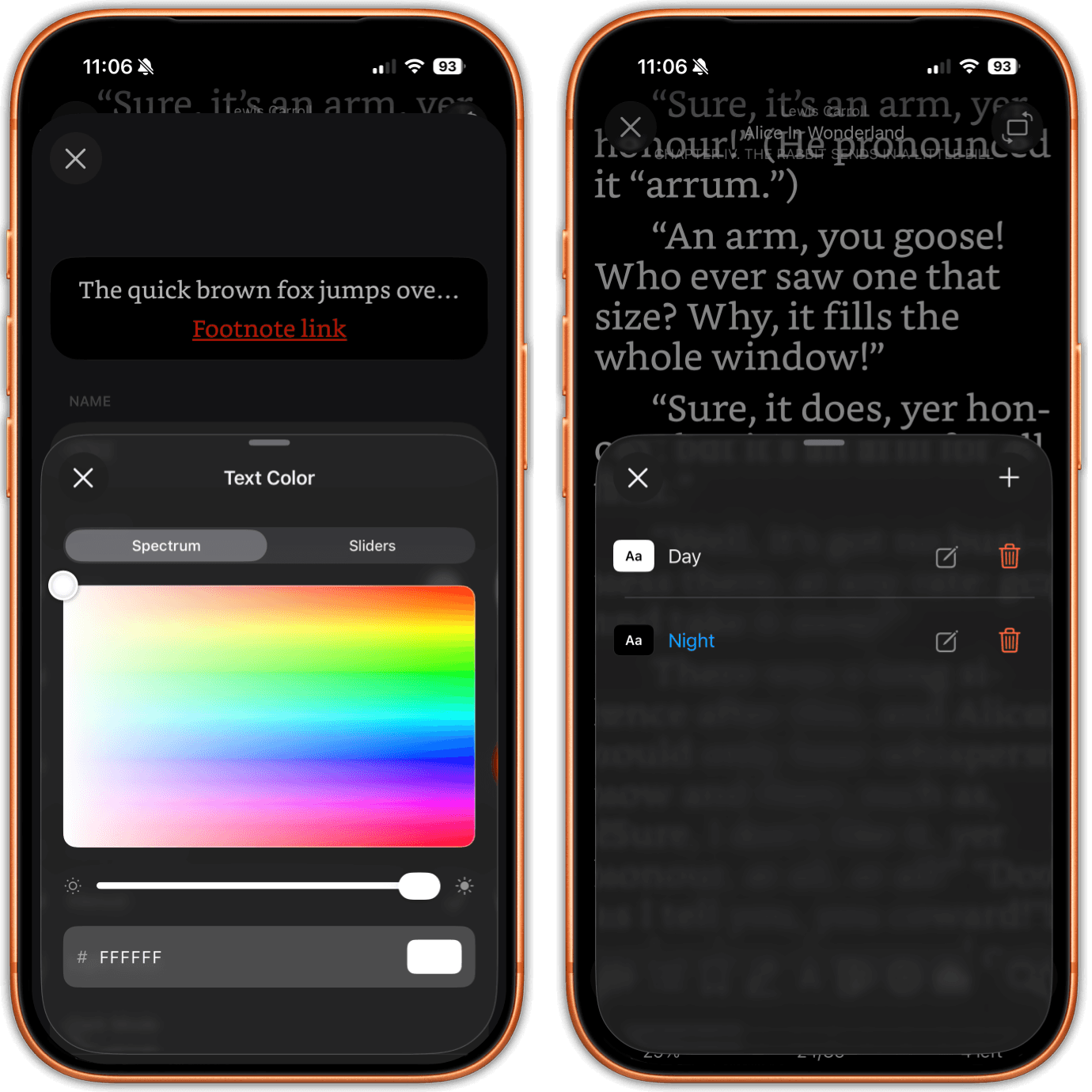
- A color picker with a spectrum field, RGB sliders and hex entry
- Named reader presets for text and background color
- Build as many presets as you like in a live editor
- Presets can switch themselves between light and dark mode
- Or follow sunrise and sunset where you actually are
- A warning when a color pair ends up too low contrast
- Invert colors on any PDF, and invert images in dark EPUBs
10
Layout & Screen
- Page margins set separately for portrait and landscape
- Top, bottom and side margins each on their own
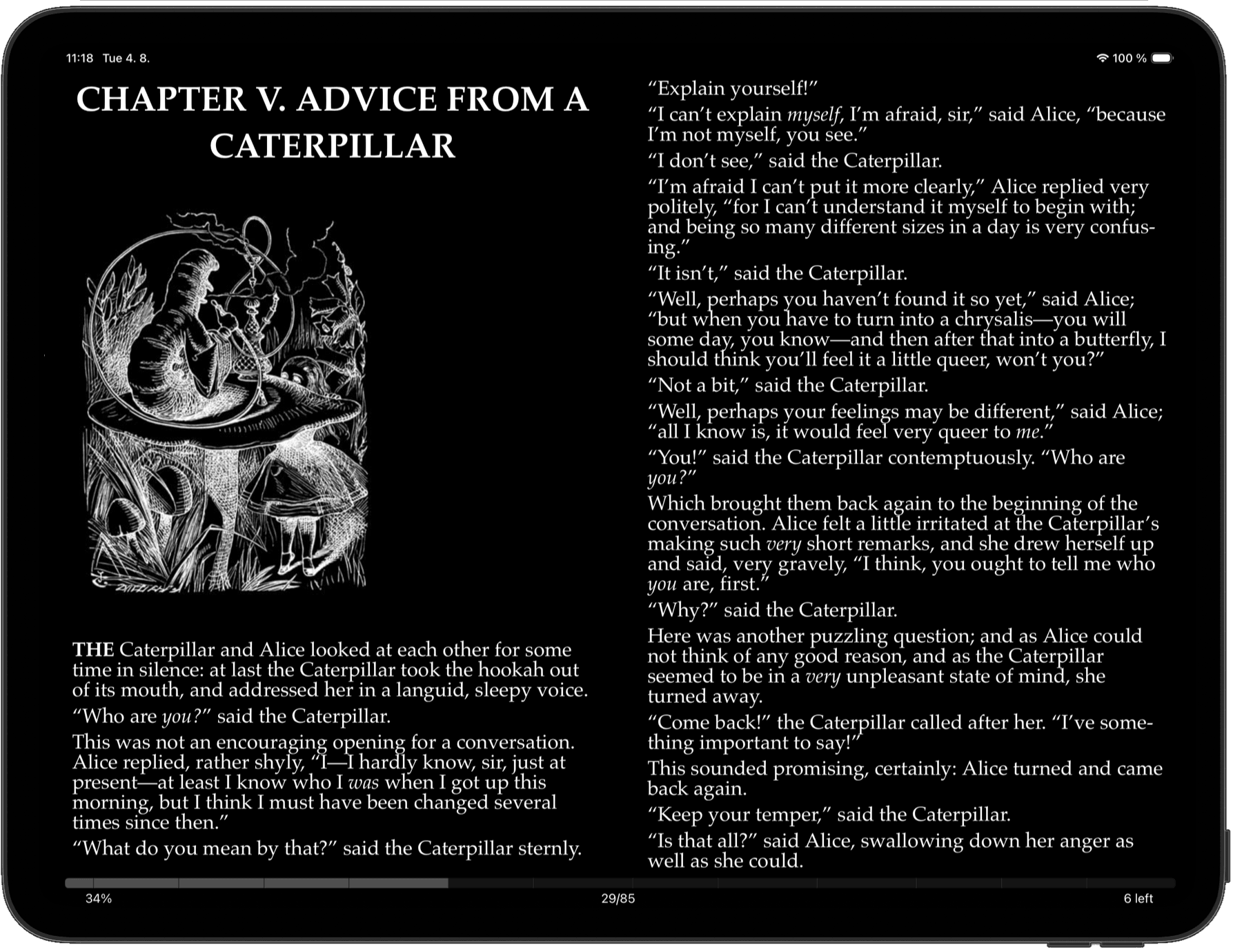
- One or two columns on iPad, set for each orientation
- PDF page fit, two page spread with an offset first page, spacing
- PDFs scroll vertically or horizontally, whichever you prefer
- An Apple Books style page curl when you turn a page
- Settings that apply to one book only, leaving the rest alone
- Separate layouts for iPhone and iPad, since they differ
- Choose what the top and bottom bars show while you read
- Lock the orientation, hide the status bar, keep the screen awake
11
Highlights & Notes
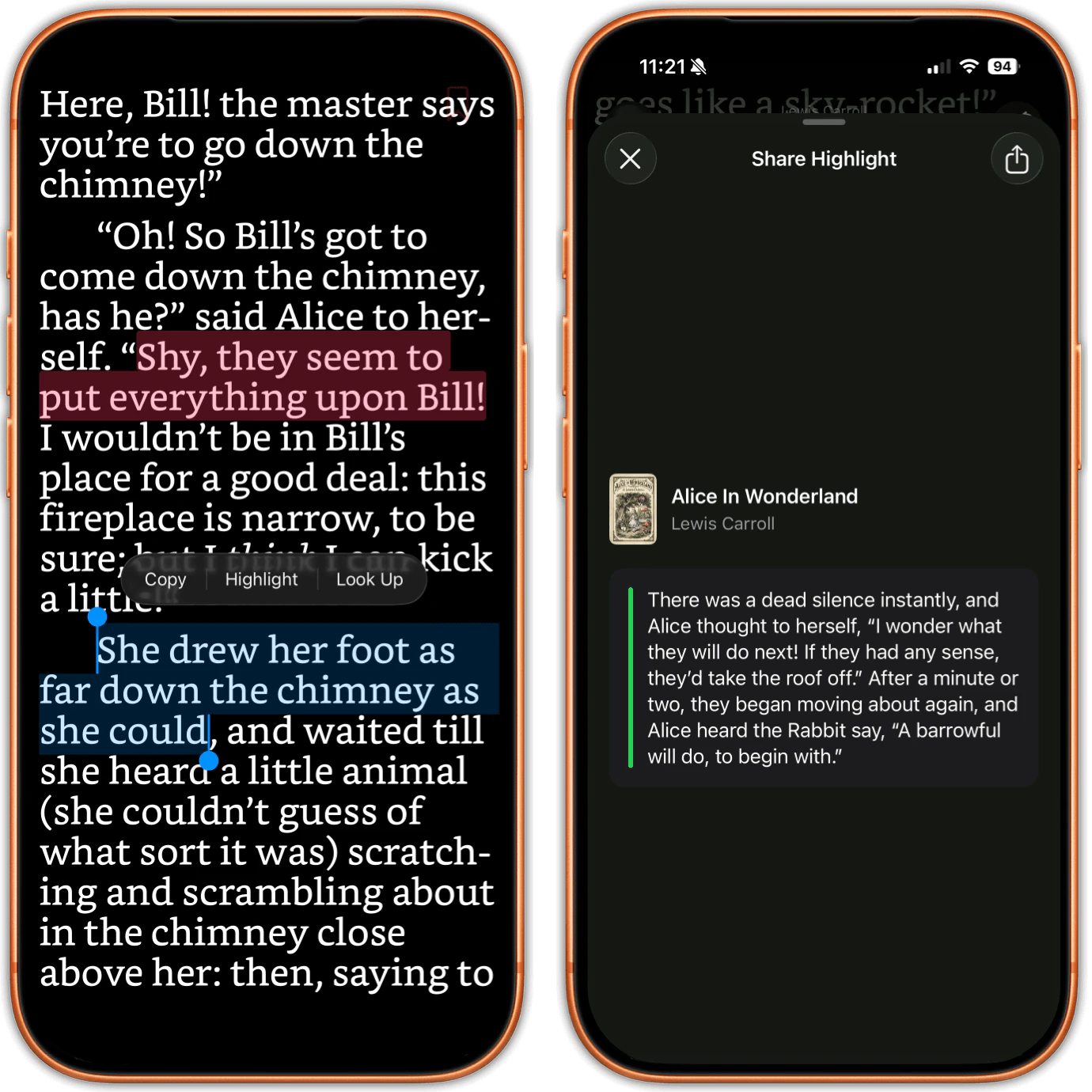
- Highlight in 6 colors, one of them a red underline
- Highlighting works the same in EPUBs and PDFs
- A proper note editor on any highlight, not a one line field
- A per book list with the text, color, percent, date and note
- Tap a highlight in the list to jump back to it
- Browse every highlight from every book in one place
- Share a highlight as a card with the cover, author and your note
- Export a whole book's highlights as a PDF to keep or print
- Export them as Markdown instead, if that is where your notes live
- Send highlights to Readwise with your own token
12
Bookmarks, Search & Word Tools
- Bookmarks that record the chapter, percent, page and date
- A floating bookmark button you can drag where you want it
- Browse every bookmark across all books, by book or by date
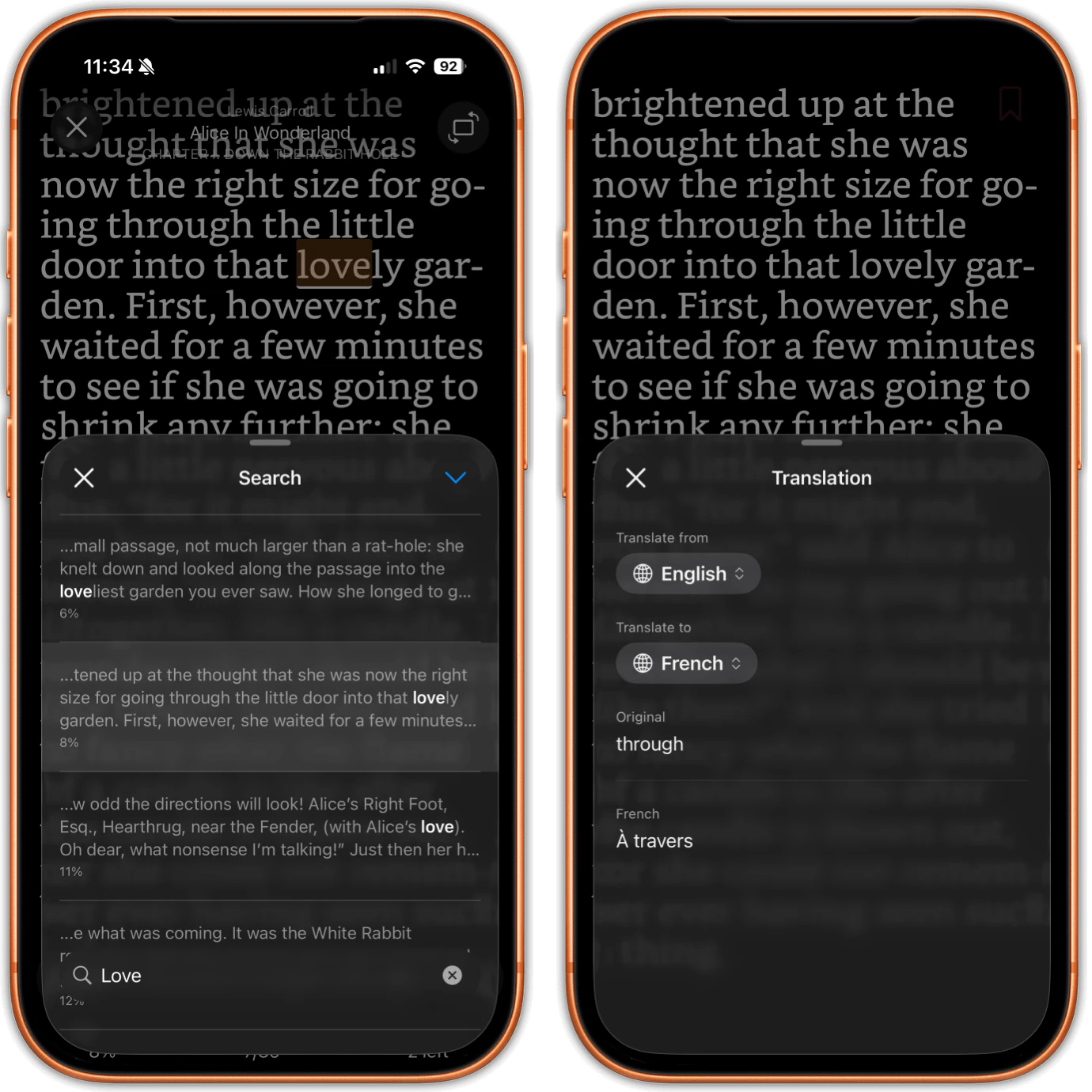
- Full text search inside a book, with matches marked in EPUBs
- A search bar that keeps the count while you step through hits
- The last 10 searches in each book are remembered
- Search the library by title, author, series or tag
- Your books show up in iOS Spotlight, cover and all
- Look up a word in the dictionary without leaving the page
- Translate a passage, or reorder the selection menu to taste
13
Home Dashboard
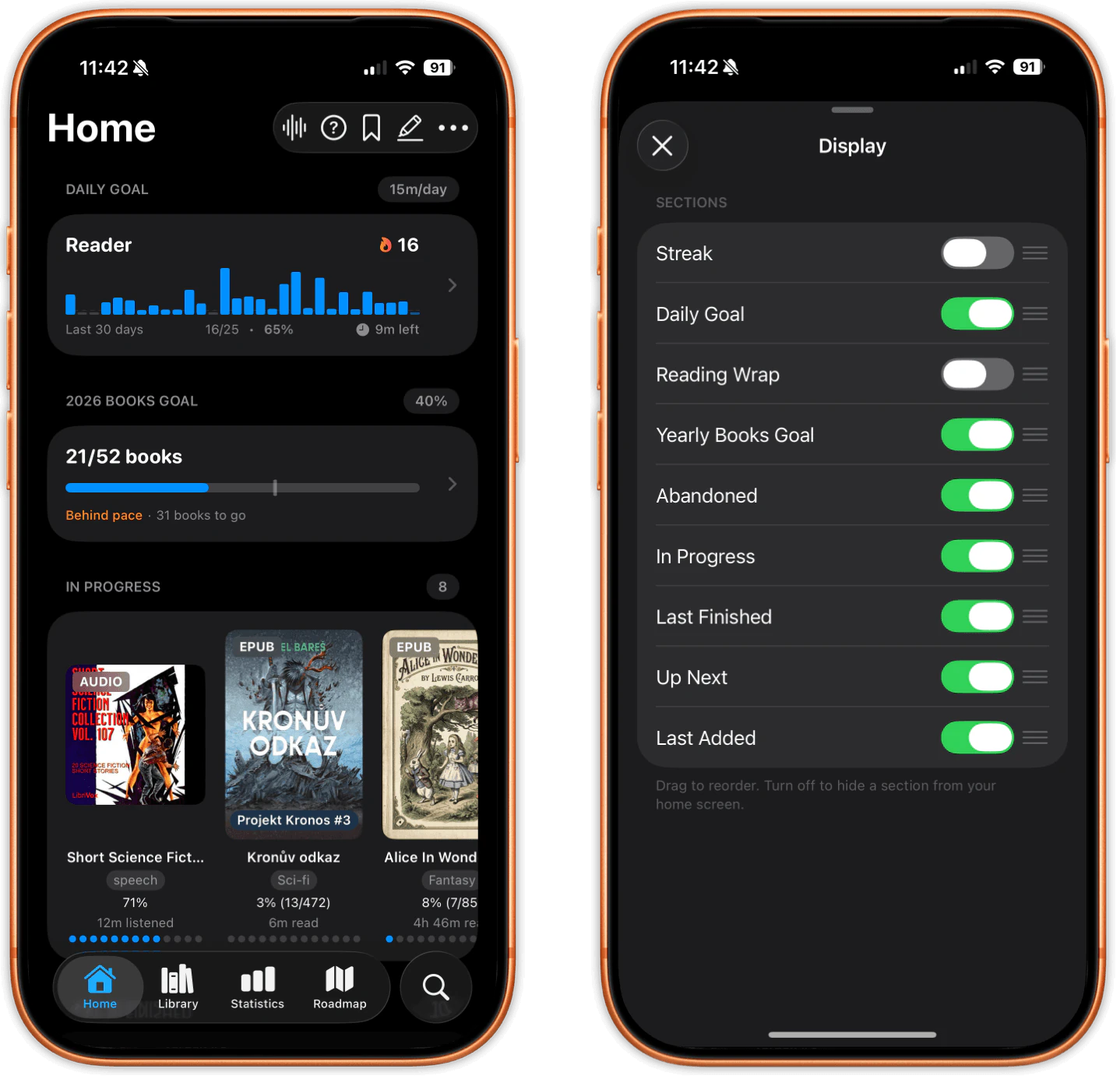
- 9 sections you can reorder or hide to build your own dashboard
- In Progress, so the book you are reading is one tap away
- An Up Next shelf for the ones you plan to read next
- The last 10 books that landed in your library, newest first
- The last 10 you finished, in the order you finished them
- An Abandoned shelf for the ones you set aside
- Your daily goal and streak up top, if you want them there
- A card that appears when a new Reading Wrap is ready
- Long press the app icon for Library, Search and current books
- Did you know cards that surface features you have not found
14
Goals & Streaks
- A daily goal in minutes, with 4 levels from 5 to 60
- A bar chart of the last 30 days against that goal
- A yearly books goal, tracked against your pace month by month
- Rereads count toward it, because it counts finish events
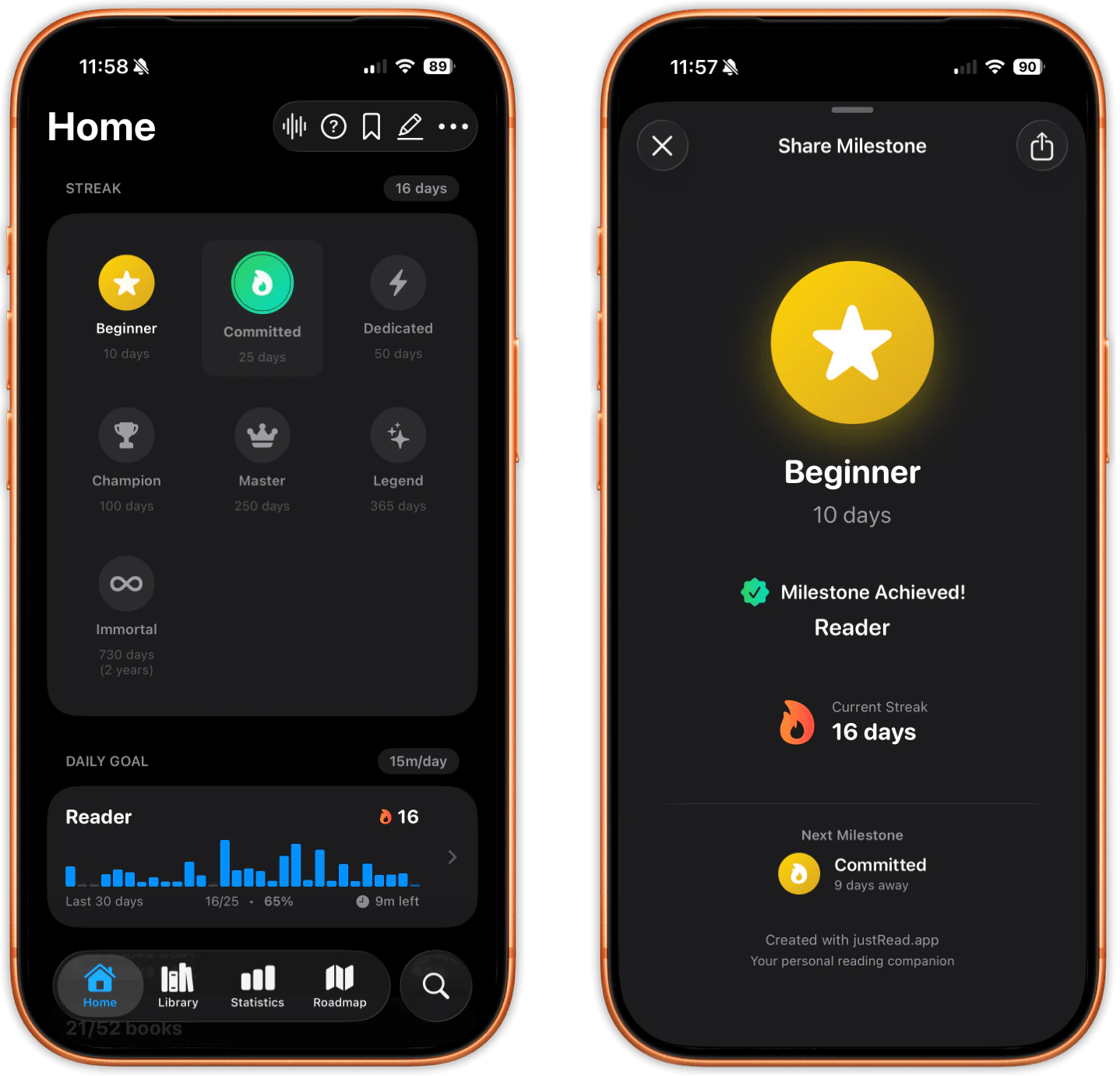
- A reading streak for every day you hit the goal
- An evening nudge when the streak is about to break
- 7 milestone badges, from a 10 day streak up to 730
- Badges unlock with an animation and a card you can share
- Confetti and a shareable card the moment you finish a book
- Listening counts too, so audiobooks keep the streak alive
15
Statistics
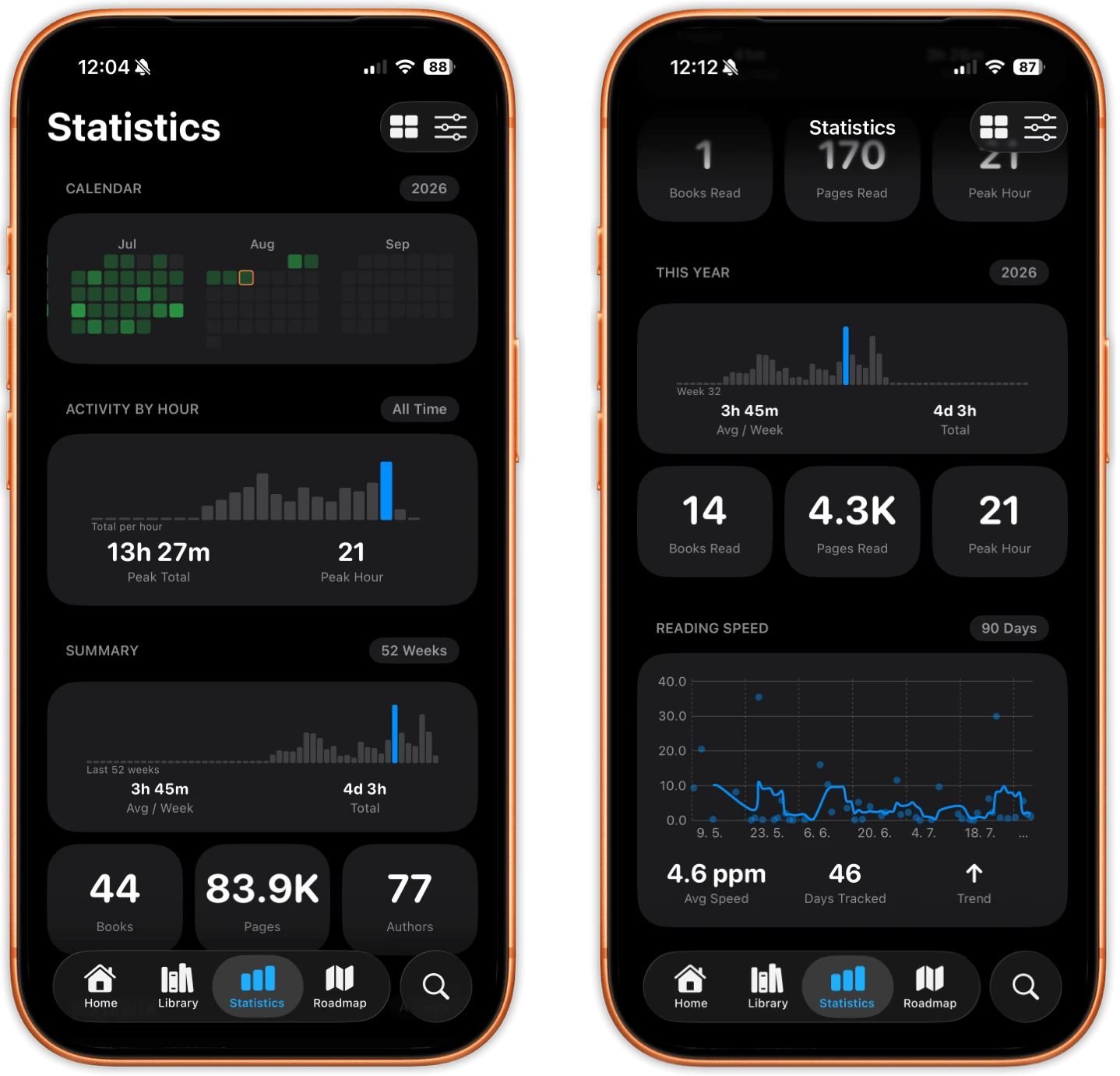
- 6 stat sections you can reorder or hide to taste
- Activity by hour, so you can see when you actually read
- A 52 week summary of time read and books finished
- This month against your goal, added up day by day
- The whole year at a glance, with every month side by side
- A year grid heatmap, with shapes as well as color
- Reading speed in pages per minute, still in beta
- Longest session, peak hour and consistency percentage
- Charts you can scrub with a finger for the exact numbers
- Per book stats, including the session you are in right now
16
Recap & Reading Wrap
- Recap pages for any day, week, month or year you have read
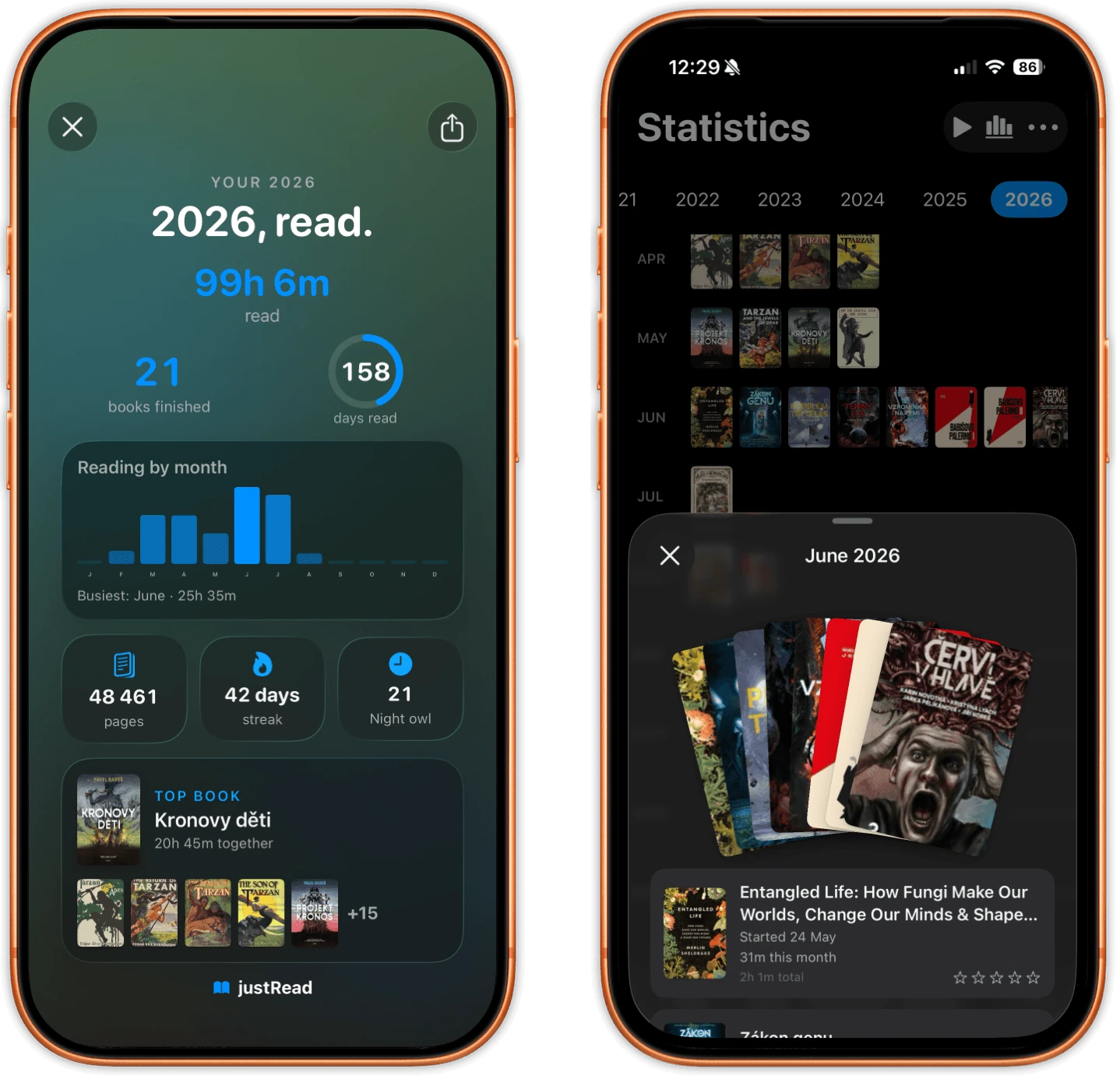
- A calendar of covers, with a sheet of the books for each day
- An endless date strip for scrubbing back through your history
- Reading Wrap plays your month or year as a story of cards
- Cards with no data skip themselves, so nothing shows a zero
- A wall of every cover you finished, drifting slowly past
- A fan of covers you can riffle through with your thumb
- A reader personality card, from Night Owl to Completist
- Colors come from the months you read most, so no two look alike
- Export the card you are on as a poster to share
17
Calibre, OPDS & Sending Books
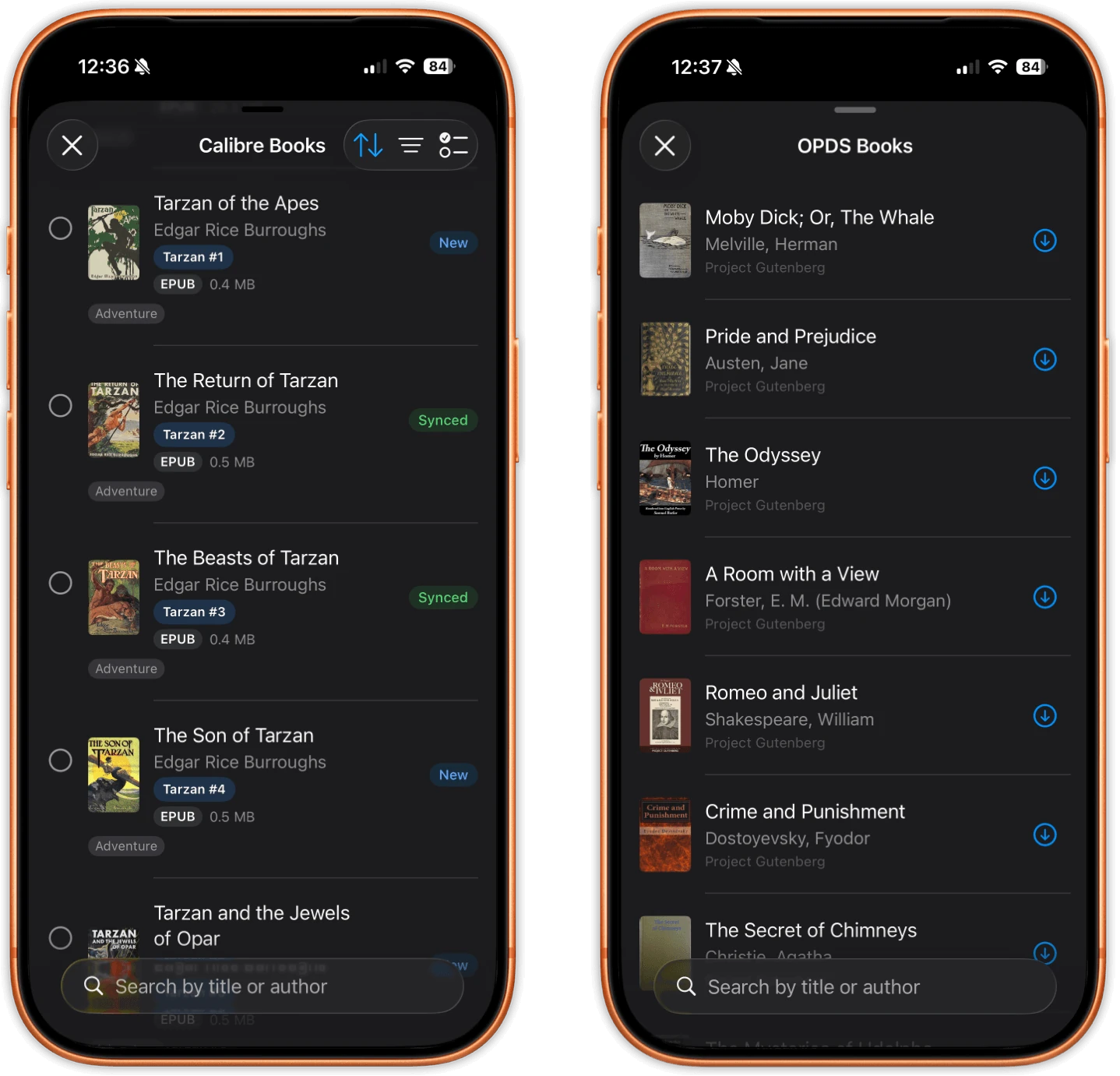
- Connect to a Calibre content server found over Wi-Fi or typed in
- Browse several Calibre libraries, with New, Changed and Synced badges
- Import books, then push your reading data back to Calibre
- 12 fields go back, from rating and progress to finish dates
- Map each field to whatever column your Calibre uses
- Incremental sync that notices metadata only edits
- Add as many OPDS catalogs as you like, Gutenberg is built in
- Search a catalog or browse it by category, then download in place
- EPUB, PDF and comic downloads land straight in your library
- Email any book to your Kindle or your PocketBook
18
Sync, Widgets & Shortcuts
- iCloud sync of position, highlights, bookmarks, sessions and settings
- 13 kinds of data sync, down to your themes and saved filters
- A sync indicator, plus a log of what synced and when
- Books stay readable offline and download from iCloud when needed
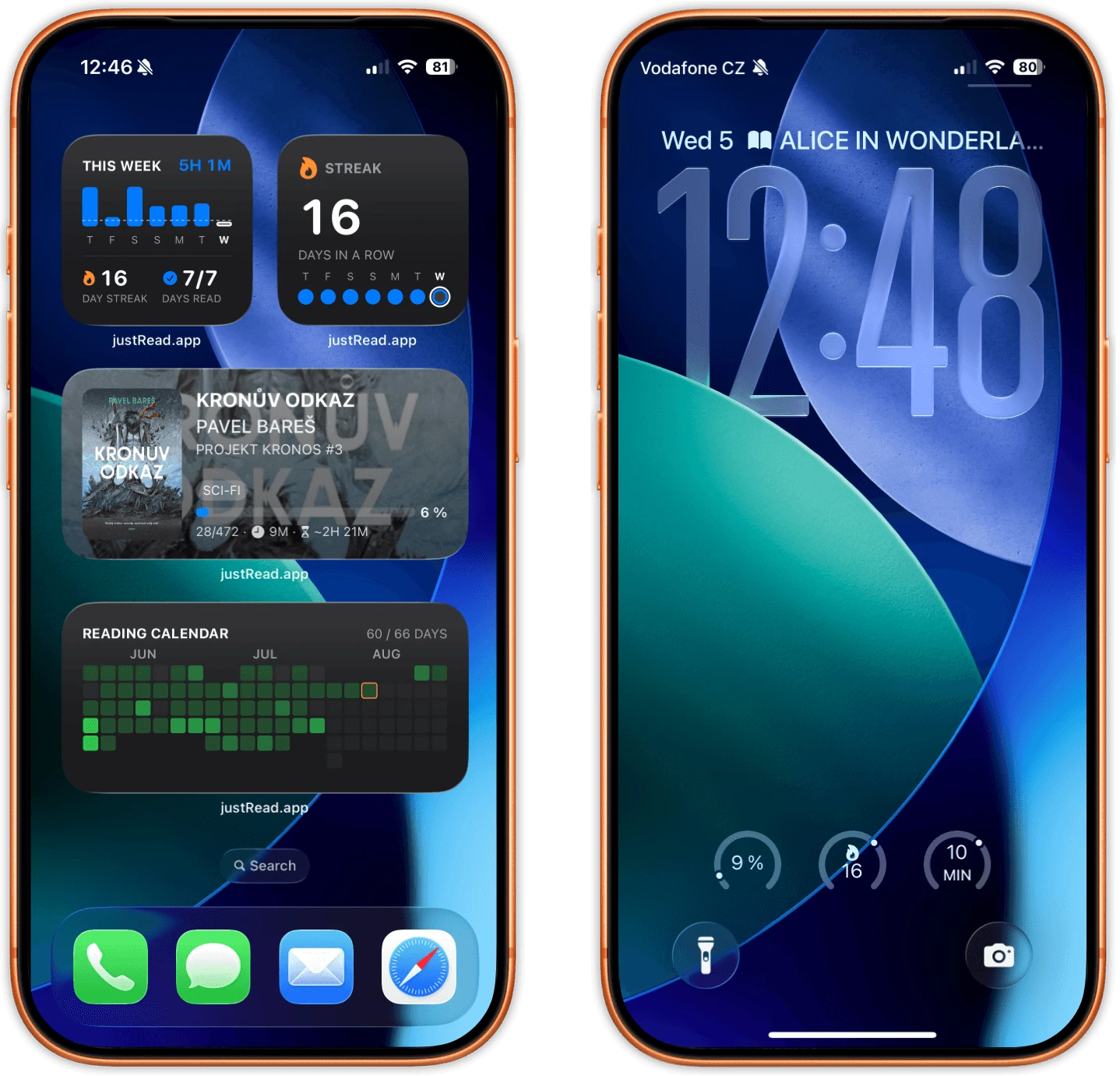
- 5 home screen widgets, each in small and medium
- Currently Reading, Reading Calendar, Daily Goal, Streak, Quick Stats
- 5 Lock Screen widgets, including Minutes Today and a progress ring
- Tap a widget to land on the exact book or screen
- 4 Shortcuts actions, all of which run without opening the app
- Siri phrases work out of the box in all 17 languages
19
Accessibility & Comfort
- VoiceOver labels, hints and announcements across the whole app
- Dynamic Type, with limits so the layouts do not fall apart
- Reduce Motion stops the Wrap from advancing on its own
- Reduce Transparency swaps the glass for solid backgrounds
- Filter chips get named Include, Exclude and Clear actions
- The calendar heatmap uses shapes as well as color
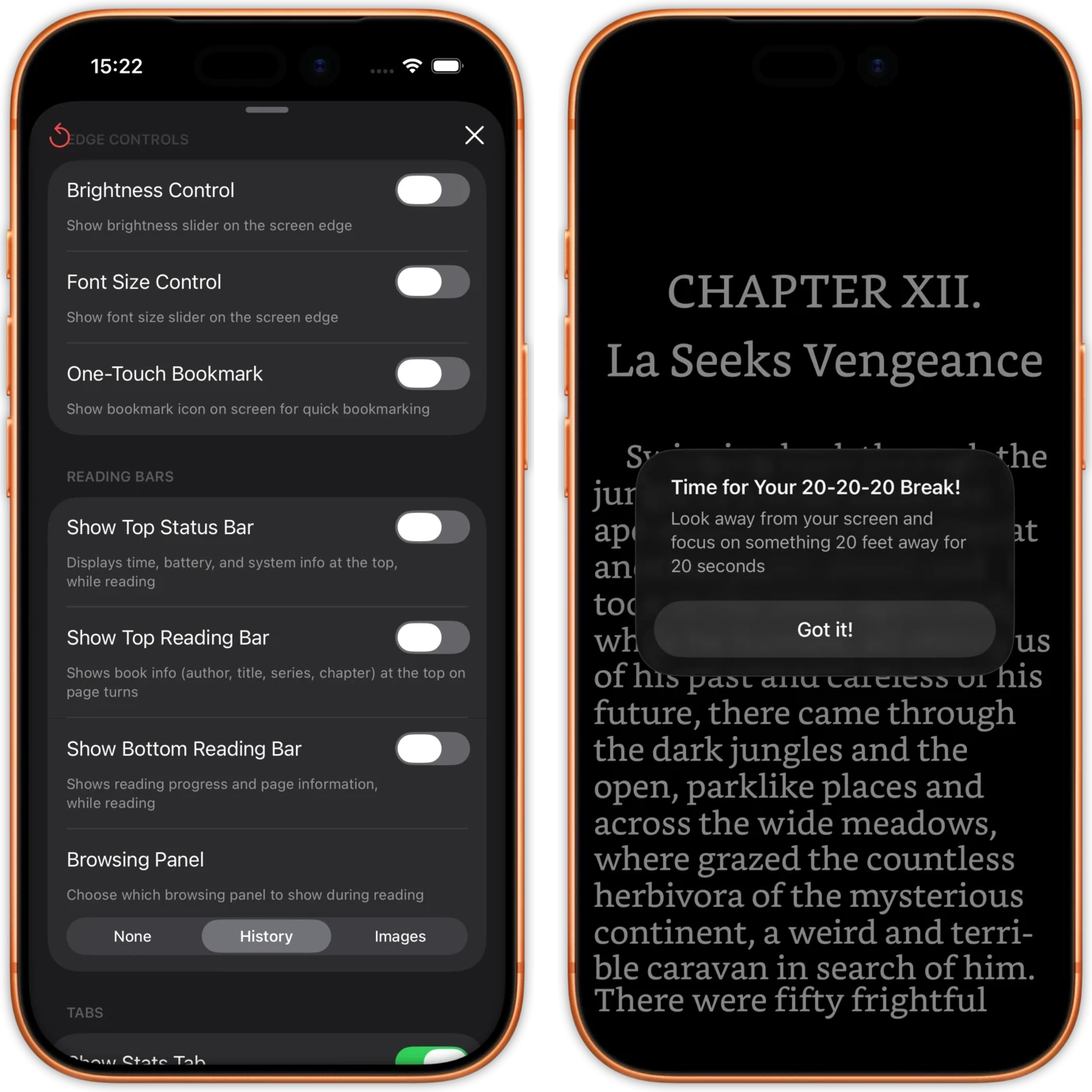
- Line Focus dims the page except the line you are on
- Full keyboard control on iPad, from page turns to font size
- Import OpenDyslexic or any other font you read better in
- A brightness slider on the page edge, and 20-20-20 eye breaks
20
Privacy, Data & Help
- No account and no sign up, your books stay yours
- Anonymous analytics you can switch off in one tap
- Delete just your highlights, or just sessions before a date
- Clearing the library empties the app, not your folder
- Reset every preference back to default in one place
- Hide the tabs you never use and keep the app simple
- Available in 17 languages, Siri phrases included
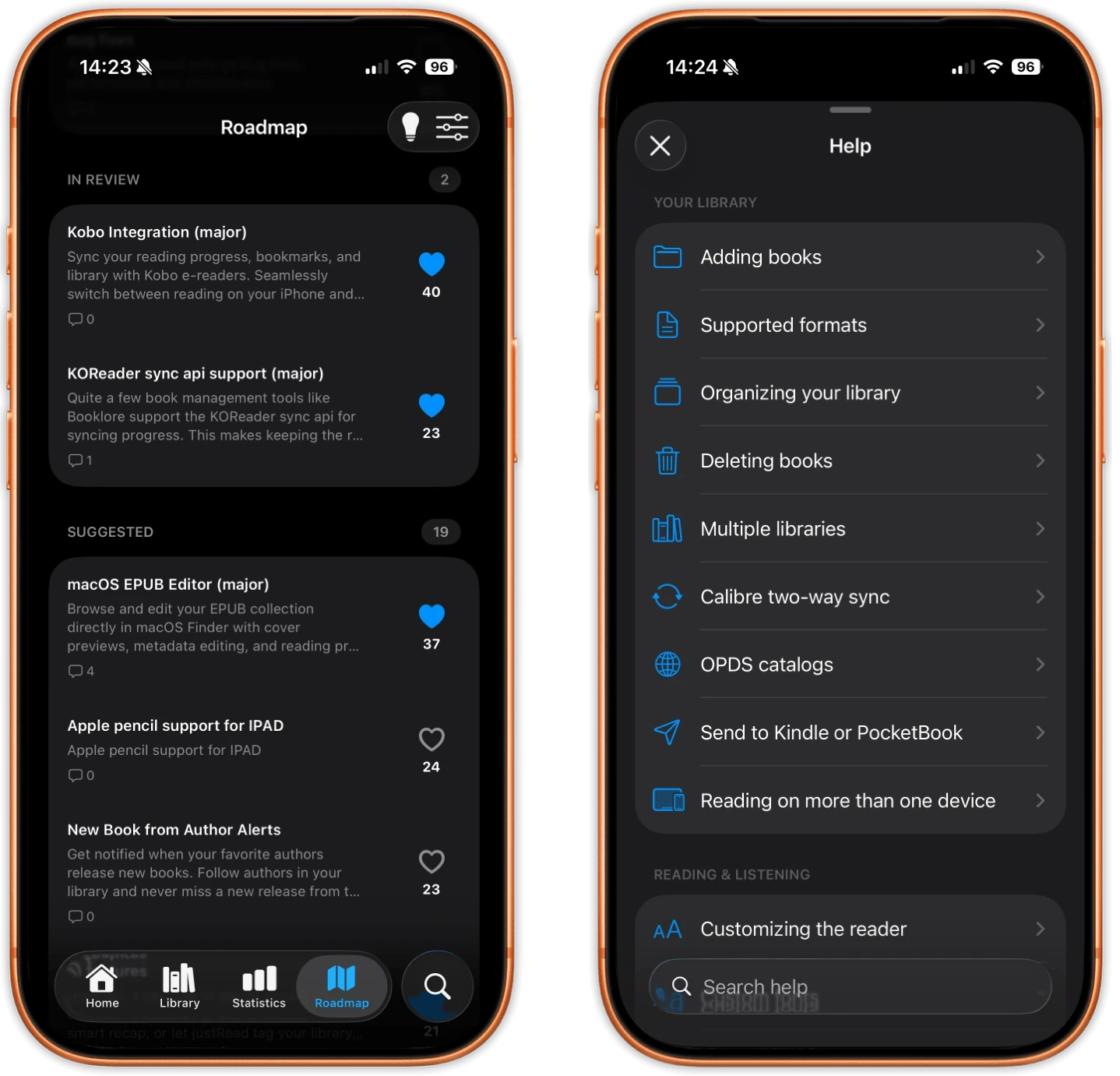
- A help center with 21 guides, from Calibre to comics
- An in app roadmap where you can vote, comment and suggest
- A What's New screen per release, and a banner when an update ships