Success
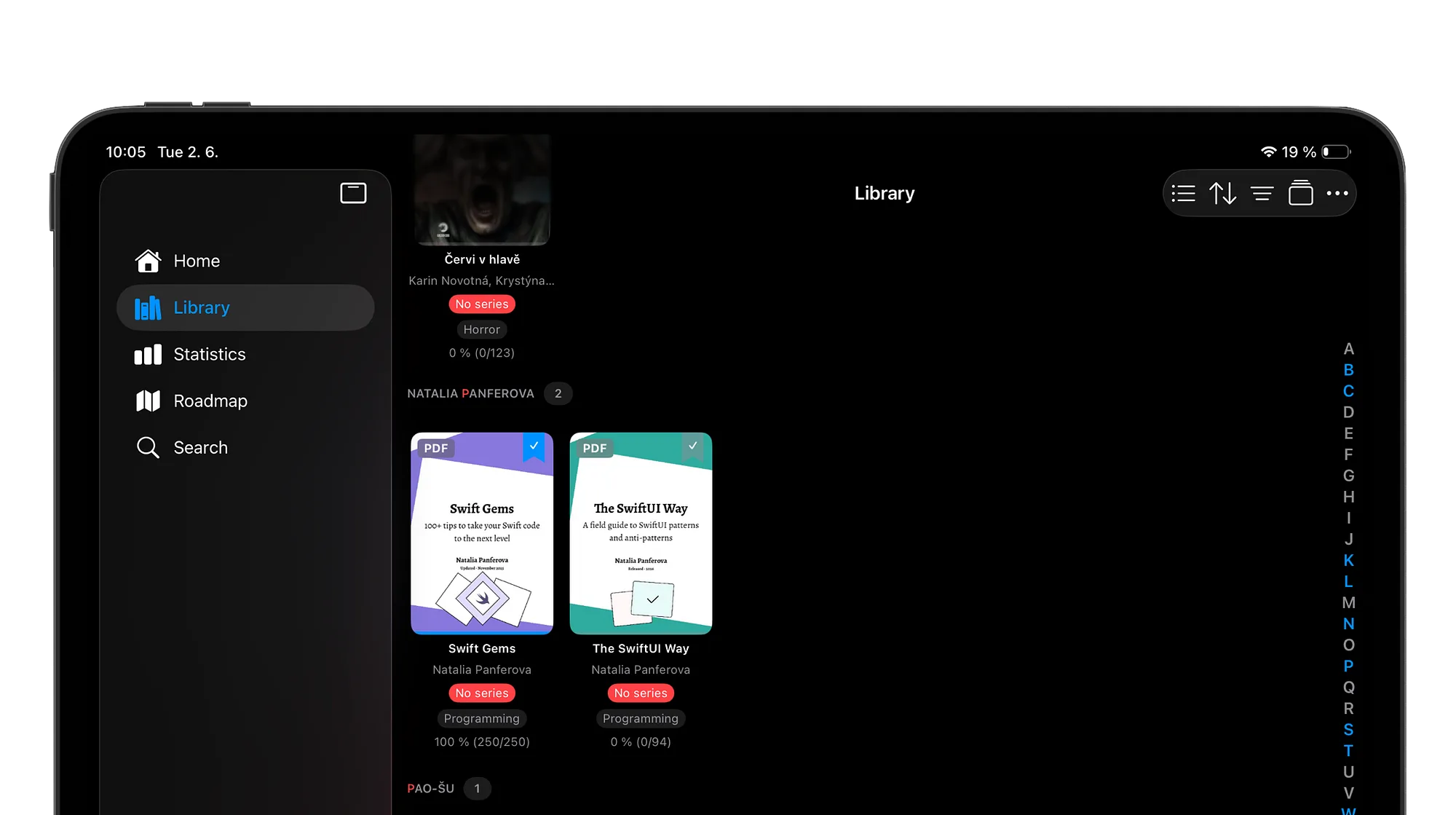
justRead library with PDF files
For a few months, justRead did one thing well: it gave your EPUB books a calm, customized and focused place to live.
But to be honest, this is just part of how reading actually works. Half of what you read never shows up as a tidy little EPUB file.
It is a research paper from a colleague A textbook chapter for class. A 60-page manual, a scanned out-of-print title, a report you keep meaning to finish. And all of this in PDF format. That reading was happening everywhere else, except justRead. Now it happens here too.
PDF files sit right alongside your books, in one library, in one app.
Your reading finally counts
justRead treats PDF files the same as EPUB files: your reading goals, your streak, your stats, your highlights, bookmarks and notes… simply all you reading data… they all understand PDF files now.
That dense textbook chapter you went through on a Tuesday night keeps your streak alive, exactly like a chapter from a novel would. No more feeling like the "serious" reading you do for work or school is invisible to the app cheering you on. If your eyes are on the page, justRead is counting it. All of it, finally, in one place.
And the reading experience (meaning UI and UX) is as close to that battle-tested EPUB experience, as possible.
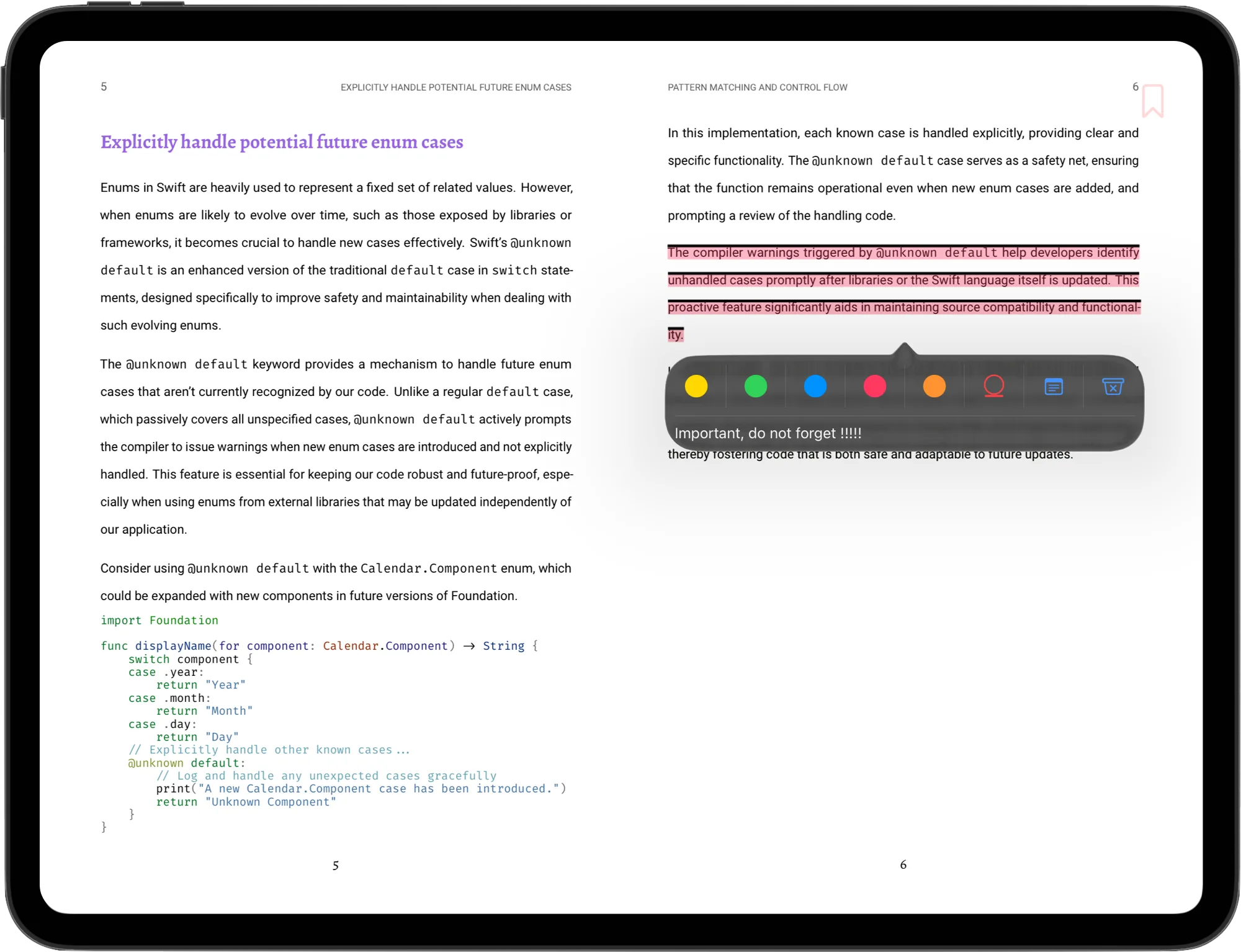
justRead showing PDF reading.
Study tools come along for the ride
A PDF in most apps is a wall you stare at. In justRead, it's something you can actually work with. Highlight the line that matters. Add a note. Drop a bookmark so you can find your way back. Pick up exactly where you left off. The tools you already use to dig into your books now work on papers, manuals, and documents too, so the things you need to remember don't slip away the moment you close the file.
And do you know, you can export all your highlights and notes into Readwise?
Pick up anywhere
Reading rarely happens in one sitting or on one device. Start reading a paper on your phone while you're waiting in line, then settle in with your iPad later that evening. Your place on the page, your highlights, your note, your bookmarks, they all follow you. You never have to hunt for where you were or what you marked. You just keep reading and learning.
And there is also one speciality for you dark lovers: you can invert the whole reading experience into complete dark mode.
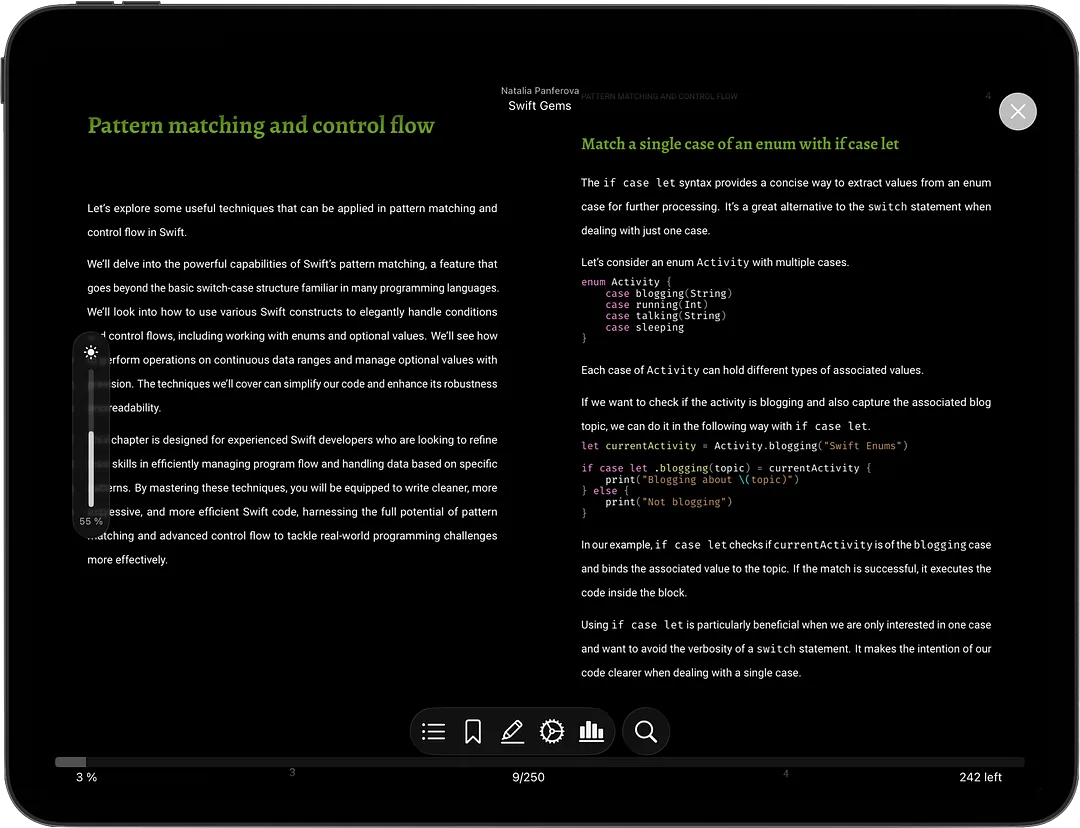
justRead showing PDF reading in inverted dark mode, showing toolbars.
Calibre companion
Calibre was treated as a first class option from beginning, so do not be surprised, that you could import books from Calibre. But be surprised, because you can also export data back to Calibre: your reading data continue to live for another use or maybe just as a simple backup.
justRead added PDF into this process right now and it is working exactly the same way as for EPUB files.
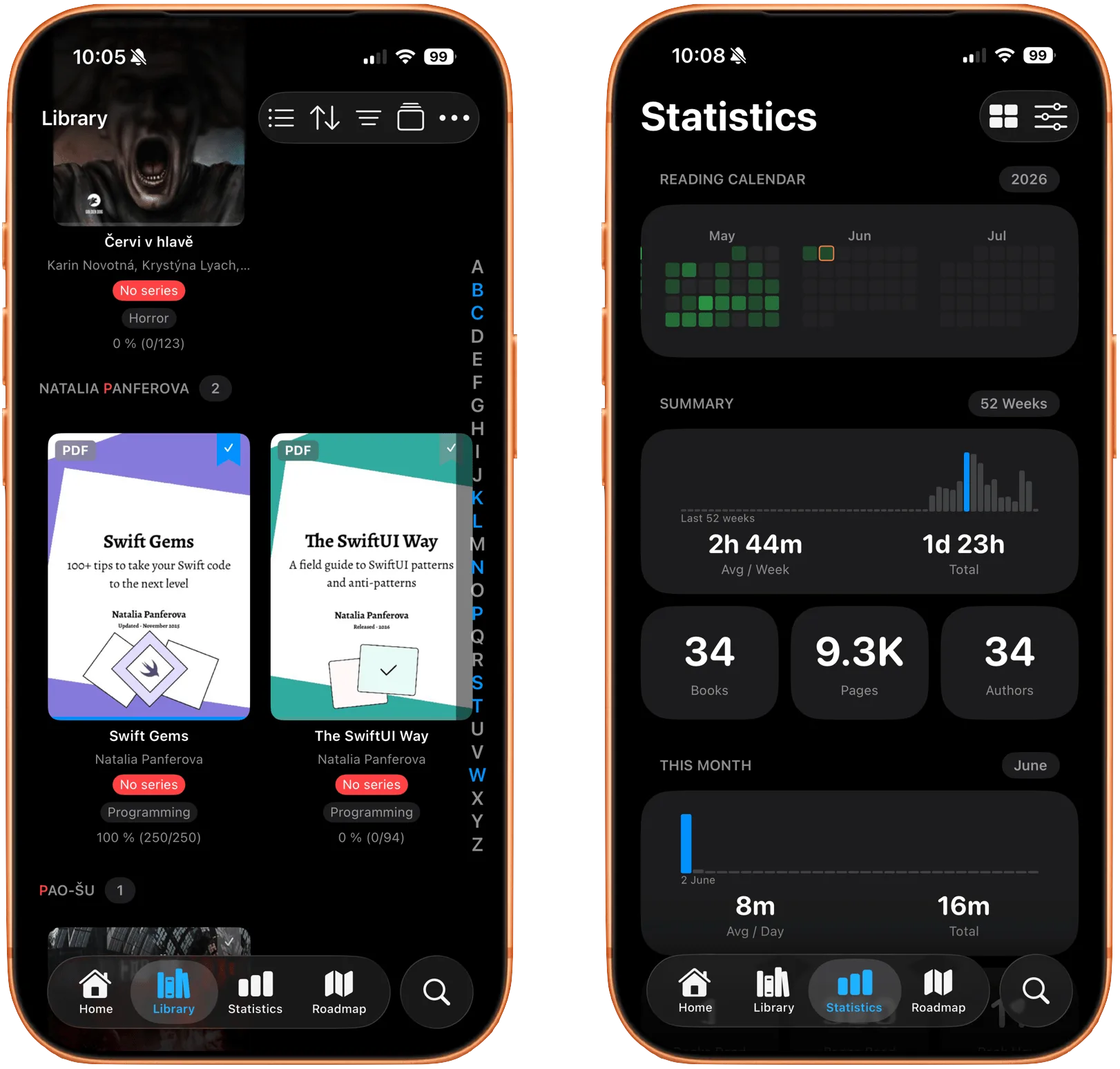
justRead on iPhone, showing PDF in library and statistics.
The habit angle
This is bigger than a new file type. Most reading apps treat PDFs as an afterthought, if they handle them at all, which quietly splits your reading life in two: the books you love over here, the documents you have to read over there. justRead refuses that split.
One library, one streak, one set of goals that covers everything your eyes land on, one similar functionality. The reading you have to do now builds the very same momentum as the reading you want to do, and momentum is the whole game.
And not to forgot you can use all the filters, sorting methods and user defined collections for PDF files too.
So go dig those PDF files out of the folder where they've been gathering dust. Pull in the papers, the textbooks, the manuals you've been avoiding. Drop them into justRead, start reading, and watch your stats climb. Your whole reading life, at last, in one place.
← Back to Blog