Success
If you read EPUB books, PDF files or comics on your iPhone or iPad, you have probably already tried Apple Books. It's free, pre-installed, and for a lot of people that's enough. So why would anyone pay for justRead.app?
Here's the honest answer, including the parts where Apple Books wins.
The short version
Pick Apple Books if… you buy most of your books from the Apple Books Store, you want zero setup, or you want to buy audiobooks rather than bring your own.
Pick justRead.app if… you own (or want to discover) your own EPUB books, PDF files, comics and audiobooks, you care about how text looks on the page, and you want a reader that treats your library as yours. Customization is what you want.
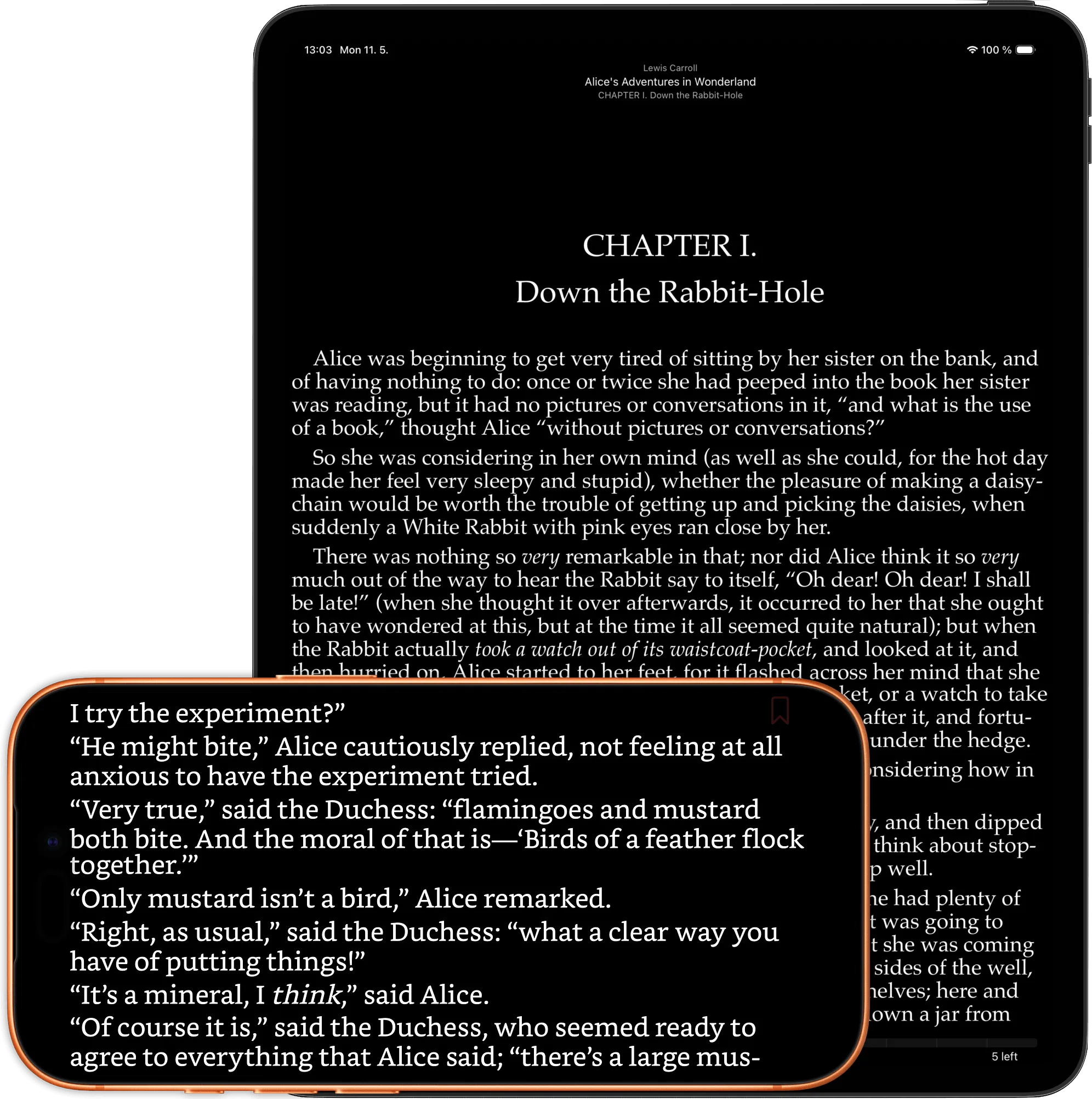
justRead.app on iPhone and iPad, dark mode, sync enabled.
Where Apple Books genuinely wins
Pretending otherwise would be dishonest, so:
- Price. Apple Books is free. justRead.app is $4.99/month or $29.99/year
- The Apple Books Store. One-tap purchases, instant delivery, tight billing integration. justRead.app doesn't sell books at all.
- Buying audiobooks. Apple Books sells them. justRead.app plays the audiobook files you already own, but it doesn't sell you a single one.
If those three things describe you, stop reading and use Apple Books. It's a fine app for that user.
Where justRead.app wins (and it's not even close)
1. One reader for EPUB, PDF, comics and audiobooks
This is the big one since the last time I wrote about justRead.app: it's no longer EPUB-only. PDFs open in the same polished reader, and not as flat page images the way most apps treat them, and CBZ and CBR comics and audiobooks now sit in the same library too.
You get table-of-contents navigation, full-text search with highlighted hits, persistent highlights you can select and keep, tap-the-page-number "go to page," a true dark / inverted mode, and reading-progress tracking with an auto "finished" celebration. Password-protected PDFs open with a password prompt instead of failing. Even the keyboard shortcuts match the EPUB reader, with arrow-key page navigation on top. And there's a built-in 20–20–20 eye-rest timer for long sessions.
PDFs keep their fixed layout, because that's what a PDF is, but everything around the page, the navigation, search, highlights, stats, and goals, behaves like a first-class reader. Apple Books can open a PDF; justRead.app actually lets you read in one.
Comics came next. CBZ and CBR open in that same library: one page, a two-page spread, or Auto that follows the device, so an iPad in landscape gives you the spread the artist drew. Pinch to zoom, double tap to zoom to 3x on the exact spot you tapped, a grid of page thumbnails in place of a table of contents, and a box for typing a page number. Manga carrying a ComicInfo.xml opens right to left with nothing set. What comics don't get is highlighting, in-book search, or metadata editing, and CBT and CB7 aren't read at all.
Audiobooks are the other half of it. justRead.app plays m4b, mp3, m4a, aac and flac, plus .audiobook and .zab packages, either as one file or as a folder of chapter files stitched into a single book. There's a chapter list, 0.75x to 2x speed, skip forward 30 seconds and back 15, a sleep timer, bookmarks per book, Lock Screen and Control Center controls, and a Car Mode with buttons big enough to hit while driving. And listening counts: an audiobook on a walk keeps the same streak alive as an evening with an EPUB.
And when an EPUB ships no narration of its own, Read Aloud speaks it for you. The sentence being read is highlighted, the current word underlined, and the page turns itself on the word being spoken. Use an Apple voice in any of the seventeen languages the app is translated into, or download one of eight English neural voices that run on the phone itself, with no account and no signal. Speed runs 0.75x to 2x, there's a sleep timer, and it keeps playing in the background. Prepare a book once and it plays with the screen off like an audio file. It is an EPUB feature, though: it won't read a PDF or a comic to you.
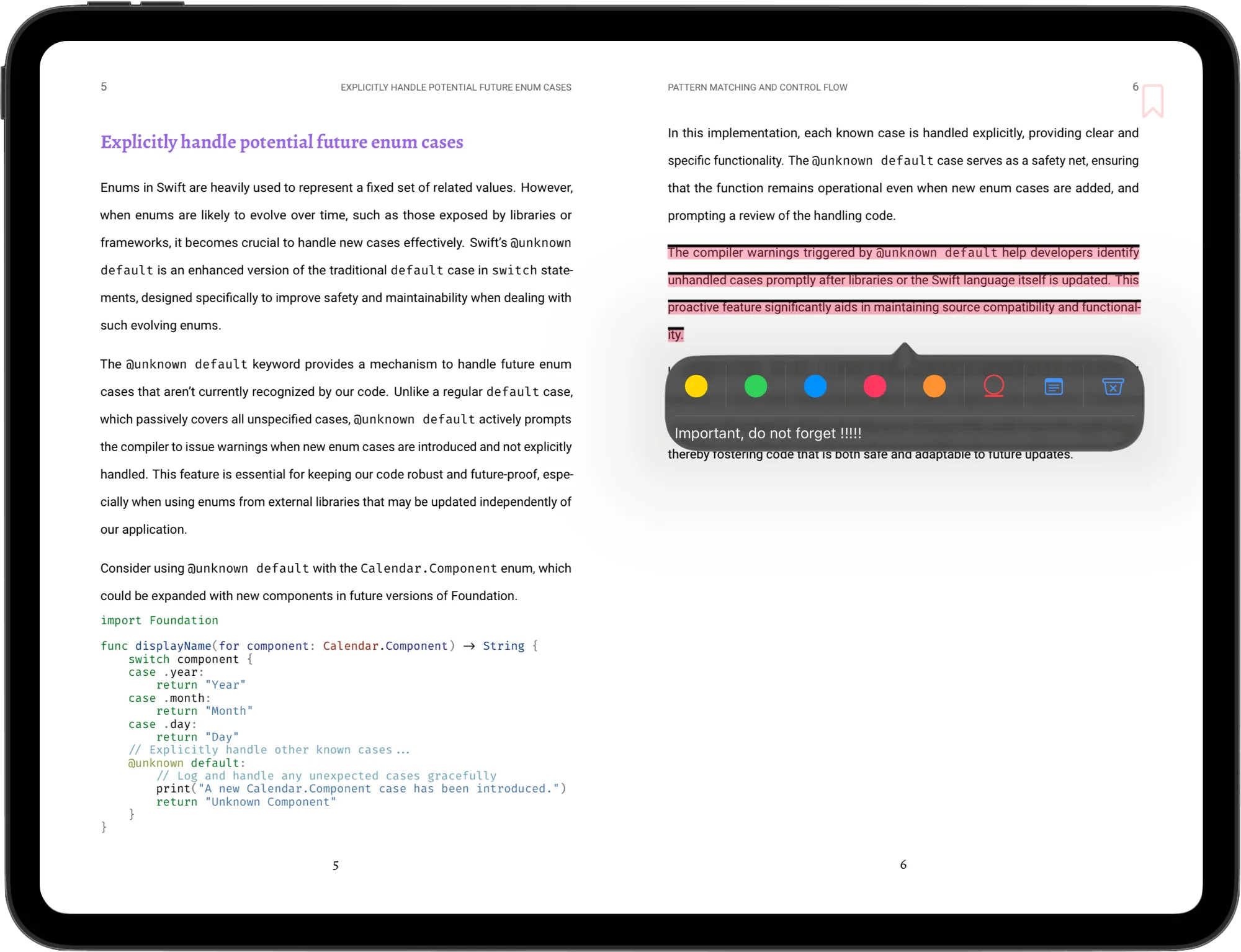
justRead.app showing PDF in landscape on iPad with highlighted text.
2. OPDS support
This is the one almost nobody mentions. justRead.app has OPDS support with Project Gutenberg pre-configured. Browse, search, and download tens of thousands of free public-domain books from inside the app. No browser, no side-loading, no Calibre detour. You can also point it at any custom OPDS server, including private, password-protected catalogs, so your own library server logs in right inside the app.
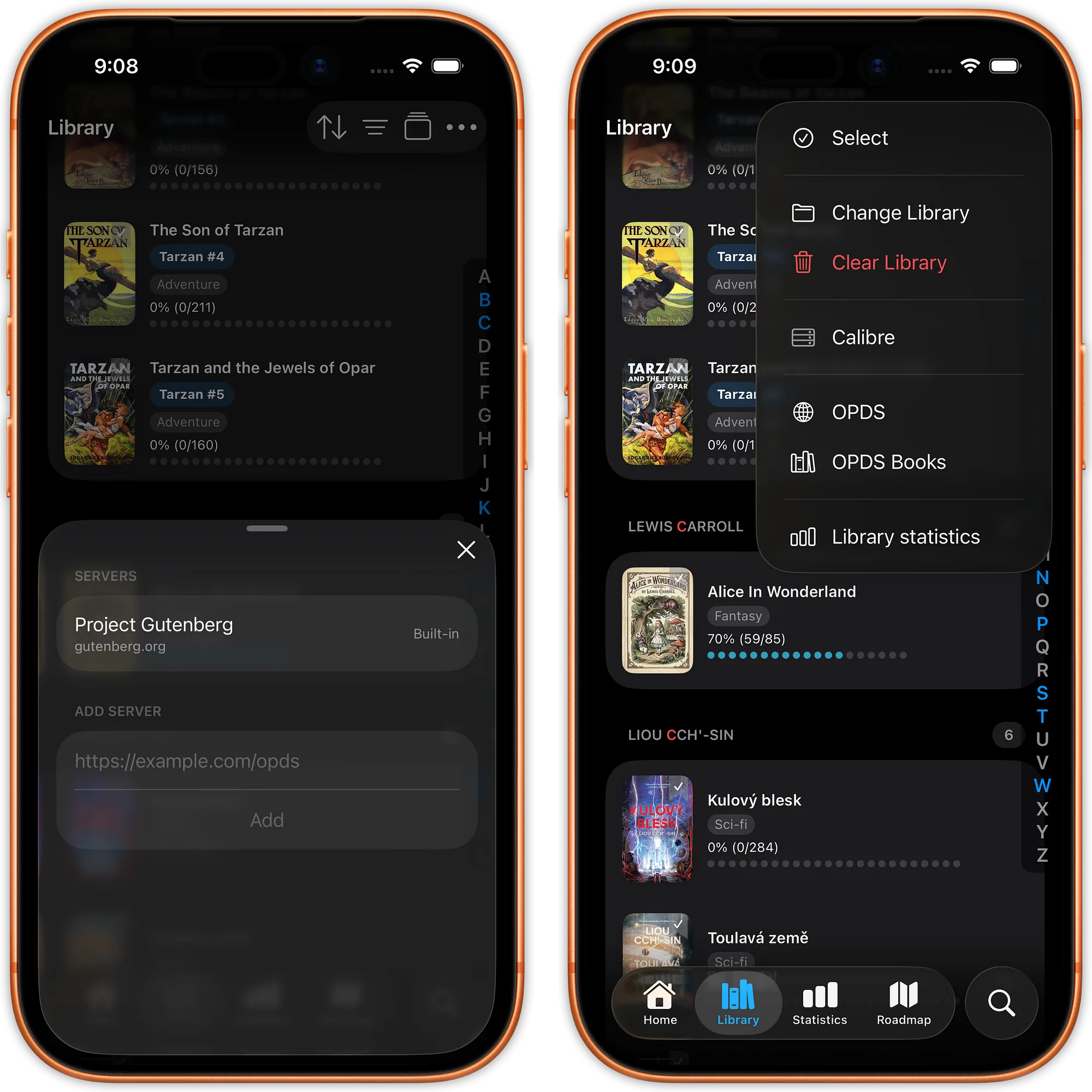
justRead.app showing OPDS settings.
3. Typography you actually control
Apple Books gives you 14 fonts and fixed margins. That's the entire customization story.
justRead.app ships with 200+ fonts, lets you import any custom font (OpenDyslexic, Bookerly, Bionic, your favorite serif, anything), and exposes font size, weight, line spacing, letter and word spacing, paragraph spacing, hyphenation, ligatures, alignment, and separate margin controls for portrait and landscape. Margins can go to zero: true edge-to-edge reading. And every setting can be overridden per book.
If text on a screen has ever felt slightly wrong to you and you couldn't fix it, that's the gap justRead.app closes.
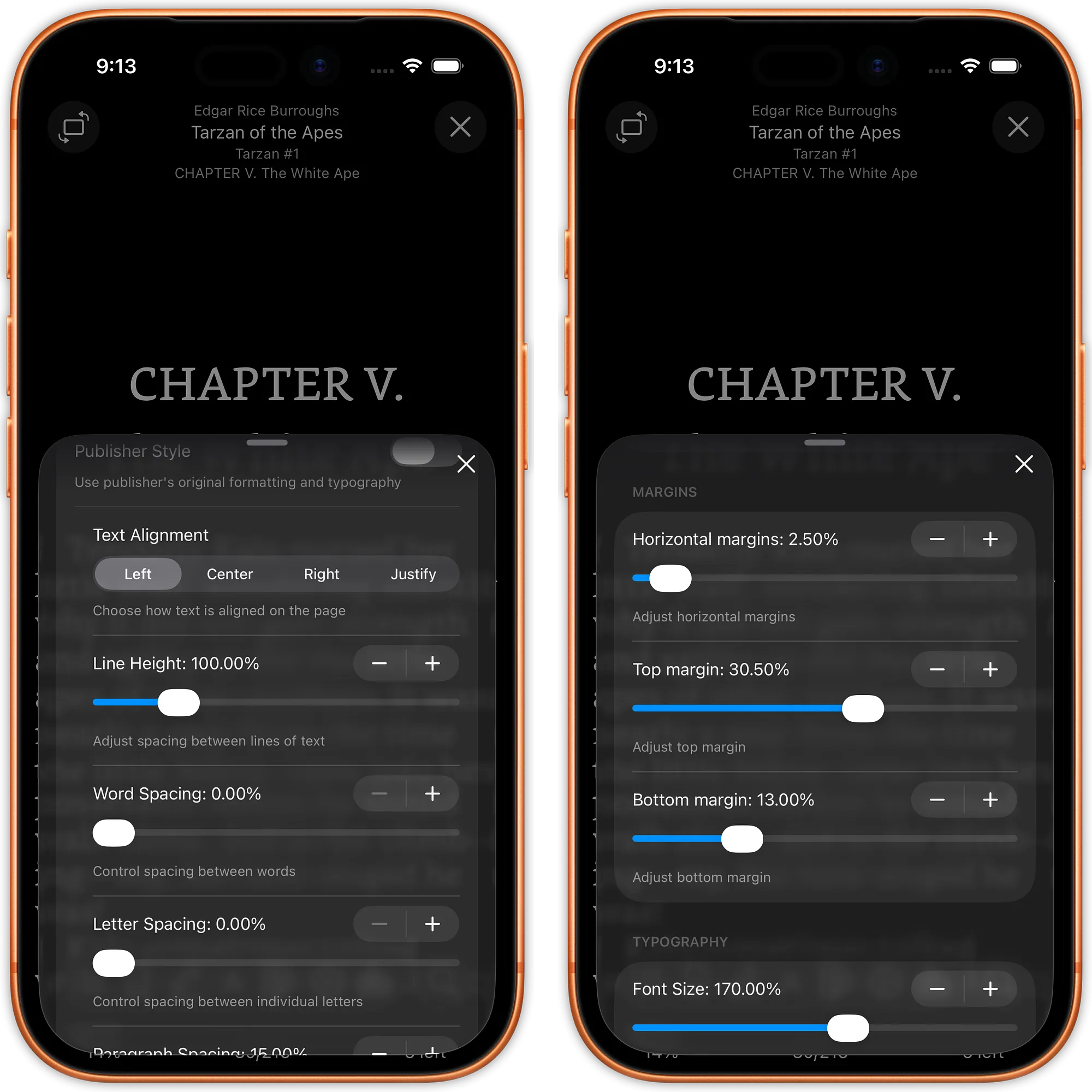
justRead.app typography settings.
4. Highlights you can actually use
In Apple Books, highlights live in Apple Books. You can browse them and that's about it.
justRead.app exports highlights to Markdown or PDF, syncs them straight to Readwise in one tap, lets you share individual passages through the iOS share sheet, and generates social-ready book cards when you finish a title. Highlights can carry notes, with an in-text marker and tap-to-peek so the note stays attached to the passage. If you keep notes in Obsidian, Notion, Readwise, or anywhere else, this is the difference between highlighting being a feature and highlighting being useful.
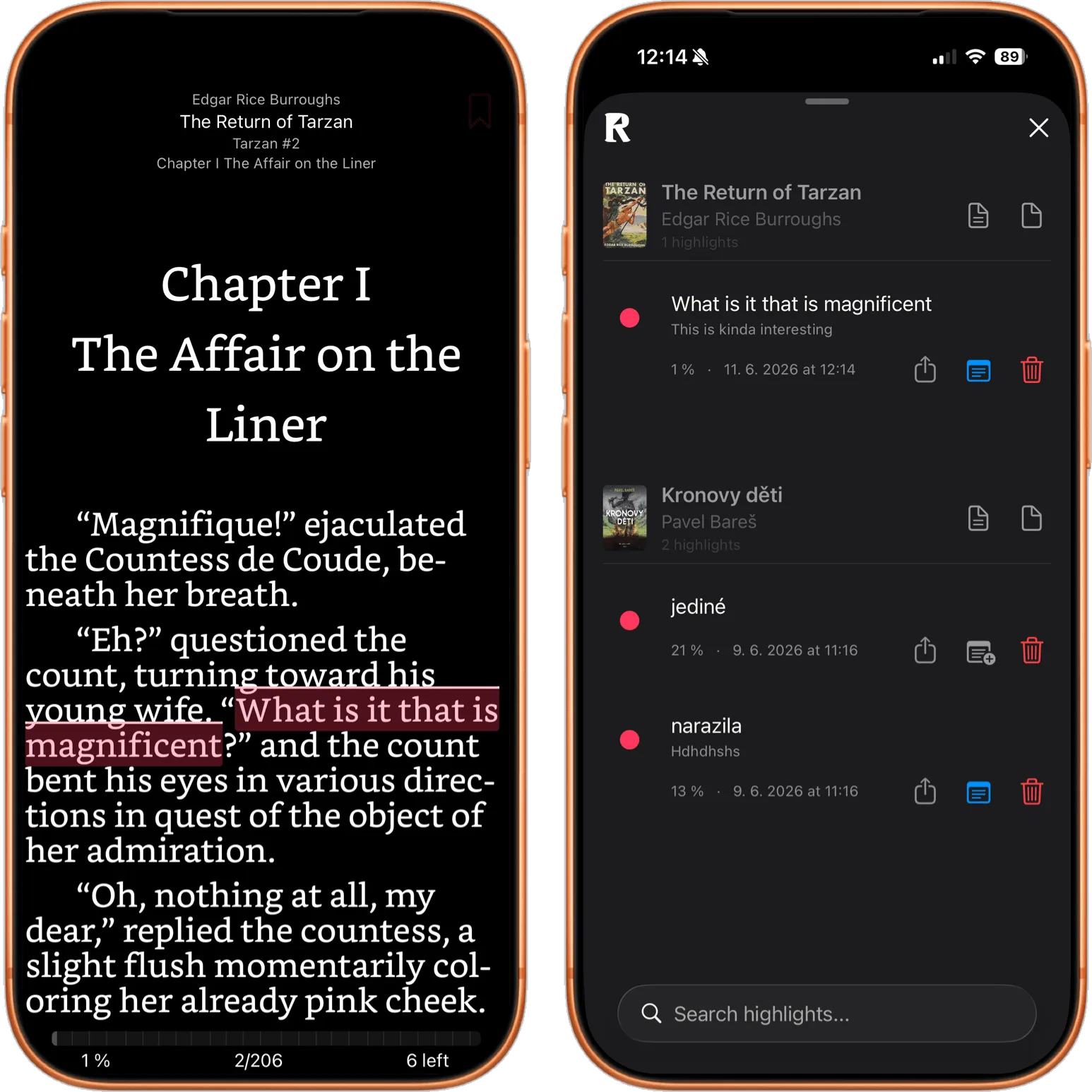
justRead.app showing highlights which you can export to PDF, MD and Readwise.
5. A library that knows it's a library
Custom collections, a tagging system with active filters, saved smart filters, 10+ sort modes, user defined collections, an alphabet jumper, personal star ratings, written reviews, and a "Want to Read" status. You can edit a book's title, author, and tags right in the app, and show, hide, or reorder the sections on your Home, Library, and Stats screens so the app looks the way you read. Apple Books has collections and that's roughly where the organization story ends.
For anyone whose library has grown past "a few dozen books," the difference compounds fast. justRead.app has been tested with 5,000+ books with no slowdowns.
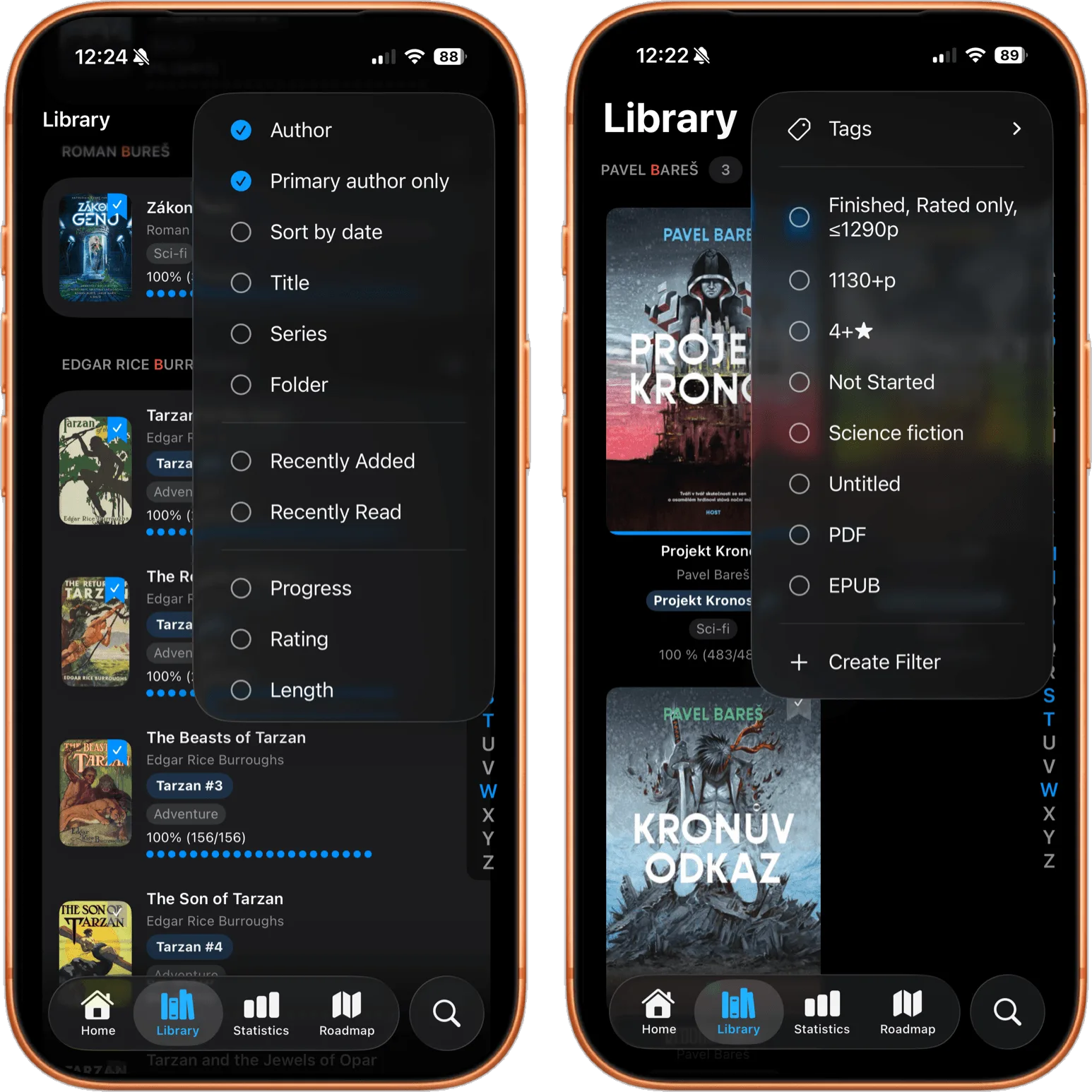
justRead.app sorting and filtering possibilities.
6. Reading stats that exist
Apple Books tracks a daily minutes goal. That's it.
justRead.app tracks streaks, time per book, reading speed, consistency percentage, longest sessions, peak reading hours, a 30-day activity chart, monthly and yearly breakdowns, and per-book statistics, and now wraps them into daily, weekly, monthly, and yearly recaps, a retrospective view of what you actually read and when. If you keep a Goodreads or StoryGraph account, this is the feature you didn't know belonged inside the reader itself.
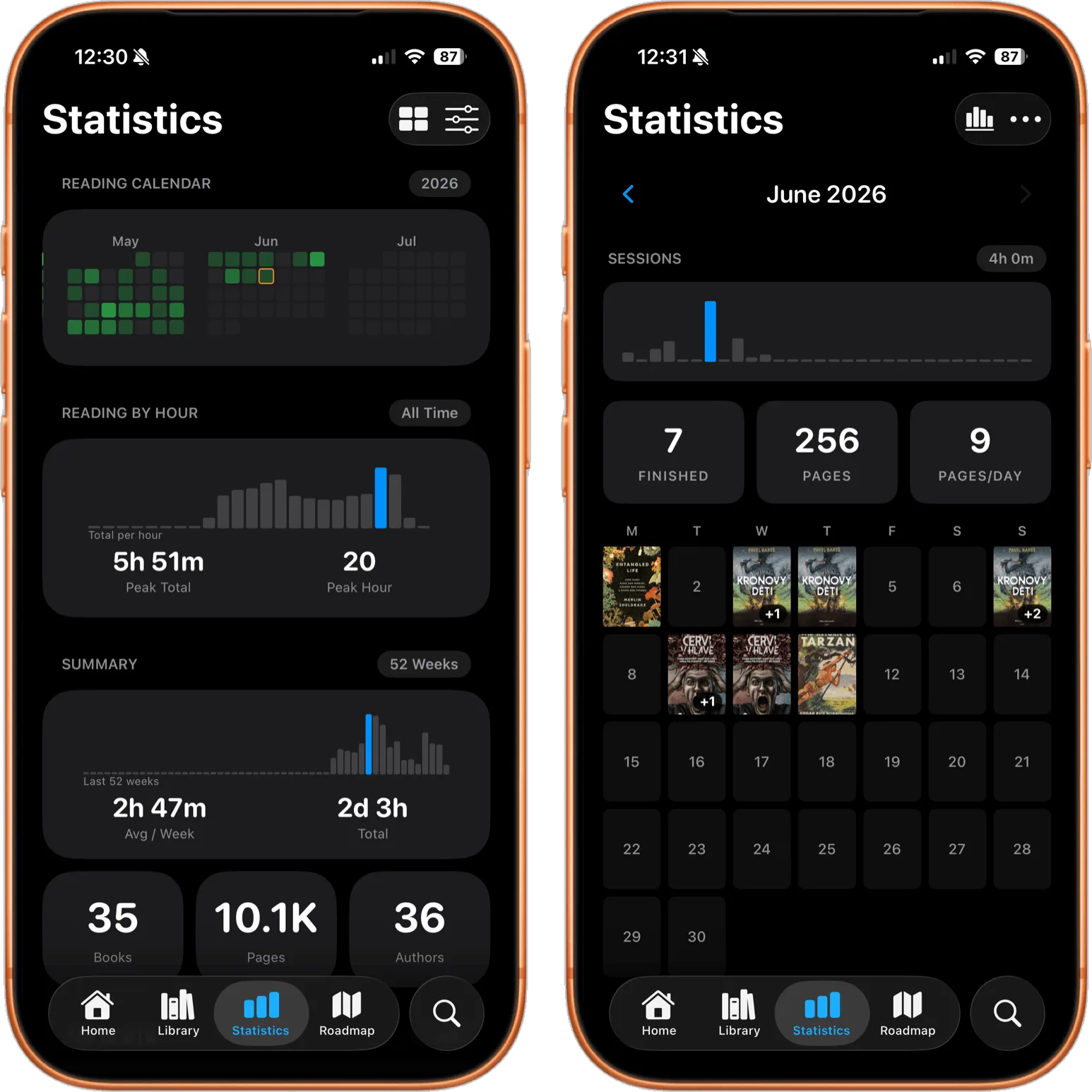
justRead.app showing statistics and recaps.
7. Smart color automation
justRead.app can automatically switch color presets based on time of day or sunrise/sunset. Warm and dim at night, crisp during the day, no manual toggling. Apple Books follows the system dark mode and that's all.
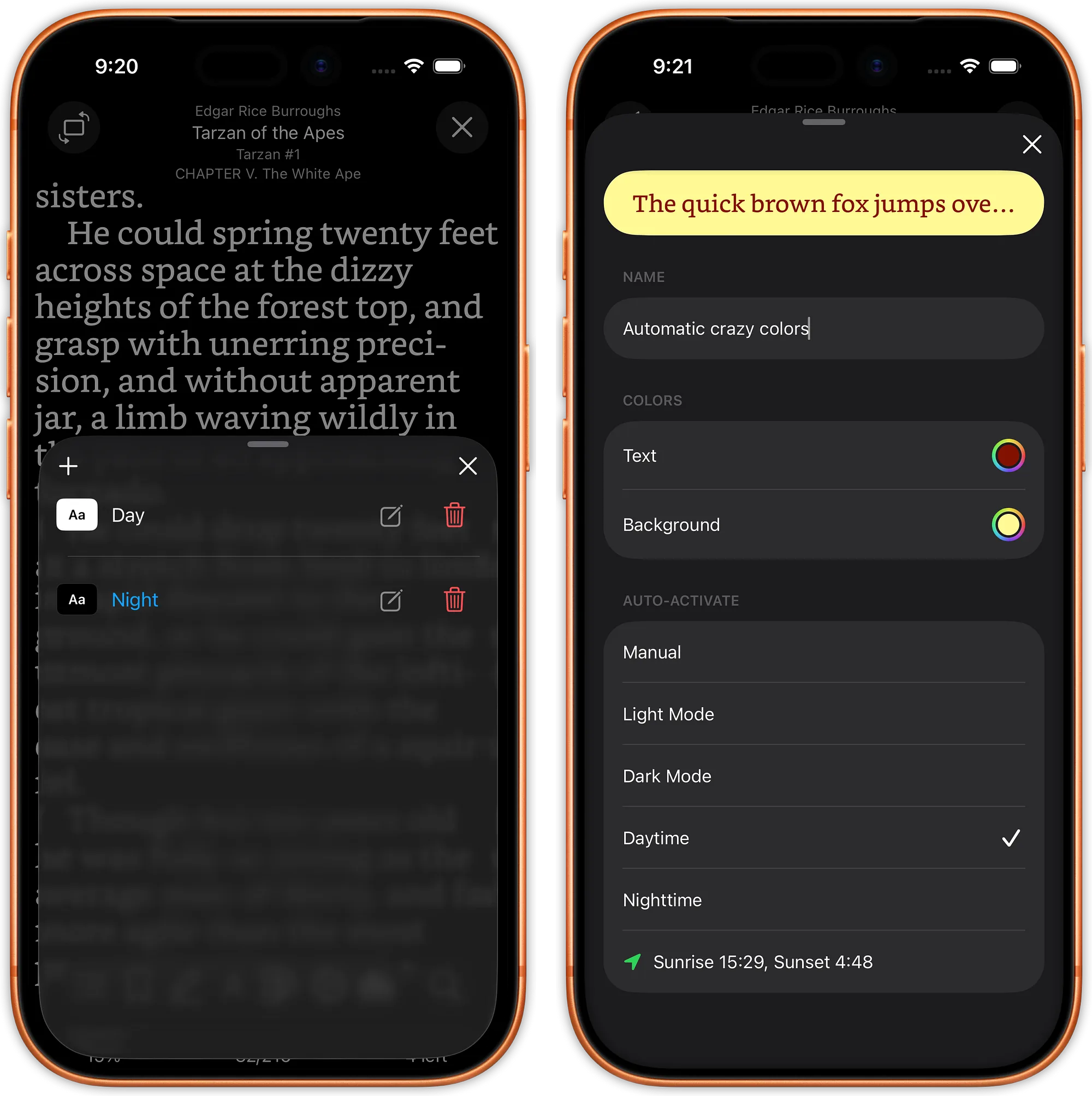
justRead.app reading colors with multiple options.
8. Accessibility done properly
Full VoiceOver support with custom labels and announcements, Dynamic Type, Reduce Motion, Reduce Transparency, high-contrast support, full keyboard navigation, and configurable VoiceOver actions. On iPad with a Magic Keyboard, every major action has a shortcut (⌘B bookmarks, ⌘T table of contents, ⌘F search, ⌘+/− font size), and the PDF reader honors the same shortcuts.
Apple Books has decent baseline accessibility. justRead.app treats it as a first-class concern.
9. Your library, not Apple's
Apple Books books bought from the store are DRM-locked to your Apple ID. justRead.app reads files. Point it at any folder, whether local or in the cloud, use two-way Calibre sync for wireless transfer of both EPUBs and PDFs, or use OPDS: your books stay yours, fully readable offline, in a format you control.
If justRead.app disappeared tomorrow, your EPUBs, PDFs, comics and audiobooks would still be sitting in your folder.
The verdict
Apple Books is a competent default built for people who buy books from Apple.
justRead.app is the opposite. Every design decision points back to one question: does this make reading better for the person actually holding the phone?
If you've ever caught yourself fiddling with Apple Books' font menu thinking "is this really all I get?", the 14-day free trial is the answer.
You'll know within a chapter.
← Back to Blog