Library Highlights วิธีการทำงาน รีวิว คำถามที่พบบ่อย ทดลองใช้ฟรี 14 วัน

Your PDFs, on the same shelf as your books.

justRead treats a PDF as a book rather than a document. Your PDFs open in the same library as your EPUBs, with the same highlights, notes, bookmarks and reading position.

And the highlights you make in a PDF export to Readwise, to Markdown and to PDF, straight from the device.

ทดลองใช้ฟรี 14 วัน ไม่ต้องสร้างบัญชี
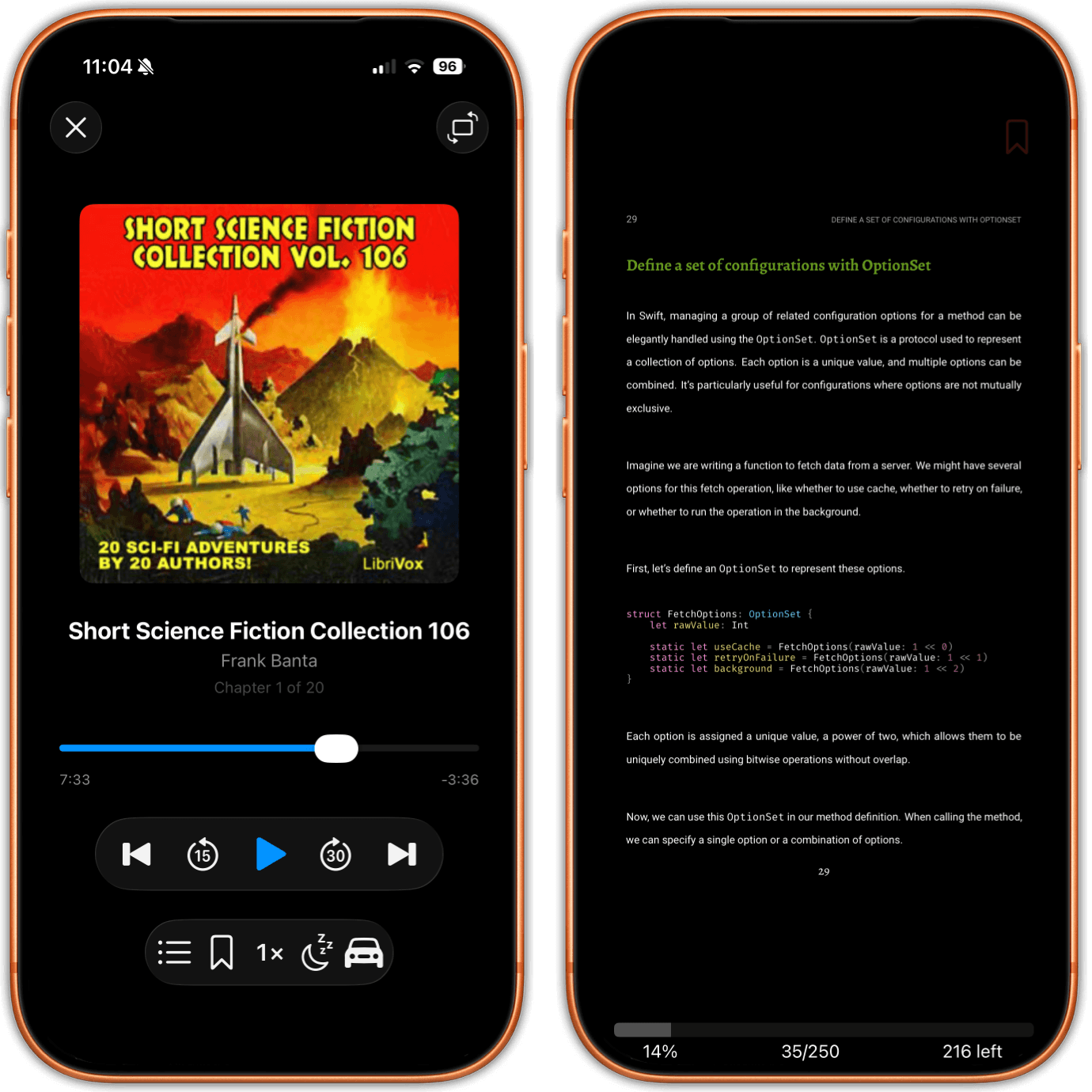
Two iPhones side by side. The left one is playing an audiobook, with cover art, the chapter number and a scrubber. The right one shows a PDF page with a printed page number, a running head in small capitals, and the app's own progress readout below the page.

Read this before you download it

justRead reads PDFs. It does not edit them. There is no Apple Pencil or freehand ink markup, no drawing, no form filling, no signing, and no reordering, merging or deleting of pages. It does not run OCR on a scanned file, and it does not reflow a PDF into a single adjustable column the way PDF Expert's Reading Mode does, because a PDF page is a fixed layout and justRead renders it as printed.

If you need any of that, a PDF editor is the right tool and we would rather say so here than waste your afternoon. PDF Expert, Documents by Readdle and Adobe Acrobat all do the document work properly.

What justRead is built for is the other job: reading a four hundred page PDF from the first page to the last, keeping your place, keeping your quotes, and keeping the file next to the rest of your books instead of in a separate app.

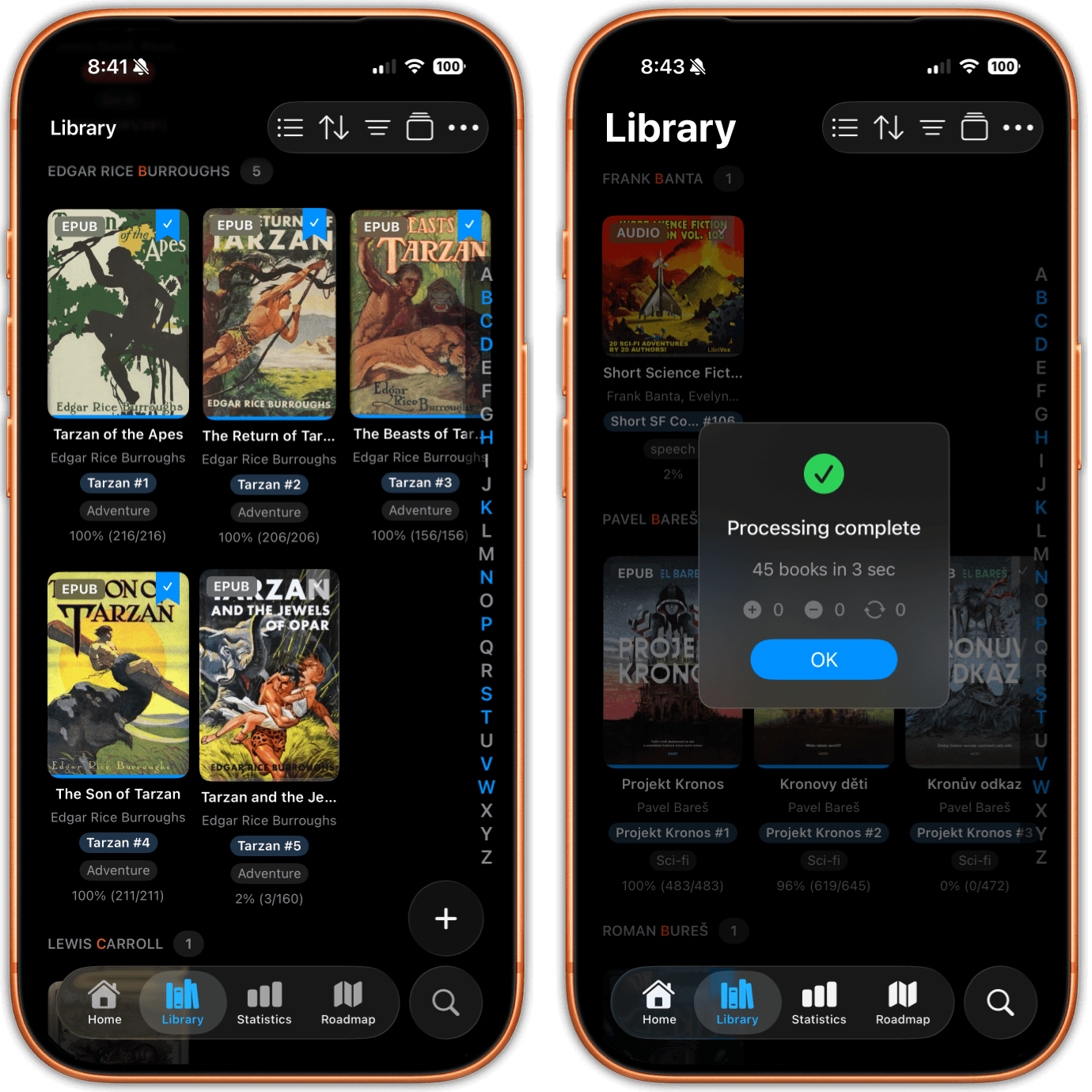
Two iPhones showing the library. One is a cover grid grouped by author, with a format badge on every cover and series chips underneath. The other shows a book with an audiobook badge, a tag and a progress figure, over an import summary.
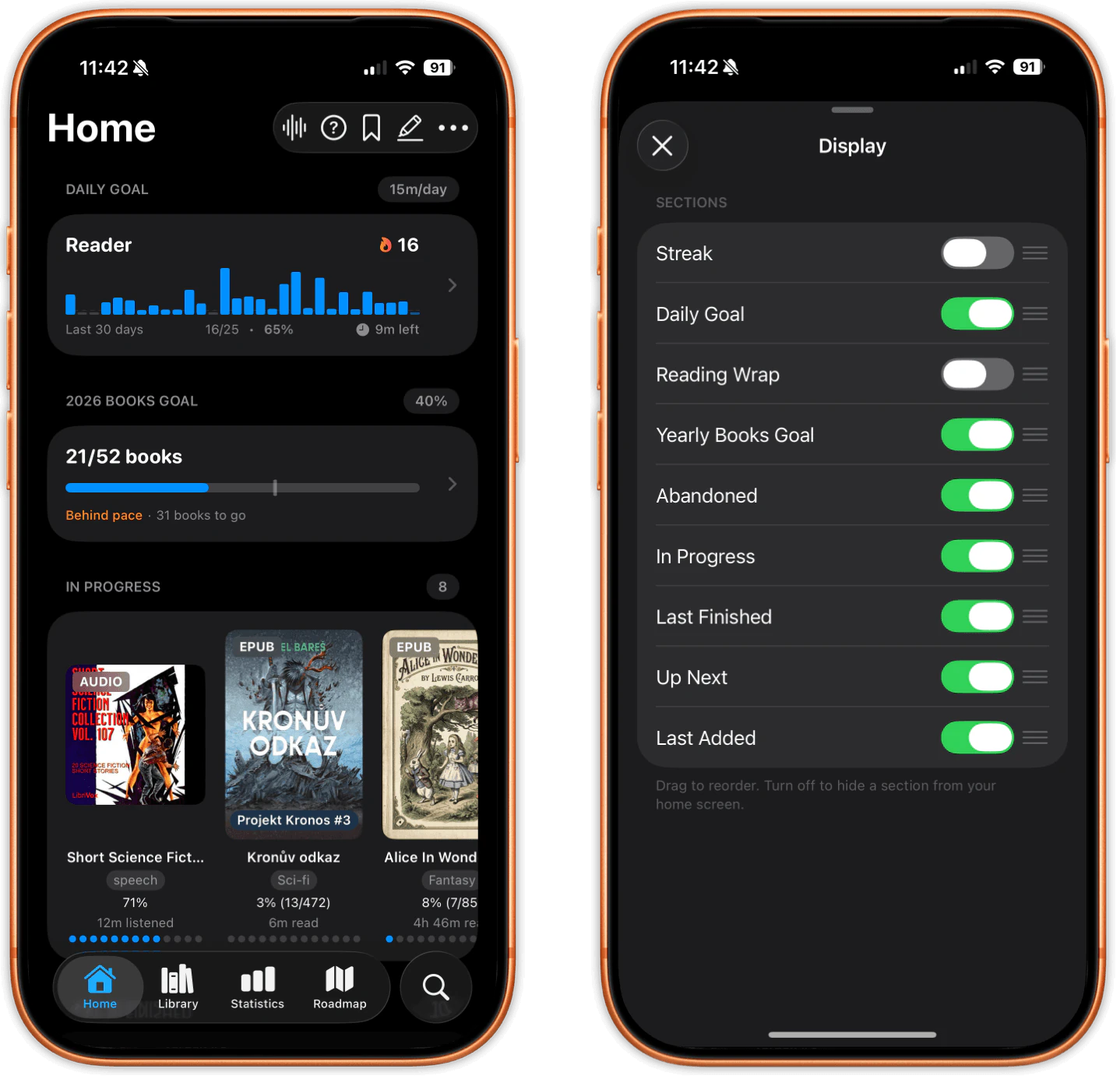
Two iPhones showing the Home tab. An In Progress shelf mixes an audiobook card with two ebook cards, each with its own listened or read time, above a daily goal streak and a yearly books goal.

One library, every format.

A PDF lands in the same library as your EPUBs, your comics and your audiobooks. It carries a PDF badge on its cover, and the format filter shows you only the PDFs when that is what you want, or hides them when it is not.

PDFs get real metadata too. Edit the title, the authors, the series, the series index and the tags, so a coverless scan stops being an unidentifiable grey tile and starts sorting next to everything else you own.

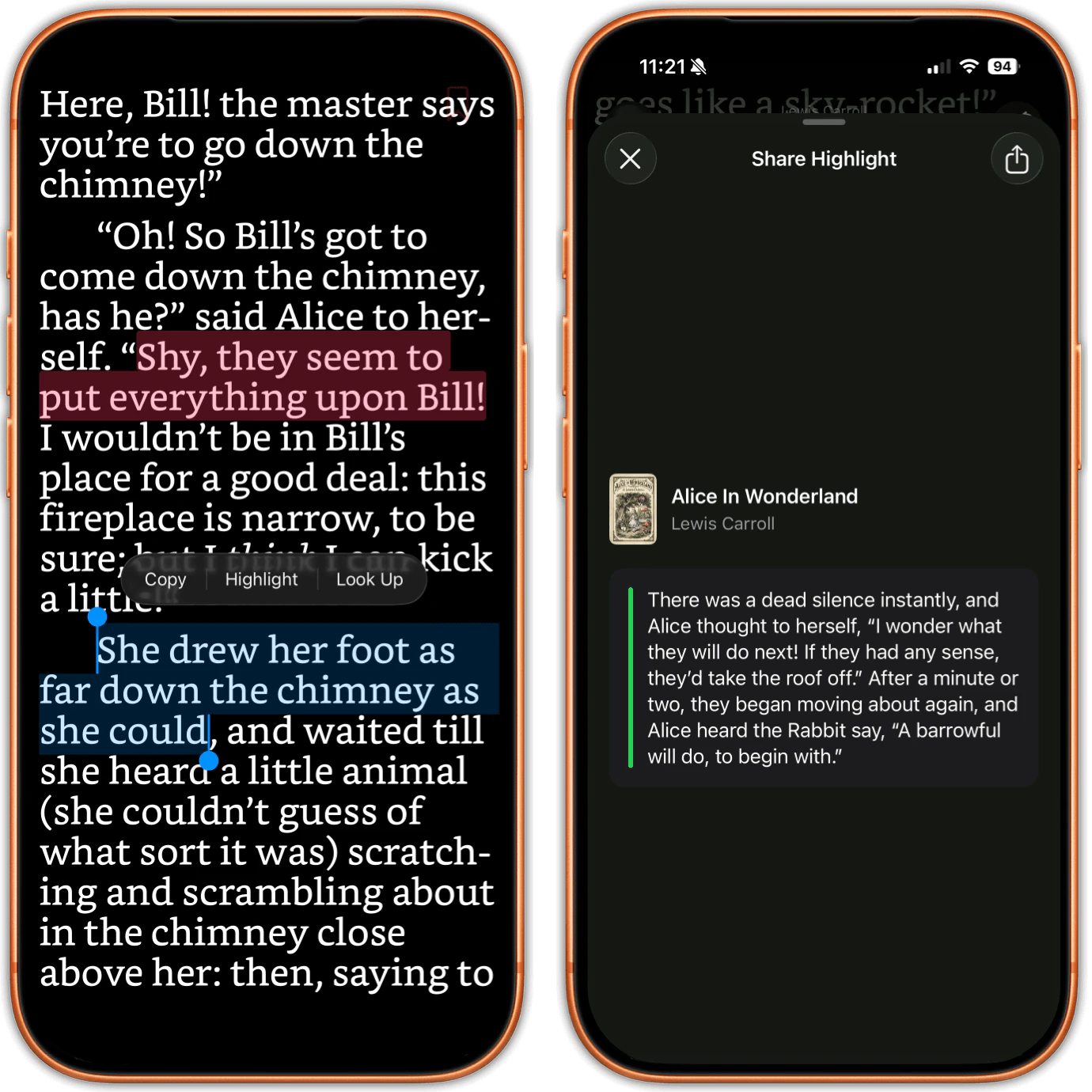
Two iPhones. On one, a sentence is selected with a Copy, Highlight and Look Up menu open, and two earlier highlights in different colours sit on the same page. On the other, a card formats a single highlight for sharing.
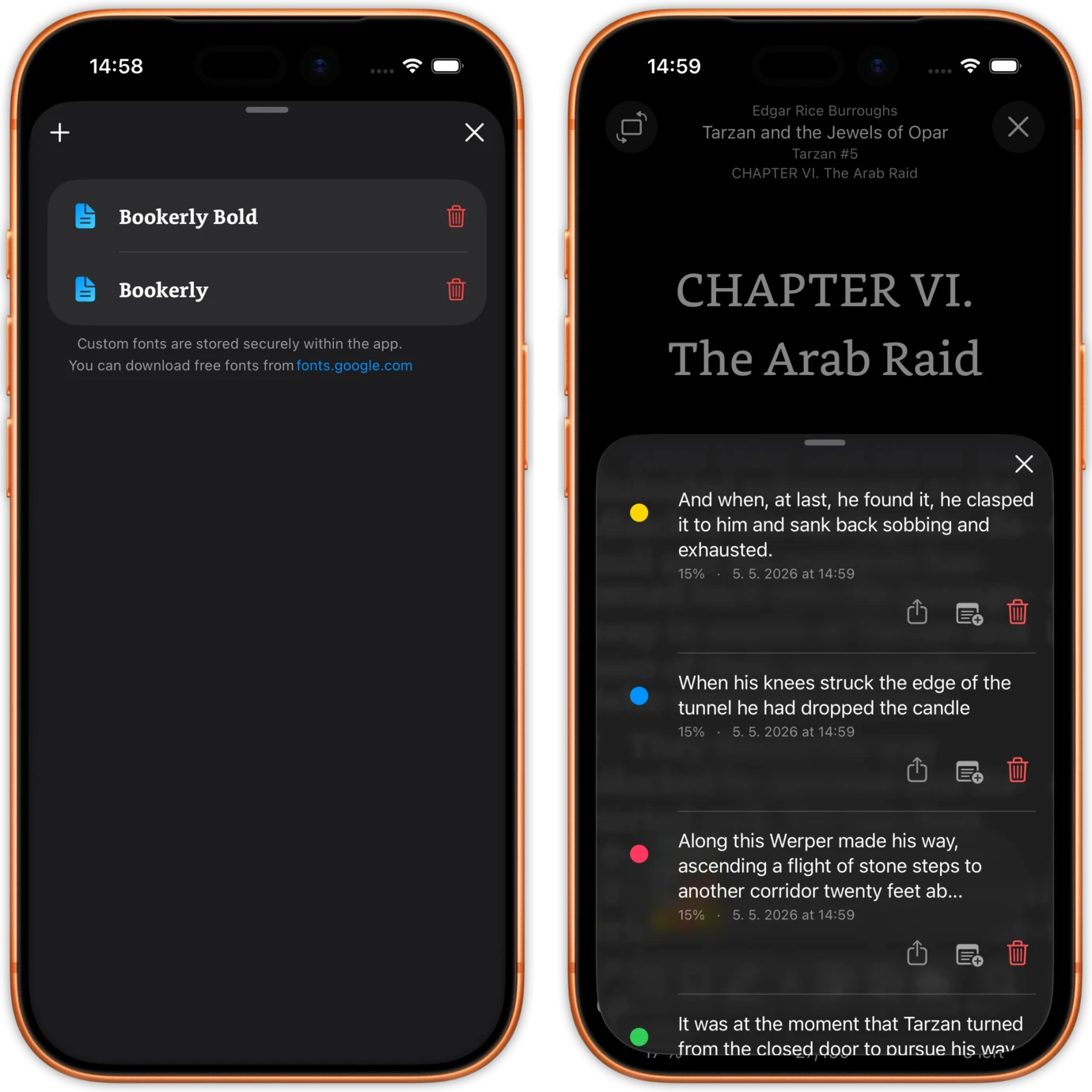
Two iPhones. One is a book's highlight list, each entry showing its colour dot, its position in the book, the date, and buttons to share, annotate or delete it. The other manages the custom fonts imported into the app.

Highlights that leave the app.

Highlighting a PDF works exactly as it does in an EPUB. Select the text with your finger, pick one of six colours (one of them a red underline), and write a note on any highlight. Every one lands in that book's own highlight list with its colour, its position and its date.

Then it gets out again. Export a book's highlights as a PDF, as Markdown, or send them straight to Readwise from the phone. No desktop step, no web app, no emailing a file to an import address.

This is the part Apple Books cannot match. Readwise's own documentation says Apple Books does not create spec-compliant highlights on a PDF, which means no tool can import them. A quote you mark there stays there.

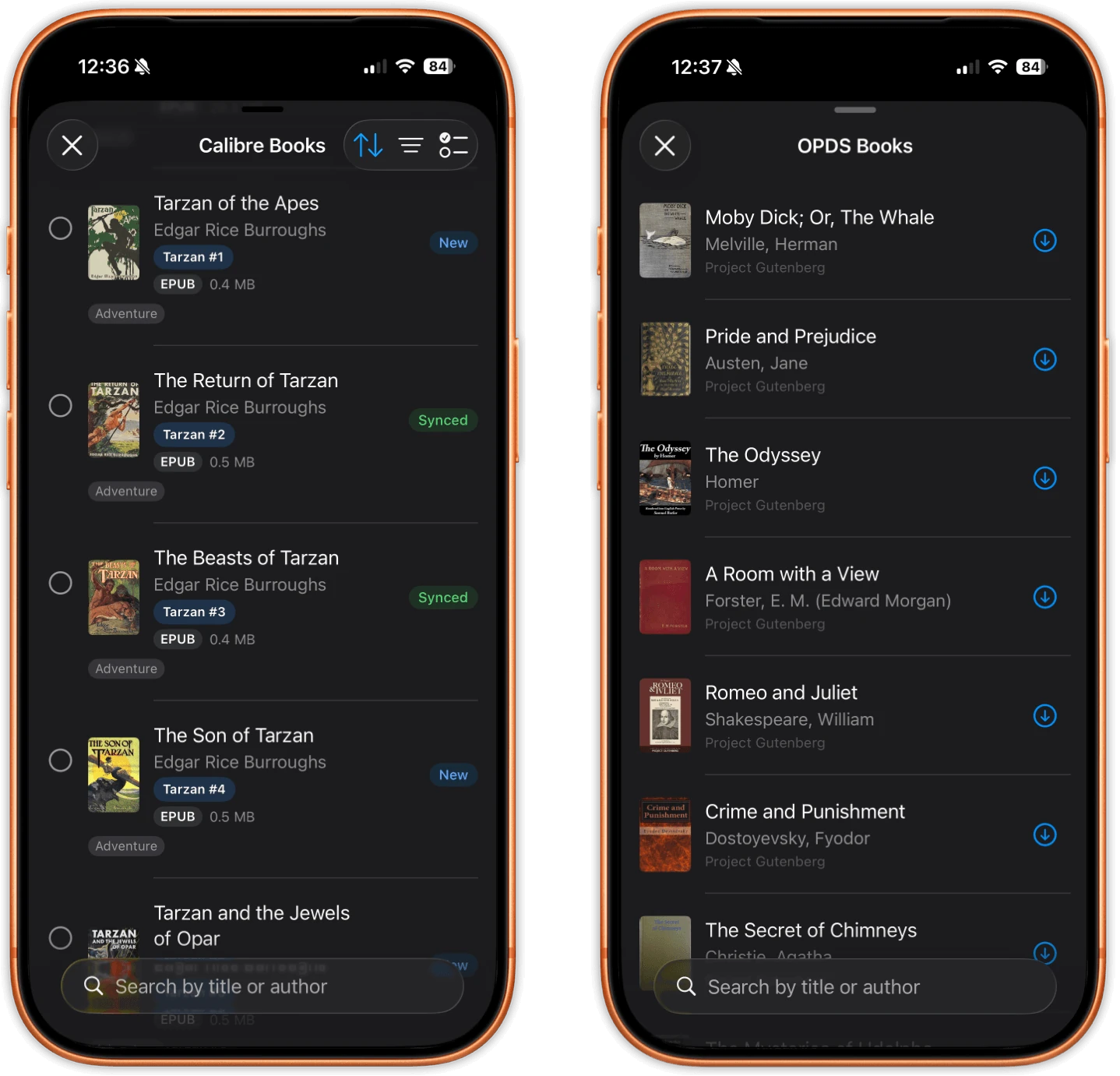
Two iPhones. One lists books available from a Calibre server with their file sizes and New or Synced badges. The other lists titles from an OPDS catalogue, each row with its own download button.
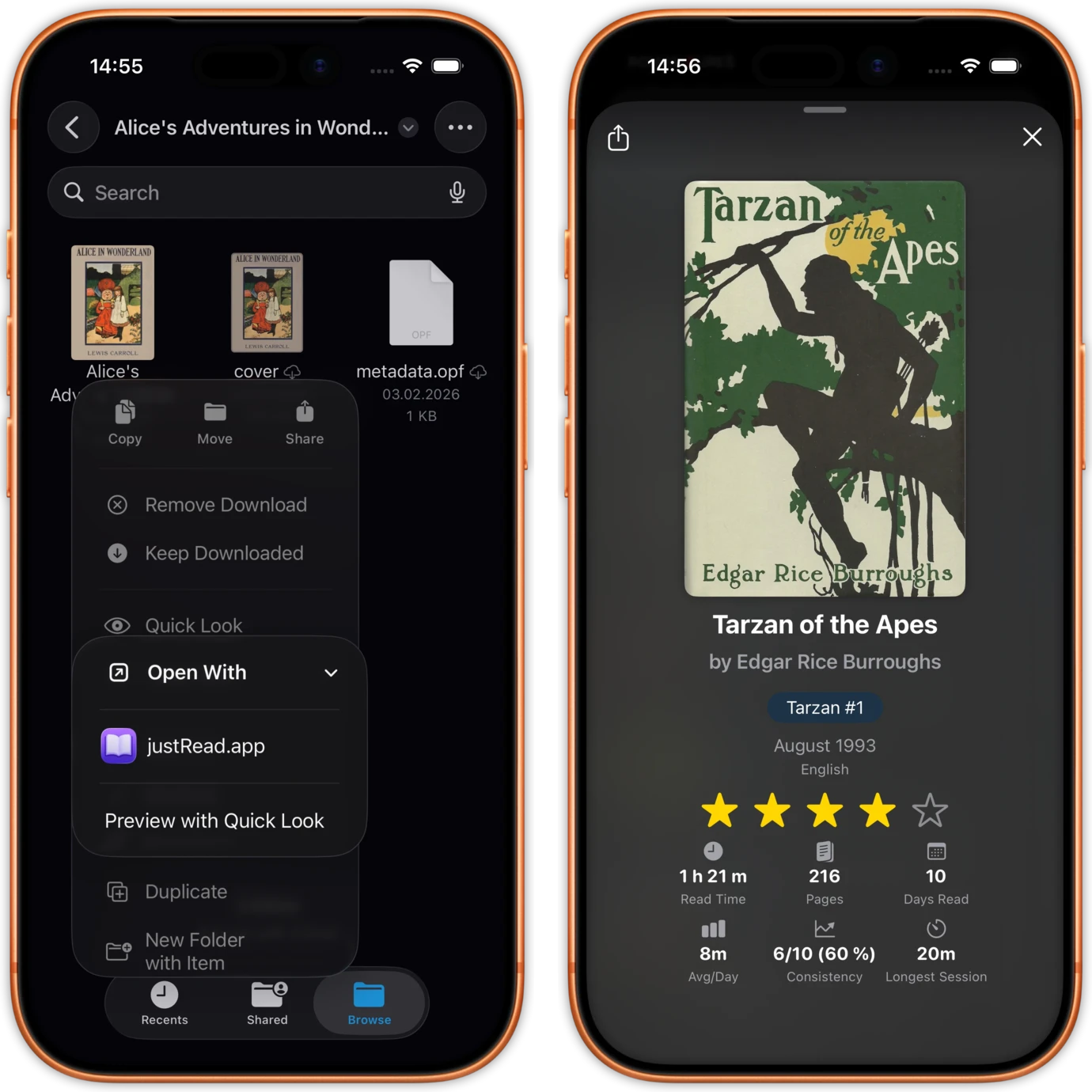
Two iPhones. One shows the Files app with a book file selected and an Open With menu pointing at justRead.app. The other shows that book's detail card inside the app.

Getting a PDF library onto the device.

Open a PDF from the Files app or any share sheet, drag one out of Files and drop it onto the app on iPad, or download it from an OPDS catalogue straight into your library. Password-protected PDFs open once you type the password.

For a real collection there is Calibre. justRead syncs with the Calibre Content Server over Wi-Fi and PDFs come across alongside your EPUBs, which is the practical way to move hundreds of files onto an iPhone or iPad without a cable.

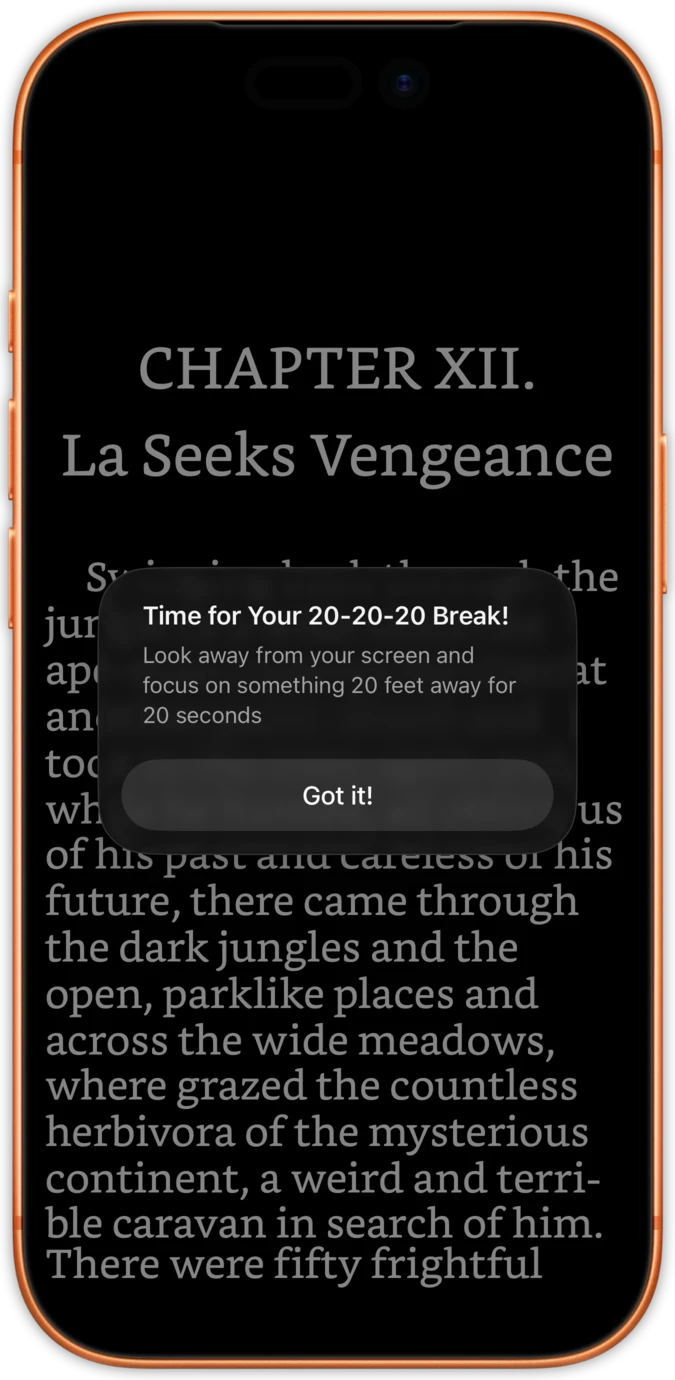
A single iPhone showing a full-screen page of a book with a 20-20-20 eye-break reminder over it.
A single iPhone showing a page of a book filling the entire screen, with no toolbars, buttons or status chrome of any kind.

Built for the long session.

Read in pages or in continuous scroll, vertically or horizontally, whichever suits the document. Set the page fit, turn on a two-page spread with an offset first page, and adjust the spacing between pages.

The 20-20-20 eye-break timer runs in the PDF reader, not only in the ebook reader, and the brightness slider sits on the edge of the page where your thumb already is. Colour inversion works on any PDF, so a scan with a white background baked into it still reads properly at night.

Everything you can actually do in a PDF

Named specifically, so there is nothing here you go looking for and fail to find.

From a file to a finished book.

01

Add the PDF

Open it from Files or a share sheet, drop it onto the app on iPad, pull it out of an OPDS catalogue, or sync a whole shelf of them from Calibre over Wi-Fi.

02

Read it as a book

Choose pages or scroll, set the page fit, invert the colours if the pages are white. Your position saves itself and catches up on your other device.

03

Keep what you marked

Highlight, add notes, then send the whole book's highlights to Readwise or export them as Markdown or as a PDF.

What a PDF gets here that it does not get elsewhere

Three things readers with large PDF collections keep asking for, and where the usual answers stop short.

A library, not a pile of files

Apple Books collections do not scale, its search reaches for the Store before it reaches your shelf, and PDFs without covers turn the grid into rows of identical grey tiles.

Here a PDF has an editable title, author, series and tags, a format badge, filters, collections and eleven sort modes, and search looks at what you own.

Quotes you can take with you

Highlights made on a PDF in Apple Books are not spec-compliant annotations, so nothing can import them. They are stuck in the app where you made them.

Highlights here export to Readwise, to Markdown and to PDF, from the phone, by exactly the same route your EPUB highlights take.

One app for both halves of your reading

Most PDF apps are document tools. They fill forms and merge pages well, and they know nothing at all about the EPUB half of your library.

PDFs, EPUBs, comics and audiobooks share one library, feed the same reading statistics, and count toward the same streak and the same yearly goal.

A PDF in three kinds of app

Including the rows we lose.

Reading a book-length PDF justRead.app Apple Books A PDF editor
A real library, or a list of files Covers, badges, tags, series, collections, filters and eleven sort modes A shelf that struggles once there are a few hundred coverless files on it A file browser with folders
Remembers where you stopped Yes, across a cold launch, and it catches up to your other device Yes, within Apple's own sync Varies by app, and often only the last file you opened
Highlight colours on a PDF Six, one of them a red underline, each with a note Markup pens rather than real text highlights Usually many, plus ink, shapes and stamps
Getting those highlights out Readwise, Markdown and PDF, from the device No. Its PDF highlights are not spec-compliant annotations Usually an annotated or flattened PDF
Dark mode on a white-background PDF Colour inversion on any PDF The page stays white Some offer a night filter
Your ebooks in the same app Yes. EPUB, PDF, comics and audiobooks in one library EPUB and PDF, on one crowded shelf No, PDF documents only
Apple Pencil and freehand ink No Yes Yes, this is what they are built for
Reflow into one adjustable column No No Yes. PDF Expert, Documents and Foxit all do it

ที่นักสะสมหนังสือชื่นชอบ

ดูสิ่งที่นักอ่านพูดถึงบน App Store

★ 4.6 / 5 · 24 คะแนนบน App Store

คำถามที่พบบ่อย

Straight answers about PDFs, including the ones that are no.

Yes, and it works exactly as it does in an EPUB. Select the text with your finger, choose one of six colours (one of which is a red underline) and add a note if you want one. It is text selection, not ink: there is no Apple Pencil markup, no pen and no freehand drawing here, which is the main difference from a PDF editor. Every highlight goes into that book's own list with its colour, its position and its date, and you can search and share them from there.

Yes. A book's highlights export as a PDF, as Markdown, or straight to Readwise, and all three run from the iPhone or iPad with no desktop step in the middle. It is worth knowing this before you start marking up a long document, because Readwise's own documentation states that Apple Books does not create spec-compliant highlights on a PDF, which means highlights made there cannot be imported anywhere at all.

No, and no reader can without OCR first. A scanned page is a photograph of a page. There is no text layer underneath it, so there is nothing to select, nothing to search and nothing to highlight, and justRead does not run OCR. If the file matters, put it through an OCR tool on a computer first, or look for a copy of the book that already carries a text layer.

Not here. A PDF page is a fixed layout at a fixed size, and justRead renders it as printed rather than rebuilding the text into a single column. If reflow is what you need, PDF Expert, Documents by Readdle and Foxit all have a reading mode that does it, and you should use one of them. What helps in justRead is continuous scroll, page fit, landscape and a bigger screen. If the same book exists as an EPUB, the EPUB is simply the better copy on a phone.

Yes. Your position in a PDF saves itself and survives a cold launch, and when you open the same book on another device it catches up to the furthest page you reached there. Bookmarks, table of contents navigation, a go-to-page sheet and full text search are all in the PDF reader too.

Yes. Time spent in a PDF feeds the same sessions, the same daily goal, the same streak, the same calendar heatmap and the same yearly recap as an ebook does. A work PDF counts as reading, because it is reading.

PDFs sync alongside your EPUBs through the Calibre Content Server over Wi-Fi, with the same New, Changed and Synced states as everything else in the library. For a large PDF collection this is the practical route onto an iPhone or iPad, and it works in both directions.

No. justRead does not fill forms, sign, redact, merge, split or reorder pages, and it does not edit page content. Those are document jobs, and a PDF editor does them properly: PDF Expert, Adobe Acrobat and Documents by Readdle are all good at it. justRead is for reading the PDF and keeping what you marked in it.

Put your PDFs where your books วันนี้

Free for 14 days on iPhone and iPad. No account, and nothing to set up before you start reading.

ทดลองใช้ฟรี 14 วัน ไม่ต้องสร้างบัญชี