Success
I'm an avid reader. I love books, the smell of paper, the feeling of them in my hands, the sound of pages turning. But I'm also a realist. Physical books take space. Some are heavy. Certain editions cost more than I am able to spend. I know it, I have some of them.
So I read digitally too. I love the simplicity of taking out my phone and reading exactly what I want. Whenever I want. I love downloading a new release the moment it comes out. The simplicity of digital reading is why I read on phone.
And I love the story in the book, of course.
I have Kindle, Apple Books, and several other reading apps on my phone.
But here's the problem: none of them are actually built for readers like me.
What justRead app means to me after everything is set up. Just read.
Why you need a new mobile app for reading
I'm also a developer. And for years, while reading in those apps, I kept asking myself the same questions:
Why can't I read the way I actually want to?
- Why is the text using only half or two thirds of the screen when I have more space available?
- Why can't I use my favorite font? I want any font I choose.
- Why can't I adjust margins, line height, boldness, word spacing, ... everything that makes reading comfortable for my eyes?
- Why do I have to open a menu just to change brightness? I want to swipe and adjust without breaking my reading flow.
- Why can't I lock landscape mode? I keep getting knocked back to portrait by accident.
- Why aren't images inverted when I read in dark mode? Reading illustrated books at night hurts my eyes.
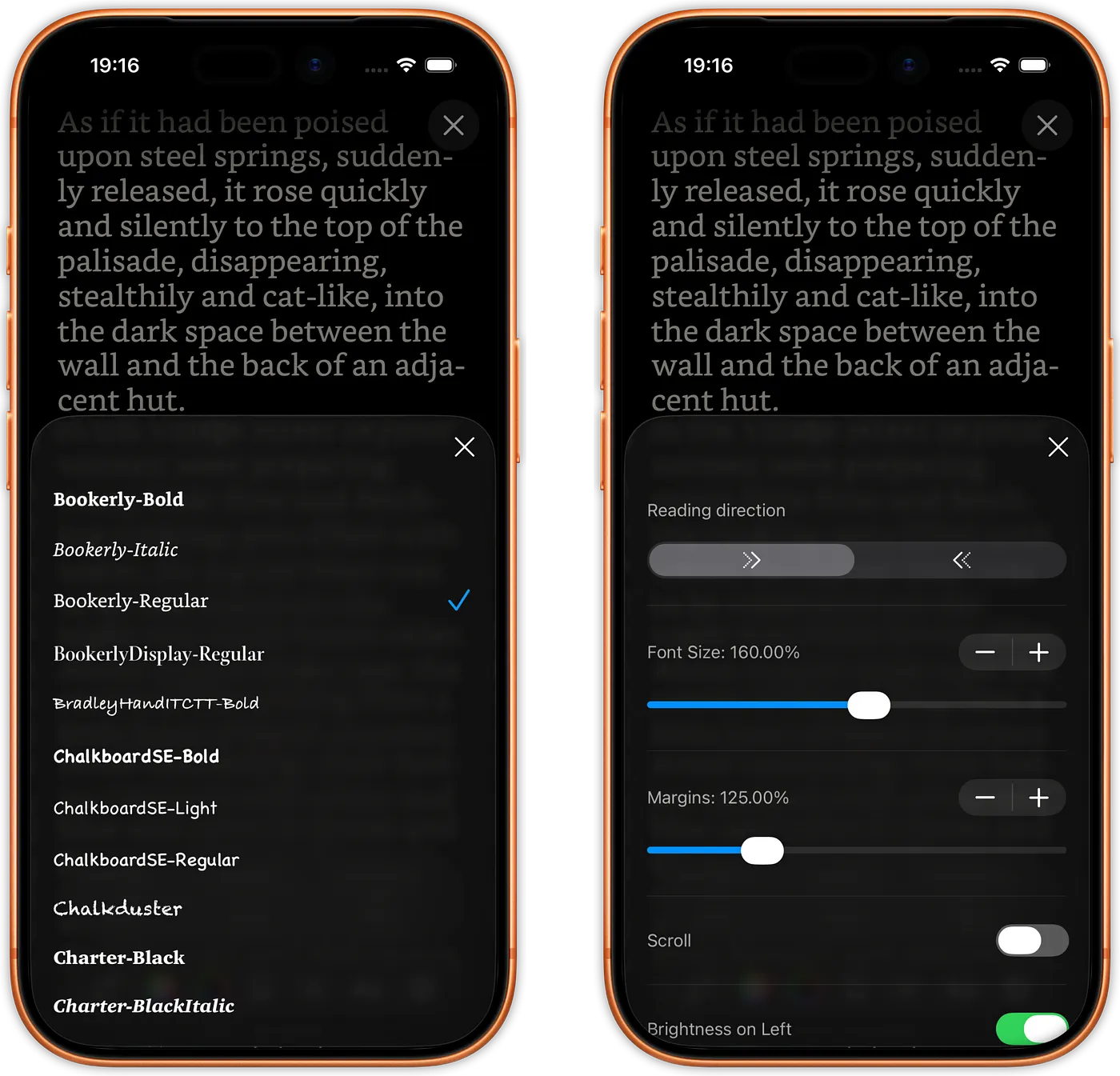
Changing the font (showing fonts from selected folder) and text color.
Changing the text properties. Margin needs to be adjusted, in this case, because dynamic island is in front of the text.
Why can't I read my books?
- Why can't I read my books, all of them, everywhere? Why am I forced to choose between ecosystems? I want to read DRM-free books I actually own, not rent them from a platform. Why can't an app respect that freedom?
- Why can't I use my properly organized Calibre library, the one I spent hours sorting by series and author?
- Why can't I read those books stored in my iCloud folder? They're right there, why make me import them?
- Why can't I share those books with my family members or friends?
- Why is the app so slow when I have hundreds of books? (Or thousands?)
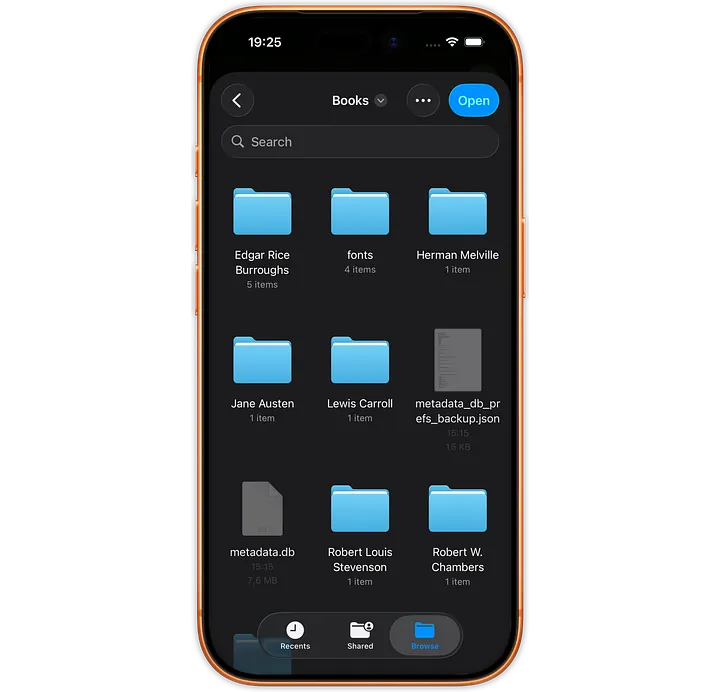
After opening books and fonts from a folder (managed by Calibre in this example) all books are shown either in Home Screen or Library.
Why isn't it just... better?
- Where's the reading dashboard? I want to see my reading habits, statistics, insights.
- Why isn't there a built-in eye care reminder? I read for hours and forget to rest my eyes.
- Can my reading actually do something good for my health? Can the app track my heart rate, for example?
I asked these questions for years. And I got the same answer from every app: "That's just how it is."
So in mid-2025, I decided: that's not good enough.
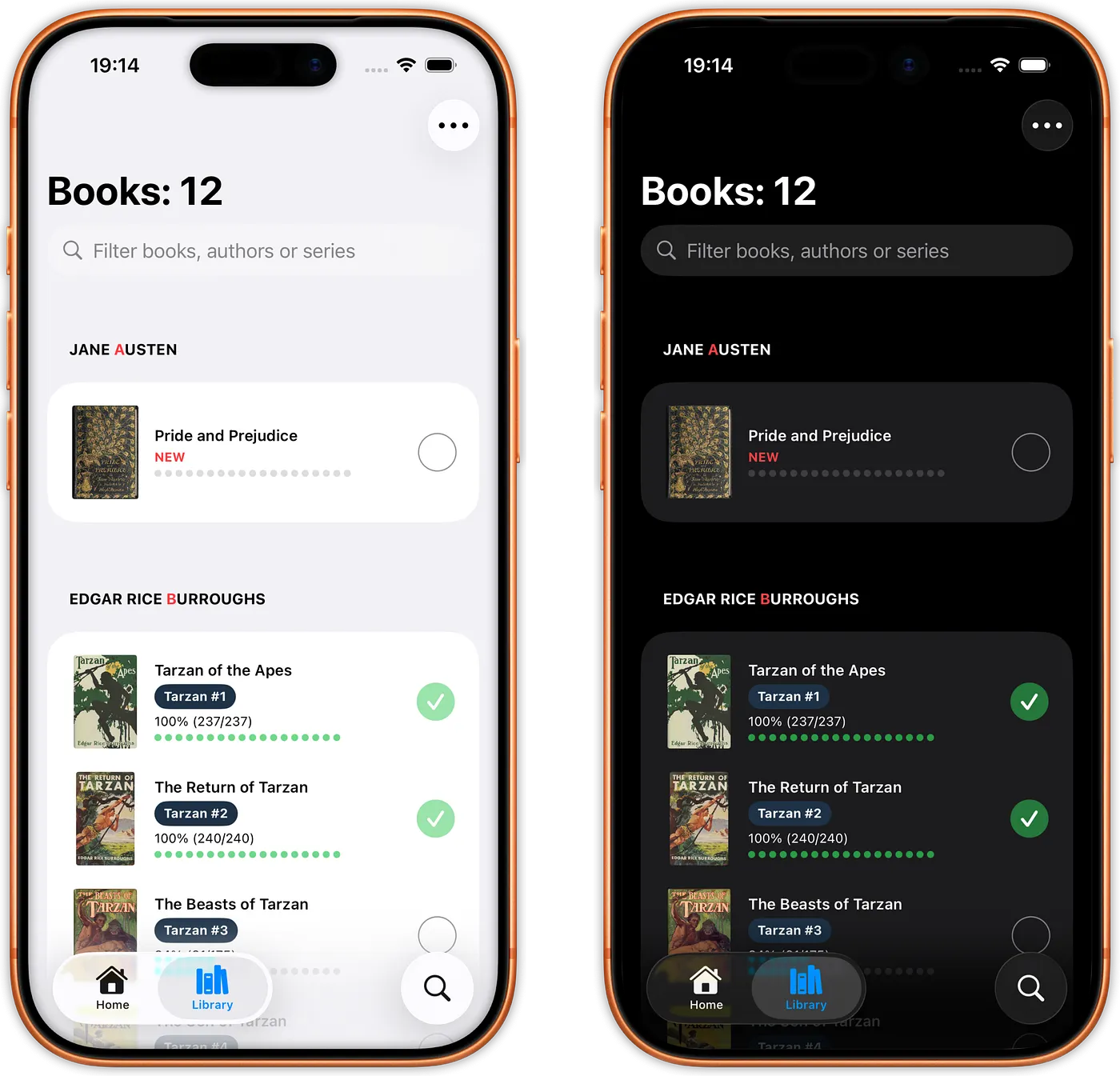
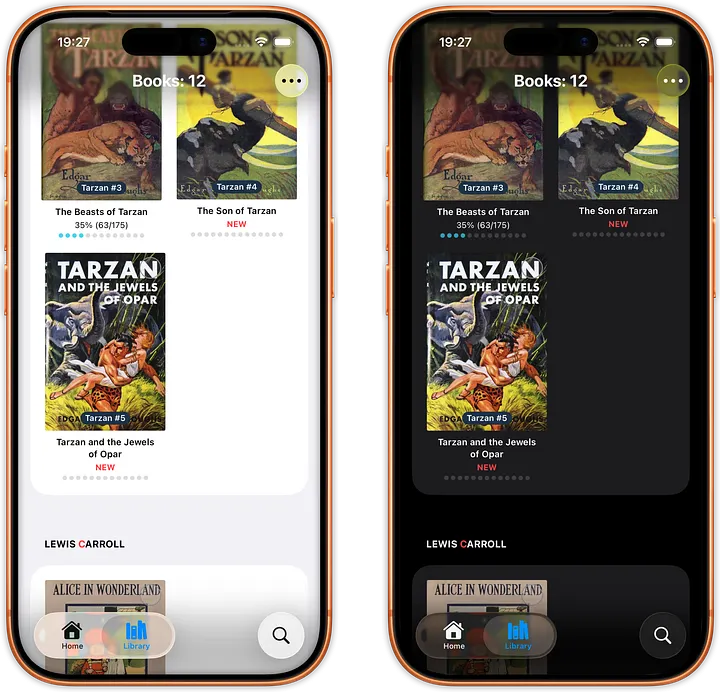
Library: Books in list and grid view, showing multiple informations: book name, series name and index, length, progress and state.
What If Reading Apps Were Built For Readers?
I started building justRead - an app designed around one radical idea: what if a reading app actually prioritized your reading experience?
What emerged is an app that answers every question I asked above:
You Control Your Reading Experience
- Adjust brightness without a menu. Swipe up or down on the left edge while reading. No interruptions or breaking your flow. Just instant adjustment.
- Lock your preferred orientation. Landscape or portrait, your choice, locked in place. No more accidental rotations destroying your immersion.
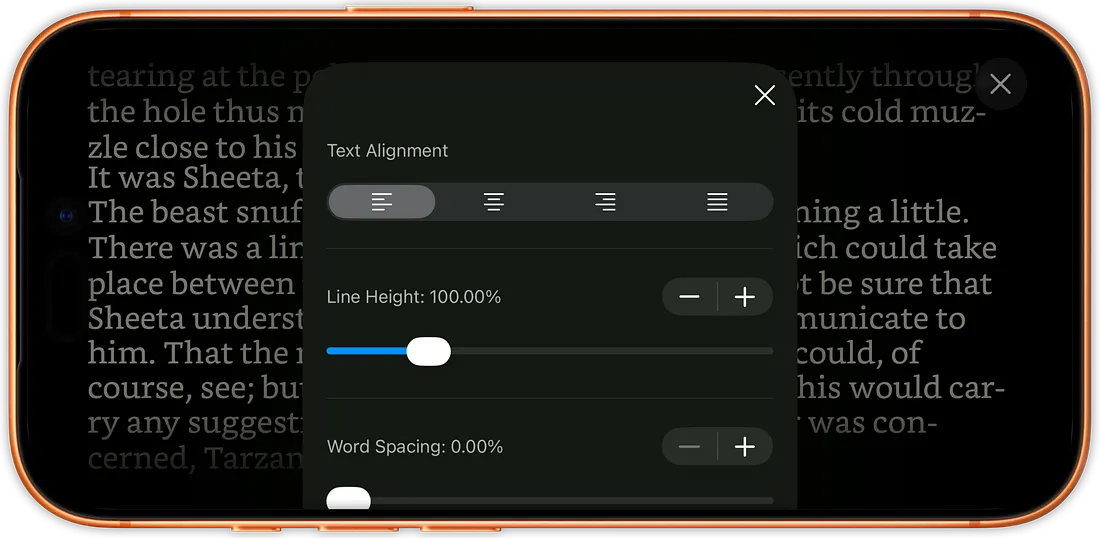
- Customize everything. Any font. Any size. Margins that feel right to you. Line height that lets you breathe. Text color and background color exactly as you want them. Boldness, word spacing, ligatures, you decide all of it.
- See the changes in real-time. The preferences panel doesn't hide the text, you see exactly how your adjustments look while you make them.
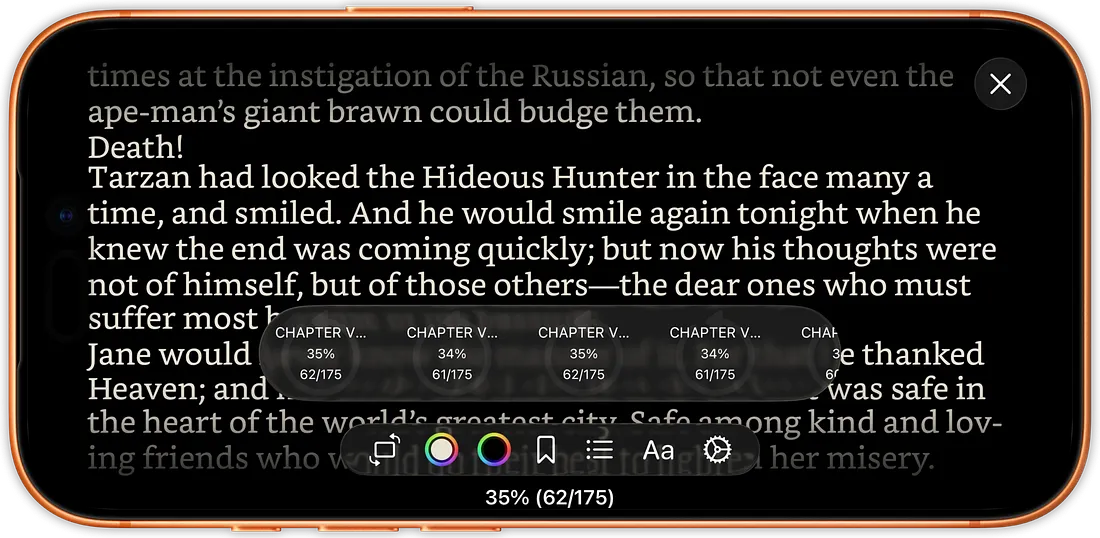
Reading in landscape with preferences toolbar and history browser.
Your Books, Your Way, No Lock-In
- Read DRM-free books you actually own. justRead embraces open standards and respects your library freedom. Import and read any DRM-free EPUB, no ecosystem lock-in. Your already bought books stay yours.
- Use your Calibre library. Import your perfectly-organized collection, series sorted, metadata intact. Your library, exactly as you built it.
- Store books in your iCloud folder. justRead reads them directly. No importing. No syncing. Just open and read.
- Handle any library size. Tested with ±5 000 books. No slowdown. No lag.
Reading That Actually Cares About You
- Track your heart rate in real-time while reading, seamlessly integrated with Apple Health. See if reading actually lowers your heart rate. Discover which books relax you and which ones keep you wired. Understand your own reading patterns.
- Eye care built in. The 20-20-20 method reminder keeps you from forgetting to rest your eyes during long reading sessions. Because your eyes matter.
- Inverted images in dark mode. Read illustrated books at night without eye strain. Your eyes will thank you.
- Jump through your books instantly. Reading history browser shows your last 100 selected pages. Find that page you want again in seconds.

Reading in landscape with an automatic reminder to rest your eyes.
A Reading Dashboard That Actually Shows You Something
- See your reading statistics. How many books read this month? How much time spent reading? Which authors do you return to? Which genres capture you? Understand your own reading life.
- Vote on what comes next. See the roadmap in the app. Vote for features you actually want. Watch them get built.
The Bigger Picture
Modern reading apps treat you like a customer to monetize. They lock you into their ecosystem. They decide what you can do, how you can read, what settings you get.
justRead is different. It treats you like a reader.
Most apps force you to adapt. justRead adapts to you
This isn't an app that happens to be available for reading. This is an app built for reading. This is an app built for the readers who believe bought books should be yours, data should be yours, and your reading experience should be yours.
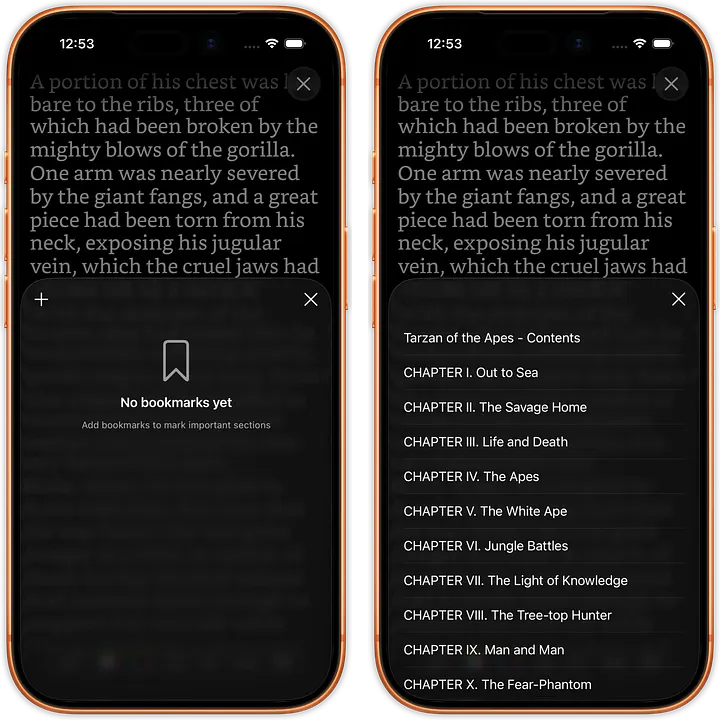
Reading in portrait showing bookmarks and table of contents.
What's Coming
It's December 2025. The app is approximately 75% complete.
TestFlight begins in January. If you want to test justRead before the public release and help shape its future, you can join TestFlight through the waitlist.
Public release is March 2025 - National Reading Month. The perfect time to reclaim your reading experience.
Between now and then, I'm publishing five more articles:
- Part Two: User Point of View - Why things are the way they are. The design decisions behind every feature.
- Part Three & Four: Developer Point of View - How it's built. What I learned moving from Go to Swift. The release cycle from idea to App Store.
- Part Five: Screenshots & Comparisons - See justRead in action. How it differs from what you're using now.
- Part Six: Developer Thinking - Why developers and users often seem to speak different languages. And how justRead bridges that gap.
A Simple Request
If you're a reader who's ever felt frustrated by the limitations of reading apps, if you've ever thought "why can't I just...?" - justRead is built for you.
If you're a reader who believes your books should be yours, your data should be yours, and your reading shouldn't be fragmented across devices or apps, justRead is for you.
Join the waitlist at www.justread.app. Stay updated. Be among the first to experience reading the way it should be.
Or if you're curious about TestFlight in January, sign up and let us know. We're looking for readers who care deeply about their reading experience.
And if you just like the idea, you can use this badge code wherever you want as a form of support.

justRead badge
Because reading matters. And your reading experience should be built around you.
Not the other way around.
Peter
Developer, Reader, justRead Creator
Older video showing analyzing and processing almost 5000 books (files between hundreds of kB and tens of MB, some have covers, some not; 3.22GB total). This is done once at the beginning. About one hundred years of reading takes about 50 seconds of processing.
← Back to Blog